If you want to convert handwritten notes into searchable, editable digital text in real time, these smart pen kits deliver reliable paper-to-digital syncing and easy sharing. They’re best suited for students, professionals, teachers, and anyone who writes by hand but wants instant digital copies and effortless organization.
Summary of chosen products:
- Ophayapen Smart Sync Pen for Note Taking with Notebook and Writing Board
- Ophaya Sync Smart Pen and A5 Notebook (5-Pack)
- SyncPen Digital Notebook Smart Pen Set
- Ophayapen Digital Smart Pen and Writing Board Set
- Smart Pen for Note Taking Set Real-Time Paper-to-Digital
| Product | Best For | Key Benefit |
|---|---|---|
| Ophayapen Smart Sync Pen | Individual note-takers | Real-time syncing with Ophaya Pro+ app |
| Ophaya Sync Smart Pen (5-Pack) | Teams and gifts | Multi-user note-sharing across devices |
| SyncPen Digital Notebook Set | Students and professionals | AI handwriting recognition across many languages |
| Ophayapen Digital Smart Pen & Writing Board | On-the-go capture | Real-time sync from board to phone |
| Smart Pen for Note Taking Set | Comprehensive kit | All-in-one with instant mobile sync |
Ophayapen Smart Sync Pen for Note Taking

This kit pairs a smart pen with a notebook and writing board. It supports real-time capture and sync via the Ophaya Pro+ app, suitable for iOS and Android. The package includes extra refills and accessories for continuous use. Best for individuals who want a complete in-hand writing experience paired with quick digitization and easy sharing. Limitations exist if you need broad platform compatibility beyond Ophaya’s app.
Ophaya Sync Smart Pen and A5 Notebook (5-Pack)

This five-pack targets group use, classrooms, or gifting. The product syncs in real time to the Ophaya Pro+ app across phones and tablets, with OCR for turning handwriting into text and options to export as PDF, Word, or image formats. Choose this for collaborative workflows or multiple users; caution: ensure all users have the app installed for smooth syncing.
SyncPen Digital Notebook Smart Pen Set

Designed for real-time pen-to-app capture on an A5 notebook, this set emphasizes AI handwriting recognition across many languages and formats. It also highlights lifetime access to the companion app with no subscriptions. Best for users who want long-term access without ongoing fees, while ensuring the notes remain searchable and editable. Consider potential learning curve with advanced features.
Ophayapen Digital Smart Pen and Writing Board Set
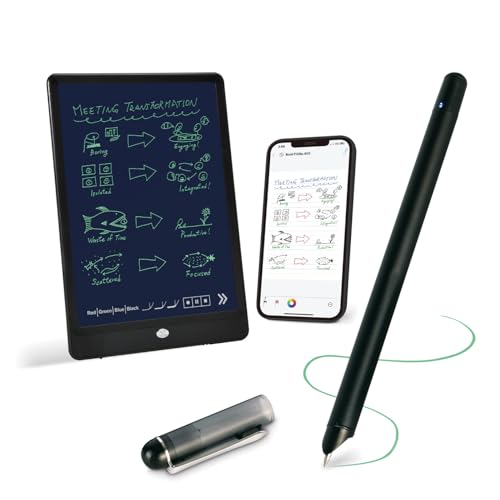
This set combines a writing board with a smart pen for real-time syncing to a smartphone. It includes OCR for searchable text and supports multiple file formats for sharing. Best for those who prefer writing on a board or paper while keeping digital copies readily available. Limitation: app compatibility and note organization workflows may vary by device.
Smart Pen for Note Taking Set Real-Time Paper-to-Digital
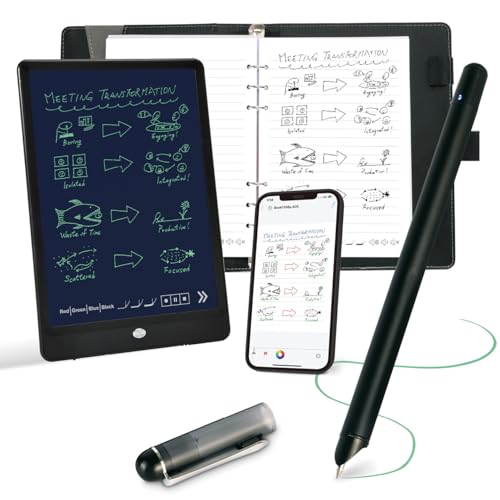
This All-in-One kit offers a seamless bridge between paper writing and digital storage. It includes a smart pen, a writing board or notebook, and a mobile app for instant syncing, text conversion, and searching. Best for individuals who want a complete, ready-to-use system with robust OCR and easy sharing. Limitation: some features require Ophaya paper or specific compatibility notes.
Buying Guide
- What to look for in a smart pen: Look for real-time sync, OCR accuracy, and cross-device compatibility. If you need searchable text, prioritize apps with robust handwriting recognition and keyword tagging.
- Paper-to-digital workflow: Consider whether you want a single-device system (pen + phone) or a multi-user setup (group notebooks or multiple notebooks). Decide if you need audio notes linked to text.
- Shared formats: Check which export formats are supported (PDF, Word, PNG, GIF, MP4) and whether pages can be combined before sharing.
- Hardware notes: Some pens require specific notebooks or writing boards. Confirm compatibility with your preferred paper type and ensure the pen’s tip and battery meet your daily usage needs.
- Platform considerations: If you use iOS or Android exclusively, verify app availability and feature parity. Some options may not work with desktops or non-standard devices.
Frequently Asked Questions
- Do these smart pens work with iOS and Android? Yes. Most listed products support both iOS and Android via companion apps.
- Can handwriting be converted to editable text? Yes. OCR technology converts handwriting to digital text that can be edited in Word or other formats.
- Is real-time sync always automatic? In most cases, the app syncs when connected, but some features require prompts or manual sync in the app.
- Can I share notes across devices? Yes. Many products export or sync notes to multiple devices and formats, including PDFs and Word documents.
- Are there ongoing subscription fees? Some products offer lifetime access to apps with no recurring fees, while others may require subscription for certain features.
- Do these pens capture audio? Some sets include audio recording that links to written notes for context, while others focus on text and image capture.