Finding a reliable wireless monitor for your laptop can dramatically boost productivity and flexibility. This guide highlights five top contenders designed for travel, remote work, and on-the-go creativity. Each option focuses on easy wireless mirroring or extending, built-in batteries, and broad compatibility with laptops, tablets, and phones. Read on to compare features, screen quality, battery life, and connectivity at a glance.
Summary of chosen products
| Product | Brand | Key Benefit | Power |
|---|---|---|---|
| Wireless Portable Monitor Battery-Powered | HotYeah | AirPlay & Miracast, built-in battery | Built-in 8000mAh |
| MAGICRAVEN 8000 mAh Wireless Portable Monitor | MAGICRAVEN | Cable-free and wired options, strong color | Built-in 8000mAh |
| ZSCMALLS Battery Wireless Portable Monitor | ZSCMALLS | Wireless mirroring with wired fallback | Built-in 8000mAh |
| KYY Portable Monitor 15.6″ | KYY | Slim, versatile ports, HDR support | Requires external power if needed |
| iProda Wireless Portable Monitor | iProda | Wireless dual-mode, rotation option | Battery-powered option |
Wireless Portable Monitor With Built-In Battery
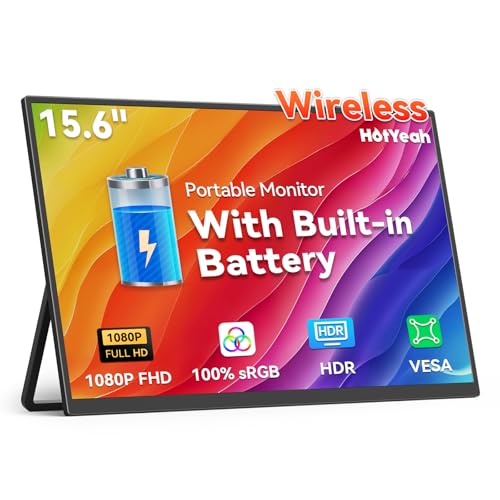
The HotYeah wireless portable monitor is a compact second screen designed for laptops and other devices. It supports AirPlay and Miracast for quick, cable-free screen sharing. Compatible with iPhone, iPad, Android devices, MacBooks, and Windows laptops, it can be used to extend or duplicate displays. A built-in 8000mAh battery provides roughly 4 to 5 hours of cordless operation, making it ideal for travel, coffee shops, or remote work where outlets aren’t guaranteed. For power-conscious users, two USB-C ports and a Mini HDMI port offer wired options to conserve battery life when needed. Extend mode may require manual laptop configuration.
Built for on-the-go use, this model blends portability with flexible connectivity. The combination of AirPlay/Miracast and a sizable internal battery supports a range of devices, including mobile phones and tablets, turning a laptop into a larger workspace or entertainment hub. Consider this option if you need a truly wireless secondary screen that performs well in travel scenarios.
MAGICRAVEN 8000 mAh Wireless Portable Monitor
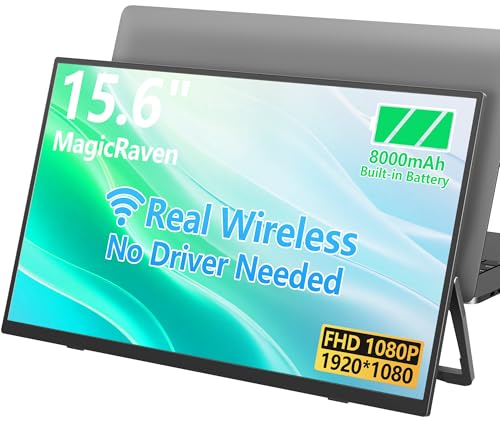
MAGICRAVEN’s wireless portable monitor emphasizes true wireless functionality with the latest screen mirroring technology. It can connect to Windows, macOS, Android, and iOS devices without cables and also supports wired connections via HDMI or full-feature Type-C. The 15.6″ 1080p IPS panel delivers a strong color range and contrast, with a claimed 1500:1 ratio and 100% sRGB. The 8000mAh battery offers about three and a half hours of use, suitable for short meetings or flights. Note that temperature management is advised during prolonged use. The model balances portability with solid screen quality, making it a strong alternative to cable-based displays.
In practice, this monitor serves well for productivity, multimedia, and light gaming on the go. Its color accuracy and wide viewing angles help maintain a comfortable viewing experience, while the built-in battery keeps devices independent from wall outlets during travel. If you prioritize a robust wireless experience with optional wired compatibility, MAGICRAVEN is worth evaluating.
ZSCMALLS Battery Wireless Portable Monitor
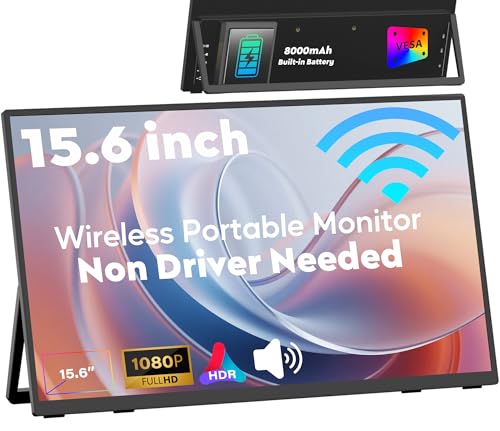
ZSCMALLS presents a 15.6″ 1080p wireless portable monitor with an 8000mAh battery and built-in speakers, designed to pair with laptops, phones, tablets, and even game consoles. It emphasizes wireless mirroring via AirPlay/Miracast and offers reliable wired options through HDMI or a Type-C port for a stable connection when power is available. The display promises a full HD experience with no-flicker and a comfortable viewing experience, supported by a 1500:1 contrast ratio and 100% sRGB color gamut. The waterproof considerations and thermal management notes suggest the device is intended for varied environments and longer sessions.
This model stands out for its combination of strong wireless capabilities and practical battery life. It’s a balanced choice for users who want a versatile second screen that can adapt to laptops and gaming devices while maintaining color fidelity across different environments.
KYY Portable Monitor 15.6″ 1080P HDR IPS

KYY’s 15.6″ portable monitor focuses on a high-resolution 1080p IPS panel with HDR capabilities and a 178° viewing angle. The dual Full-Function Type-C ports plus a Mini-HDMI ensure broad compatibility with laptops, smartphones, PCs, and consoles when connected with a single cable, provided the device supports Thunderbolt 3/3.1 USB-C DP Alt Mode. The display is designed to be ultra-slim and light (about 1.7 pounds) and includes 3.5mm audio input plus built-in speakers for quick, on-the-go media experiences. The emphasis here is color accuracy and ease of setup, ideal for users who want a portable dual-monitor workflow without sacrificing image quality.
For those who value a robust, multi-device connection with minimal cabling, KYY offers a compelling blend of portability and performance. Its HDR feature and wide compatibility make it a versatile option for entertainment and work tasks alike.
iProda Wireless Portable Monitor

iProda’s wireless portable monitor supports dual-mode connectivity: wireless and wired (HDMI/USB-C). It targets versatility for online learning and mobile work, delivering a 15.6″ FHD display with a matte IPS panel that reduces glare. The design emphasizes easy pairing with smartphones, Windows, and macOS devices, making it a practical travel companion for remote teams or students. The included rotating capability and a lightweight frame further enhance usability in various viewing angles and environments, including collaborative sessions or classroom setups.
With its flexible wireless and wired options, iProda offers a straightforward solution for users who need reliable display extension anywhere, from coffee shops to coworking spaces. The focus on portability and simple setup makes it a good fit for those prioritizing ease of use and compatibility across devices.
Buying Guide: Key Purchase Considerations
- Display quality: Look for IPS panels with Full HD (1920×1080) or higher resolution, wide viewing angles, and color accuracy (sRGB coverage). A matte screen helps reduce reflections in bright environments.
- Wireless vs wired: Wireless mirroring (AirPlay/Miracast) offers cable-free convenience, while wired connections via HDMI or USB-C ensure stable performance and possibly better latency for gaming or critical work.
- Battery life: Built-in batteries enable true portability. Check estimated runtime under typical use (video, presentation, or web browsing) and temperature considerations during long sessions.
- Port compatibility: Favor models with USB-C (prefer Power Delivery or DP Alt Mode), HDMI, and occasionally Mini HDMI for broad compatibility with laptops, tablets, game consoles, and phones.
- Weight and form factor: If you travel frequently, prioritize light, slim profiles and durable shells. Ultra-thin bezels maximize screen real estate in multi-monitor setups.
- Stand and mounting: A built-in kickstand or VESA compatibility helps with ergonomic positioning. A rotating or adjustable stand can improve comfort during extended use.
- Eye comfort: Look for low blue light, flicker-free technology, and anti-glare or matte coatings to reduce eye strain during extended sessions.
- Additional features: Built-in speakers can be handy for quick presentations; some models offer built-in case or smart cover for protection and convenience.
When choosing, consider your primary use: travel work, classroom learning, casual entertainment, or a gaming-focused setup. If you need maximum flexibility, a model with both wireless and wired options, a healthy battery, and solid color performance will serve most scenarios well. For a fixed workstation, prioritize wired reliability and larger screens with higher brightness. Always verify compatibility with your specific laptop or mobile device to ensure seamless connectivity.