Finding the right widescreen monitor to pair with a MacBook Pro involves balancing portability, color accuracy, and connectivity. The following five options are popular for extending screen real estate, improving productivity, and enhancing multimedia experiences on macOS. Each model supports USB-C or HDMI connections and offers features tailored to laptop users, gamers, and professionals who need a larger working canvas.
| Product | Brand | Key Features |
|---|---|---|
| InnoView Portable Monitor, 15.6 Inch | InnoView | Plug & play, 1920×1080, USB-C & HDMI, built-in speaker |
| cocopar Portable Monitor 15.6 Inch | cocopar | 2 USB-C ports, mini HDMI, 1080p, VESA mountable |
| INNOCN 27″ 4K USB-C Monitor | INNOCN | 4K HDR400, USB-C, DP, HDMI, built-in speakers |
| Veout External Second Screen 16″ for MacBook Pro | Veout | 1920×1200 IPS, dual USB-C/HDMI, portable travel model |
| InnoView Portable Monitor 15.6″ 1080P | InnoView | IPS panel, built-in stand, USB-C & HDMI, protective sleeve |
InnoView 15.6″ Portable Monitor For Laptop

The InnoView 15.6 inch portable monitor is designed for quick setup without drivers. It provides two USB-C ports and one HDMI port to connect most devices, with power pass-through support. The 1920×1080 IPS panel delivers wide viewing angles and vibrant color, while low blue light helps reduce eye strain. It’s suitable for MacBook use, gaming consoles, and mobile devices, offering a lightweight solution for travel or remote work. Note: Thunderbolt 3/4 or USB-C DP Alt Mode support on your main device improves compatibility.
Cocopar 15.6″ Portable Monitor With Stand

The Cocopar 15.6 inch travel monitor features 1080p resolution, 60 Hz refresh, and 85% sRGB color. It supports extend and mirror modes and includes two USB-C ports plus a mini HDMI input. A single USB-C cable can power the monitor and carry display data, provided the host supports USB-C DP Alt Mode or Thunderbolt 3/4. The device is VESA mountable for flexible setups and comes with a stand and protective options for mobile professionals.
INNOCN 27″ 4K USB-C Monitor

This 27-inch INNOCN monitor delivers true 4K UHD (3840×2160) with HDR400 support and a wide color gamut. It includes USB-C, DisplayPort, and HDMI connections, enabling direct links to laptops, Macs, and desktops. The display features 60 Hz, a high color fidelity with a Delta E under 2, and built-in speakers for convenience. An adjustable stand and a large viewing area make it a strong option for productivity, photo editing, and media consumption on macOS systems.
Veout 16″ External Screen For MacBook Pro
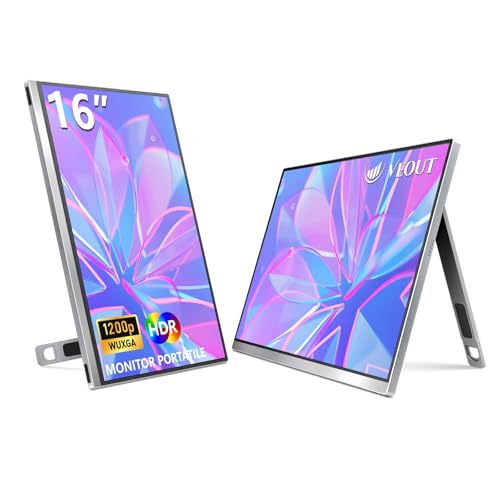
The Veout 16-inch travel monitor offers a 1920×1200 IPS display with a 16:10 aspect ratio, delivering more content than 16:9 models. It features HDR support, low blue light, flicker-free technology, and a slim aluminum body with a portable stand. With dual USB-C and mini HDMI inputs, it supports easy plug-and-play with many MacBook Pro configurations and other devices. The included metal stand facilitates adjustable viewing angles, including portrait mode for varied workflows.
InnoView 15.6″ Portable Monitor With Sleeve

This InnoView model emphasizes portability with an included protective sleeve and built-in adjustable stand. The 15.6-inch IPS screen provides vivid visuals, and the monitor supports both USB-C and HDMI input for compatibility with MacBook Pro and other devices. A compact, travel-friendly solution, it is designed for on-the-go professionals who need extra screen real estate without bulk.
Buying Guide
- Compatibility: Check if your MacBook Pro supports Thunderbolt 3/4 or USB-C DP Alt Mode for true plug-and-play with USB-C displays. If not, ensure the monitor includes an HDMI option.
- Screen size and resolution: For macOS multitasking, 15.6″ to 27″ with 1080p–4K offers balanced clarity and portability. Consider color accuracy (sRGB/Adobe RGB) and HDR support for photo or video work.
- Connectivity: Favor monitors with USB-C for single-cable power and display, plus HDMI/DP as fallback. Built-in speakers help reduce accessory clutter, though external speakers may still be preferred.
- Ergonomics: Look for adjustable stands, VESA compatibility, and tilt/rotate options to optimize posture and comfort during long sessions.
- Power and portability: If you travel often, a slim profile and protective sleeve or case add value. Some models require an external power source for 1080p performance; verify power requirements with your devices.
- Use-case considerations: For gaming, prioritize higher refresh rates (60 Hz+), lower input lag, and color accuracy. For productivity and coding, screen real estate and consistent viewing angles matter more than ultra-high resolution.
- Weight and mounting: For 16″ or larger screens, ensure your bag and desk setup can accommodate the extra weight and any VESA mounting hardware you plan to use.