Finding the right virtual DJ program and compatible hardware can streamline performances for clubs, mobile DJs, and home studios. This guide highlights five options that pair well with VirtualDJ and other DJ software, helping you choose based on portability, features, and ease of use. Each option is explained with who it’s best for, its strengths, and a small caution to consider before buying.
| Product | Best For | Key Benefit |
|---|---|---|
| VirtualDJ Timecode Control Vinyl | Traditional feel with digital control | Authentic turntable-style timecode control |
| Serato DJ Pro – Download Card | Industry-standard software for confident performers | Reliable, widely adopted professional software |
| Numark Mixstream Pro+ | On-the-go performances with built-in playback | Standalone operation and streaming capability |
| Zulu DJ Software (Download) | Beginner to intermediate mixing | Comprehensive mixing features at a solid value |
| Denon DJ SC LIVE 4 | Standalone unit with large touchscreen | Integrated hardware and streaming options |
VirtualDJ Timecode Control Vinyl (Black)

Best for DJs who want a traditional vinyl feel while using digital tracks. The control vinyl is designed for VirtualDJ, enabling seamless integration into a digital setup with authentic turntable rhythm and scratching capabilities.
Who it’s best for: vinyl enthusiasts and club DJs who want tactile control without carrying a full vinyl setup. Why selected: it provides true timecode functionality that works smoothly with VirtualDJ across various configurations.
Limitation: relies on compatible software and hardware for optimal performance, so verify your system before purchase.
Serato DJ Pro – Professional DJ Software
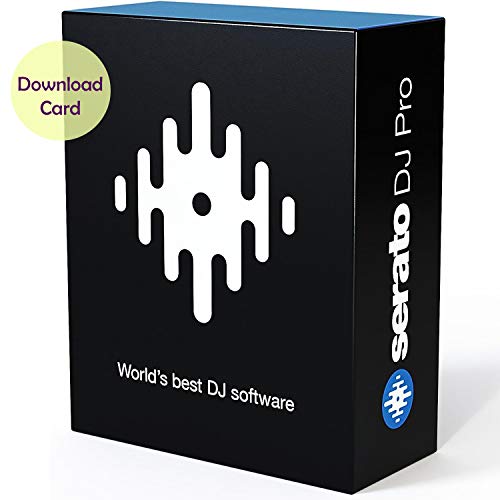
Best for performers seeking a robust, widely adopted platform. Serato DJ Pro is a staple for hip-hop, dance, and all-around versatility, known for reliability and industry-wide familiarity.
Who it’s best for: professional DJs who rely on a proven, top-tier software environment. Why selected: it powers many big-stage performances and integrates smoothly with a broad ecosystem of controllers and mixers.
Caution: availability is software-based; ensure your computer meets the system requirements before purchase.
Numark Mixstream Pro+ DJ Controller

Best for mobile or on-the-go performances with built-in speakers. This standalone controller supports Wi-Fi streaming and has a 7″ touchscreen for navigation, plus SD and USB inputs for flexible music sources.
Who it’s best for: DJs who want a portable, all-in-one solution without a laptop. Why selected: it offers engine OS standalone play, streaming options, and a touchscreen for easy library management.
Caution: built-in speakers may not satisfy high-output club environments; consider external PA for larger venues.
Zulu DJ Software – Complete DJ Mixing Program

Best for beginners who want a complete mixing package with broad format support. Zulu DJ Software offers cross-fading, real-time pitch and tempo control, and auto-play modes with support for mp3 and wav formats.
Who it’s best for: new and casual DJs building foundational skills. Why selected: it balances feature access with affordability and straightforward operation.
Limitation: interface and workflow may feel less polished than premium brands for some advanced users.
Denon DJ SC LIVE 4 Standalone Controller

Best for dedicated performances with a large touchscreen and extensive streaming. The SC LIVE 4 supports engine OS standalone use and Serato Pro 1:1 hardware integration, plus VirtualDJ compatibility.
Who it’s best for: performers who want a premium, feature-rich standalone unit with streaming access. Why selected: its built-in speakers and touchscreen elevate live play and set navigation.
Caution: higher price point and larger footprint; ensure you have space and power for setup.
Gemini Sound GMX Versatile DJ Controller

Best for versatile setups that mix stand-alone play with software control. The GMX supports USB/MIDI operation and includes VirtualDJ LE for software integration.
Who it’s best for: mobile and club DJs who want flexible control options and a compact footprint. Why selected: it combines hardware versatility with software interoperability.
Caution: the feature set is broad but not as specialized as top-tier standalone units for high-end venues.
LyxJam 2-Deck Portable DJ Controller

Best for beginners and travel-friendly setups with built-in USB, mic, and performance pads. It ships with Virtual DJ LE Software for immediate use.
Who it’s best for: new DJs seeking an affordable, portable option with immediate software integration. Why selected: compact design with a complete control surface and included software.
Caution: 2-deck layouts may feel limited for complex remixes compared to pro-grade controllers.
MAGIX Music Maker 2016 Live

Best for live music production with easy loop-based workflows. MAGIX Music Maker Live emphasizes live performance features and remote control via the MAGIX Audio Remote app.
Who it’s best for: home studios and beginner producers who want simple live performance capabilities. Why selected: it combines loop-based creation with accessible remote control options.
Caution: it is more of a music production suite than a high-end DJ controller; consider additional hardware for club-grade setups.
Buying Guide
What to consider when choosing a virtual DJ program and compatible hardware
- Software compatibility: Confirm that the hardware you want to use is compatible with VirtualDJ or your preferred software. Some devices are optimized for Serato, VirtualDJ, or standalone use.
- Portability vs. performance: Standalone controllers with built-in speakers are great for mobile gigs, while laptop-based setups excel in clubs and studios.
- Source options: Look for devices with multiple input sources (SD, USB, streaming) to match your typical workflow.
- Control realism: Timecode vinyl and traditional jog wheels provide tactile feedback that some DJs prefer for feel and precision.
- Ease of use: Beginners may benefit from bundled software (e.g., VirtualDJ LE) to lower the learning curve.
- Expansion and future-proofing: Consider controllers with software update paths and broad compatibility to adapt as your needs grow.
Frequently Asked Questions
- What is best for a traditional DJ feel with digital music?
Timecode vinyl options like VirtualDJ Timecode Control Vinyl provide tactile control while using digital tracks. - Can I use any DJ controller without a computer?
Some controllers are standalone and work without a computer, but many need a computer or integrated OS to operate. - Is Serato DJ Pro essential for professional gigs?
Serato DJ Pro is a widely adopted standard, but many venues and setups successfully use other software with compatible hardware. - Should I prioritize built-in speakers or external sound systems?
Built-in speakers are convenient for travel and small venues; for larger rooms, external PA is usually preferred. - Do all listed products work with VirtualDJ?
Most listed devices offer compatibility or flexible integration with VirtualDJ or common DJ software, but check specific model details. - What’s a good starter setup for home practice?
A compact controller with bundled software plus a USB drive or laptop for library management works well for beginners.