Buying an internal hard drive that balances cost and reliability is essential for expanding storage, backing up data, or powering a desktop build. This guide highlights solid choices across common use cases, from budget gaming rigs to NAS setups. Each pick emphasizes value without sacrificing core performance. The top options below are best for users who want dependable storage with sensible capacities and straightforward installation. The buyer profiles you’ll find here include budget-conscious gamers, small office NAS users, and mainstream PC builders seeking more headroom for apps and media.
Summary table of selected products:
| Product | Best For | Capacity | |
|---|---|---|---|
| Seagate BarraCuda 2TB Internal HDD | Budget desktop upgrades | 2 TB | 7200 RPM, 256 MB cache, data migration tools |
| Seagate BarraCuda 4TB Internal HDD | General desktop storage | 4 TB | 256 MB cache, broad capacity range, versatile for PC needs |
| Seagate BarraCuda 8TB Internal HDD | Mass storage, media libraries | 8 TB | 5400 RPM, large capacity, good for backups and large files |
| Seagate IronWolf 8TB NAS HDD | Multi-user NAS environments | 8 TB | NAS-optimized, 7200 RPM, 256 MB cache, vibration reduction |
| Western Digital 1TB WD Blue | Everyday PC tasks | 1 TB | 7200 RPM, reliable WD quality, cloning software included |
Notes: The table highlights typical use cases and capabilities. Specific performance varies by drive model, system configuration, and workload. All options listed emphasize value and broad compatibility with standard 3.5″ SATA interfaces.
Seagate BarraCuda 2TB Internal HDD

The 2TB BarraCuda is a versatile desktop drive designed for mainstream PCs. It caters to users who need additional internal storage without sacrificing performance. The drive features 7200 RPM operation and a 256 MB cache to help with general multitasking, large file transfers, and medium-sized media libraries. It includes Seagate DiscWizard software for disk migration and cloning, simplifying upgrades from older drives. This model is well suited for budget-conscious builders upgrading a single PC or replacing a smaller HDD in a mid-range desktop.
Best for: Budget-conscious desktop users who want reliable, fast enough storage for everyday computing, game libraries, and media. Choose this if you need a compact upgrade path without premium costs. A potential limitation is 2 TB capacity if you anticipate very large media collections or heavy professional workloads.
Seagate BarraCuda 4TB Internal HDD
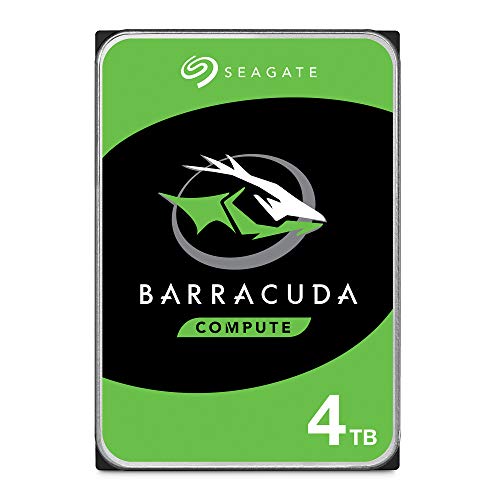
The 4TB BarraCuda offers a balanced mix of capacity and performance for everyday desktop workloads. It’s well suited for users expanding game libraries, photo and video libraries, or general media storage. The drive emphasizes reliability and broad compatibility, making it a solid upgrade for most desktops that require extra space without stepping into enterprise-grade features. With a 256 MB cache and 5400–7200 RPM-class performance in various BarraCuda configurations, it supports smooth file transfers and quick access to frequently used data.
Best for: General desktop storage expansion, including gaming libraries and multimedia collections. Choose this if you want more space without paying premium for higher RPM drives. Limitation: some workloads may benefit more from higher rotational speed drives; for constant high-speed streaming, consider higher performance models.
Seagate BarraCuda 8TB Internal HDD

The 8TB BarraCuda is designed for users who need substantial, affordable storage capacity. It supports vast media libraries, backups, and large project archives. While it operates at 5,400 RPM, which can be less responsive in write-heavy tasks compared to faster drives, the large capacity makes it economical per terabyte for long-term storage. The drive is compatible with standard PC builds and provides a straightforward upgrade path for expanding desktop storage without changing your existing setup significantly.
Best for: Backups and media archives where cost per terabyte matters. Better for: less frequent high-intensity I/O, where long-term storage and large file retention take priority. Caution: performance for high-demand, latency-sensitive applications may lag behind faster SSDs or higher RPM HDDs.
Seagate IronWolf 8TB NAS HDD

The IronWolf 8TB NAS drive is optimized for multi-user NAS environments with reliability and consistent performance. It is designed for 24/7 operation in RAID configurations and features NAS-specific optimizations to reduce wear and vibration. This makes it a strong choice for small office setups, home labs, or multibay NAS builds where data sharing and uptime matter. A practical caveat is that NAS-optimized drives may be overkill for single-user desktop storage; ensure you need NAS capabilities before choosing this model.
Best for: NAS environments with multiple users and continuous data access. Choose this if you run a home or small office NAS and require steady performance, quiet operation, and reliable multi-drive behavior. Limitation: not specifically tailored for single-drive desktop workloads; manage expectations for RAID performance versus standalone use.
Western Digital 1TB WD Blue

The WD Blue 1TB drive targets everyday PC tasks with a reputation for reliability. It includes cloning software via Acronis True Image WD Edition, which can simplify migration from older drives during upgrades. This model is well-suited for users building a standard desktop or upgrading a single PC where modest capacity is sufficient. The 7200 RPM class helps with general responsiveness and faster boot times relative to lower RPM drives, though it remains a budget-friendly option.
Best for: Everyday computing needs, simple system upgrades, and easy cloning. Choose this if you want a dependable, consumer-grade HDD with accessible software tools. Limitation: 1 TB may be limiting for large media libraries or heavy professional workflows; consider higher capacity drives for future growth.
Buying Guide
What matters most when choosing an internal hard drive for value and compatibility?
- Capacity versus budget: Determine how much space you need now and anticipate future growth. Higher capacities offer better value per terabyte, but initial costs rise.
- Rotation speed and performance: 7200 RPM drives deliver quicker access and transfers than 5400 RPM drives, at the cost of slightly higher power usage and potentially more vibration. For NAS or media storage, capacity and reliability often matter more than peak speed.
- Cache size: A larger cache (for example, 256 MB) can improve burst performance during file transfers and large sequential reads or writes.
- Intended use: Desktop PCs benefit from standard hard drives for general storage, while NAS setups require drives designed for multi-user access and constant operation. Enterprise-grade features aren’t always necessary for home use.
- Software and migration tools: Some drives include cloning or data migration software that can simplify upgrades. Consider whether this matters for your setup.
- Reliability and warranty: Look for drives with robust reliability records and clear warranty terms if you plan long-term storage or critical backups.
Factors to compare at a glance
- Best for budget upgrades: BarraCuda 2TB or 4TB
- Best total capacity per dollar: BarraCuda 8TB
- Best for multi-user NAS: IronWolf 8TB NAS HDD
- Best for everyday desktop use: WD Blue 1TB
Frequently Asked Questions
- What is the difference between desktop HDDs and NAS HDDs? Desktop HDDs are designed for single-user, general-purpose workloads, while NAS HDDs are optimized for multi-user access, continuous operation, and RAID environments.
- Is higher RPM always better for performance? Not always. Higher RPM improves random access and sequential throughput, but it can increase power use and noise. For many users, capacity and reliability are more important than RPM.
- Do drives come with cloning software? Some drives include software tools to clone data from an old drive to a new one, which can simplify upgrades. Availability varies by model.
- Can these drives work in gaming setups? Yes, many are suitable for gaming storage, especially when expanding a PC’s capacity for games and media libraries. For the fastest in-game loading, consider pairing with an SSD for the system drive.
- What factors matter most for backups? Reliability, capacity, and drive health monitoring are key. Regular backups and a separate drive or NAS improve data protection.
- Should I use a NAS-rated drive for a single PC? NAS drives can be overkill for a single PC. Use NAS drives when you plan shared access across multiple devices or require RAID resilience.