Whether you’re upgrading a work PC, outfitting a home office, or adding a dependable accessory to a classroom computer, a wired USB mouse can offer consistent response, precise tracking, and affordable reliability. This guide highlights five top-rated wired mice from well-known brands, detailing their key features to help you compare ergonomics, sensitivity, and durability. All picks are suitable for both Windows and Mac environments and include comfortable designs for long hours of use.
Product snapshot — below is a quick reference to the five highlighted wired mice, including brand, main strengths, and notable features to consider before buying. Use this as a baseline when scanning for the right fit for your setup.
| Product | Brand | Key Strength | DPI / Sensitivity |
|---|---|---|---|
| Logitech B100 Wired Mouse for Computer and Laptop | Logitech | Trusted reliability; ambidextrous design | 800 DPI |
| TECKNET USB Wired Mouse | TECKNET | Extensive DPI options; six buttons | 1000/1600/3200/6400 DPI |
| HP Wired Mouse 100 | HP | Simple setup; compact and versatile | 1600 DPI |
| ONE-UP Wired Office Mouse | ONE-UP | Ergonomic for long sessions; ambidextrous | 1000 DPI |
| Lenovo 100 Wired USB Computer Mouse | Lenovo | Durable with long button life | Reliable optical sensor |
Logitech B100 Wired Mouse for Computer and Laptop

The Logitech B100 is a straightforward, ambidextrous wired mouse ideal for everyday tasks. With 800 DPI, it provides precise cursor control suitable for document editing, web navigation, and casual browsing. Its simple design emphasizes durability and comfortable handling for both right- and left-handed users. The side-to-side scrolling plus zoom capability supports quick spreadsheet and presentation work, making it a practical choice for office and classroom settings where a reliable wired connection matters.
TECKNET USB Wired Mouse with Six Buttons

TECKNET’s wired mouse combines high-precision tracking with a robust 6-button layout. Four adjustable DPI levels (1000/1600/3200/6400) enable versatile sensitivity for everyday tasks or detailed design work. Tru-Wave technology enhances cursor control across varied surfaces, while the ergonomic, textured grip supports comfortable use during long sessions. A reliable wired option for productivity on laptops, desktops, or workstations.
HP Wired Mouse 100

HP’s Wired Mouse 100 focuses on quick setup and dependable performance. Its 1600 DPI optical sensor supports precise cursor activity across common work surfaces. The three-button plus scroll wheel configuration keeps essential navigation simple and efficient. Ambidextrous in design, this mouse suits shared setups, classrooms, or home offices where plug-and-play reliability matters and drivers are not required.
ONE-UP Wired Office Mouse
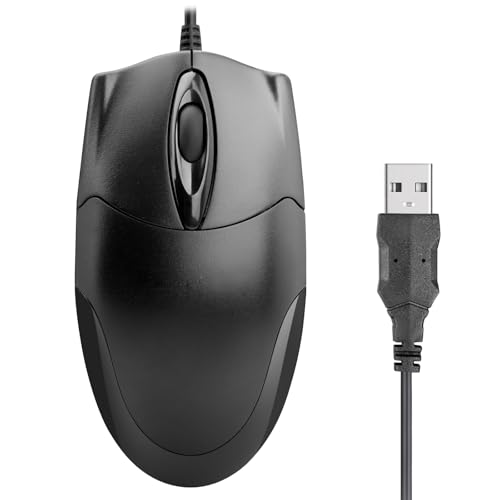
The ONE-UP Wired Office Mouse emphasizes ergonomics and comfort for long work sessions. Its ambidextrous design supports both left- and right-handed users, while a 1000 DPI optical sensor delivers responsive cursor movement for typical office tasks. The classic black finish blends with most desktops, delivering a professional look and reliable performance without unnecessary complexity.
Lenovo 100 Wired USB Computer Mouse

The Lenovo 100 offers a slim, ambidextrous profile designed for comfort in either hand. It emphasizes durability with a claimed long button life and a straightforward USB-A wired connection. A compact form factor makes it suitable for portable setups, travel, or space-conscious desks where a dependable, no-fuss mouse is desired.
seenda Wired Mouse with RGB Backlighting

Note: This listing is included for context on wired mice with aesthetics. The seenda model features RGB lighting, ambidextrous design, and a quiet click profile, appealing to users who value both style and subtle acoustic performance. The optical sensor and attached USB cord support standard laptop and desktop usage in shared or quiet environments.
Uineer Wired Mouse with Six Buttons

Uineer’s six-button wired mouse focuses on ergonomic design and adjustable DPI, offering four levels (1200/2400/4800/7200). Its plug-and-play setup simplifies use on PCs and laptops, making it suitable for productivity tasks, design work, and gaming-inspired precision. The option emphasizes comfort and customizable sensitivity for varied workloads.
Buying Guide: Key Considerations For Your Wired Mouse Purchase
- Intended use: For general browsing and documents, lower DPI (600–1600) plus a comfortable shape may be enough. For design work or gaming, seek higher DPI settings and more programmable buttons.
- Grip style and ambidexterity: If you share a computer or want flexibility, look for an ambidextrous design with a symmetrical shape and comfortable thumb rest.
- DPI range and accuracy: Higher DPI isn’t always better; choose a model whose sensitivity matches your typical tasks, with some models offering on-the-fly DPI switching.
- Buttons and layout: Extra forward/back buttons can boost productivity, especially in web browsing and document management. Ensure the layout suits your workflow.
- Durability and warranty: Look for models with durable switches and a robust cable. Consider brands that offer warranties or replacements for longer-term use.
- Compatibility and setup: Most wired mice are plug-and-play with Windows, macOS, and Chromebooks. Check for any OS-specific features or software requirements if you rely on customization.
- Portability and length: If you travel or move your setup often, a compact or lightweight design with a standard 4–5 ft cord is practical. Consider cable length for your desk layout.
Across the selections, wired mice provide dependable performance with minimal latency, no battery concerns, and straightforward compatibility. When choosing, align the model with how you work, your preferred grip, and whether you value extra buttons, higher DPI, or a compact form factor. This approach helps optimize typing accuracy, presentation control, and general navigation across Windows and Mac environments.