Looking for a replacement remote that works right away with your Android TV box? This guide highlights reliable, inexpensive options that pair well with popular boxes. Each remote is compatible with common models and offers simple setup, making it ideal for users who want fast, straightforward control without programming. This selection is best for budget-conscious buyers, setup-immediate users, and anyone seeking easy IR or Bluetooth compatibility.
| Product | Brand | Model Notes | Connectivity |
|---|---|---|---|
| Amiroko Remote Control Replacement | Amiroko | For T95, T95 MAX, T95Z Plus, T95K/T95V/T95U/T95W Pro, T95 X2, Qbox, Q Plus, X96, H96, MX1, MX10, T9, TX3, TX6, H50, X88, HK1 | IR (direct use, no programming) |
| Replacement Remote for MXQ PRO 4K | ALLIMITY | MXQ Pro, M8 series, T95M/N, X96, H96 and more | IR |
| Air Mouse Remote MX3 Pro | KUNSI | Android TV Box, Smart TV, Projector; includes 2.4G wireless | 2.4G RF + IR learning |
| BOXPUT BPR1S Plus | BOXPUT | Air Mouse with BT & 2.4G RF, voice control | 2.4G RF / BT |
| Standard IR Replacement for Q Plus/Q+/T95 | AIDITIYMI | Q Plus, Q+, T95, T9, T95Q, T95Z Plus | IR |
Amiroko Remote Control Replacement for Android TV Box Models

The Amiroko replacement remote is designed for a broad range of Android TV Box models, including T95 series and MX series. It is advertised as plug-and-play, requiring no programming after inserting batteries. This makes it best for buyers who want a quick, universal replacement without the hassle of learning codes. The remote’s ABS construction suggests durability for regular use in living rooms or home theaters. It is best for users who need a straightforward IR remote that works straight away with listed models.
Best for: Those who own T95, T95 MAX, T95Z Plus, or MX-series boxes and want a direct, no-fuss replacement. Choose this if you want a long-lasting, basic IR remote without extra features that could complicate setup.
Caution: Limited to IR compatibility; does not support Bluetooth or learning features. Verify your box model matches the listed list for reliable operation.
Replacement Remote for MXQ PRO 4K and Related Boxes
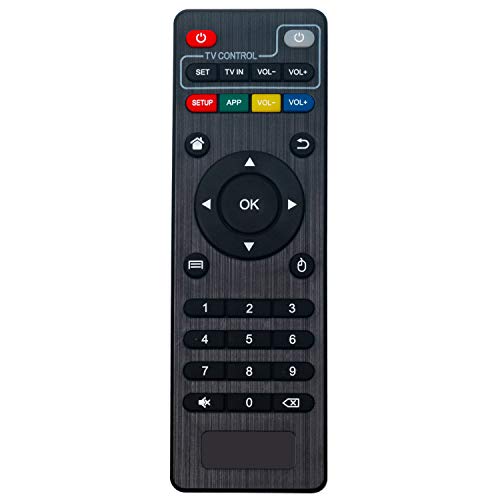
The ALLIMITY replacement remote covers many MXQ Pro, M8/M8S families, and T95 variants, offering a broad compatibility range. It is a plug-and-play IR remote, meaning no programming is required beyond inserting batteries. This option is best if you own multiple Android TV boxes or want a single spare remote that works across a wide set of devices. The listed models emphasize broad compatibility, but it remains an IR-only remote, so Bluetooth features are not supported.
Best for: Buyers with MXQ Pro 4K or similar Android TV boxes who want a simple, widely compatible IR remote; ideal as a spare or family-room remote. Avoid if you require Bluetooth or learning capabilities for non-IR devices.
Caution: Performance depends on line-of-sight to the box’s sensor; walls or furniture could intermittently block signals.
Air Mouse Remote MX3 Pro for Android TV Box

The MX3 Pro combines air-mouse functionality with a 2.4G wireless connection and a small keyboard, making it versatile for Android TV boxes, smart TVs, and projectors. It features motion-sensing for cursor control and IR learning, enabling it to mimic keys from another remote. This model is best for users who want keyboard input on a remote and the ability to control a computer-like interface from a distance.
Best for: Home theater setups where a compact keyboard and motion-based navigation improve navigation and search. Choose this if you want to control two devices with one remote via IR learning. Caution: Learning features may require initial pairing steps and battery management.
BOXPUT BPR1S Plus Air Mouse Remote

The BOXPUT BPR1S Plus is a 2026 release that combines 2.4G RF with Bluetooth and includes voice control. It supports IR learning to program all compatible buttons and provides a USB receiver for plug-and-play setup. This makes it a strong option for a multi-device living room setup where voice input can streamline searches and app navigation. It is best for users who want both 2.4G wireless stability and optional Bluetooth use for compatible devices.
Best for: Buyers who want a flexible remote that can connect via USB, RF, or BT, plus built-in voice input. Consider alternatives if you only need a basic IR remote without voice features.
Standard IR Replacement for Q Plus and T95 Series
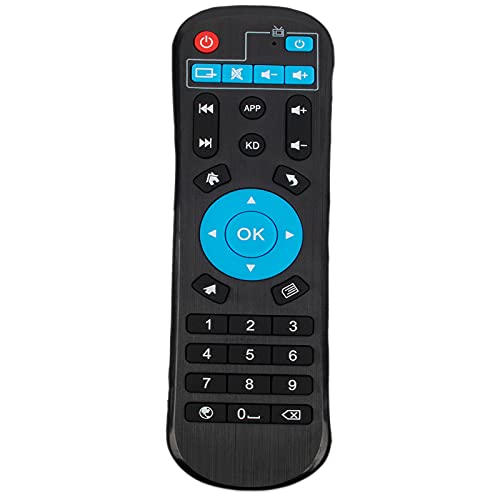
The Standard IR Replacement from AIDITIYMI focuses on popular Q Plus, Q+, T95, T9, T95Q, and T95Z Plus models. It is a straightforward replacement that requires no programming—just insert two AAA batteries and point at the device. This makes it a practical option for users who want a simple, affordable IR remote with reliable compatibility across several widely used Android TV boxes.
Best for: People with Q Plus or T95 variants who need a budget-friendly spare remote. Avoid if you require learning functions or Bluetooth connectivity for other devices.
Buying Guide: Key Purchases For TV Box Remotes
- Compatibility: Confirm your Android TV box model list matches the remote’s supported devices. IR remotes depend on line-of-sight, while RF or Bluetooth remotes offer different range and setup needs.
- Connectivity Type: IR is simple and broad but requires direct sight. 2.4G RF provides reliable wireless control without pairing, while Bluetooth offers multi-device use and voice capabilities.
- Learning and Voice Features: Ir learning can replicate your existing remote. Voice input helps with searches and app navigation on supported platforms.
- Power and Durability: Look for durable construction (ABS plastics are common) and battery type compatibility (AAA or button cells). Some remotes include rechargeable options.
- Ergonomics and Keyboard: If you navigate a lot, consider remotes with air-mouse or a small keyboard for easier text entry.
Frequently Asked Questions
- Do these remotes work without programming? Yes, several models advertise plug-and-play setup after inserting batteries, though some require IR learning for full compatibility.
- Can I use a single remote for multiple Android boxes? Some remotes offer broad compatibility across model families, but check the exact models listed by the seller.
- What is IR learning? IR learning allows the remote to record button signals from another remote so those functions can be replicated on the replacement remote.
- What if the remote doesn’t work after setup? Confirm the correct model compatibility, ensure fresh batteries are installed, and check line-of-sight for IR remotes.
- Should I choose an air mouse with a keyboard? If you frequently type searches or passwords, an air-mouse with a keyboard can improve navigation efficiency.
- Is Bluetooth necessary for Android TV boxes? Bluetooth remotes enable multi-device control and sometimes voice features, but IR or RF remotes can cover most basic needs.