Finding a smart TV that’s friendly for seniors involves simple navigation, clear picture quality, dependable streaming options, and reliable remote controls. The models below are chosen for easy setup, legible menus, and straightforward access to local news, weather, and favorite programs. Each option brings 4K clarity, reliable voice controls, and a focus on comfortable viewing from typical seating distances. Read on to compare five senior-friendly picks and see how they fit different living spaces and viewing habits.
| Product | Screen Size | Key Benefit | Brand |
|---|---|---|---|
| Roku Smart TV 2025 – 50-Inch Select Series | 50″ | Extensive streaming with an enhanced voice remote | Roku |
| Samsung 50-Inch Crystal UHD U8000F | 50″ | Strong upscaling and secure smart features | Samsung |
| INSIGNIA 50″ Class F50 Series | 50″ | Fire TV integration for fast app access | INSIGNIA |
| Hisense 50″ E6 Cinema Series QLED | 50″ | QLED color with Dolby Vision and Atmos | Hisense |
| Roku Smart TV 2025 – 43-Inch Select Series | 43″ | Compact option with easy streaming and local news | Roku |
Roku Smart TV 2025 – 50-Inch Select Series

The 50-inch Roku Select Series delivers sharp 4K HDR for clear, legible images suitable for older viewers who benefit from crisp contrast. Its Enhanced Voice Remote simplifies navigation, allowing quick access to streaming services and live TV menus without excessive scrolling. The Roku interface emphasizes familiar channels, free content, and local broadcasts, reducing the need to search through multiple apps. For seniors who value straightforward setup and dependable streaming, this model balances features with ease of use.
Samsung 50-Inch Crystal UHD U8000F

Samsung’s 50-inch Crystal UHD model emphasizes upscaling, delivering smoother transitions and improved background details for a more natural viewing experience. The slim, metal design blends with room decor while minimizing visual clutter. Enhanced security features—like Samsung Knox—protect against risky apps and keep user data secure, a useful benefit for households with shared screens. For those who want a premium yet approachable TV, this option merges strong picture quality with robust privacy protections and a refined look.
INSIGNIA 50″ Class F50 Series

INSIGNIA’s F50 Series combines Fire TV simplicity with a broad app library, offering immediate access to Prime Video, Netflix, Disney+, and more. The 4K Ultra HD resolution and HDR compatibility bring sharper picture details and more vivid color. The Voice Remote with Alexa enables hands-free control, which can lower the effort needed to navigate menus. This model is a practical pick for households that favor quick app launches and straightforward voice commands.
TOSHIBA 43″ Class C350 Series

The Toshiba C350 Series employs REGZA Engine ZR and an AI 4K Upscaler to elevate content to near-4K clarity. Dolby Vision Atmos support adds a more immersive audio experience alongside vivid imagery. This model is suitable for seniors who value strong visual fidelity and balanced sound without external equipment, improving overall readability of menus and screen content.
INSIGNIA 32″ Class FE Series
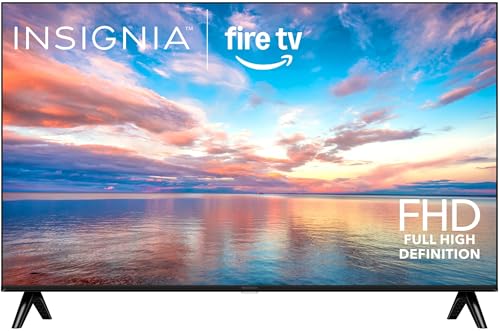
While smaller, the INSIGNIA FE Series delivers a simple Fire TV experience at a compact size, ideal for bedrooms or cozy living spaces. It provides access to a large catalog of streaming services and live TV apps, plus an intuitive interface designed for quick decisions. The 1080p resolution remains adequate for many seniors who do not require ultra-high definition in smaller rooms.
Hisense 50″ E6 Cinema Series QLED
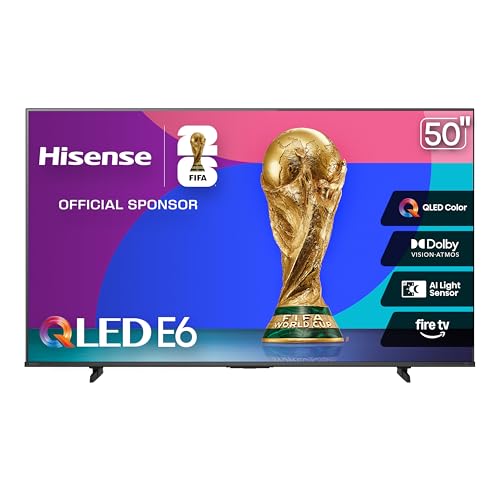
Hisense’s E6 QLED model delivers broad color range and cinematic brightness with Dolby Vision and Atmos. The AI light sensor adapts to room lighting, helping reduce glare and improve readability of on-screen text. Motion rate and responsive input handling can enhance sports and live news viewing. For viewers seeking vibrant color and consistent performance in various lighting, this TV offers a compelling balance.
Roku Smart TV 2025 – 43-Inch Select Series

The 43-inch Roku Select Series offers a compact option with excellent streaming access and a clear, legible interface. The HDR10 support enhances contrast and color, aiding in easier reading of on-screen text. With Roku’s platform, users can quickly find local news, weather, and free content alongside paid streaming services, prioritizing simplicity without sacrificing variety.
Buying Guide: Key Purchase Considerations
Audience and room fit are critical when selecting a senior-friendly smart TV. Consider screen size relative to viewing distance; larger screens improve readability for older eyes. Picture quality matters, but so does upscaling capability, HDR support, and color accuracy to ensure text and details are easy to discern. User interface simplicity, remote ergonomics, and voice control responsiveness influence daily usability.
- Remote design and accessibility: Look for a remote with large, distinct buttons, simple navigation, and voice control that responds reliably from typical seating positions.
- Streaming and content access: Favor platforms that provide straightforward access to local news, weather, and familiar channels. A balance of paid apps and free content is helpful.
- Smart features and security: Consider devices with strong security features and regular software updates. Knox or similar protections reduce risk when multiple people use the TV.
- Picture quality: Decide between OLED-like contrast and LED-based brightness, keeping in mind room lighting. HDR formats like HDR10 or Dolby Vision improve readability of bright scenes and text.
- Audio considerations: Built-in speakers should be clear enough for speech without excessive volume. Dolby Atmos or enhanced sound modes can help separate dialogue in noisy rooms.
- Size and placement: Ensure the TV fits available space and that the stand or wall-mount allows comfortable viewing from typical seats. Consider motion handling for sports and fast actions.
When evaluating options, align the TV’s strengths with daily routines: news mornings, streaming family shows, or quiet evenings. For seniors who prioritize ease of use, models with robust voice control, simple menus, and a familiar app ecosystem tend to deliver the best long-term satisfaction. Accessibility features such as text scaling and high-contrast menus can also improve readability and reduce eye strain over extended viewing sessions.