Choosing the right recording studio program can streamline home and project workflows, whether you’re laying down vocals, composing beats, or mixing master tracks. This article highlights five top options, spanning software-only solutions and complete hardware bundles, to help you compare features, compatibility, and capacity for your studio setup. Each entry notes key strengths for recording, editing, and producing high-quality audio.
| Product | Brand | Key Use |
|---|---|---|
| MixPad Free Multitrack Recording Studio and Music Mixing Software | NCH Software | Multitrack recording, editing, effects |
| Music Studio 11 | Markt + Technik | Edits, converts, mixes audio; eight programs in one |
| MixPad Multitrack Recording Software for Mac | NCH Software | Mac-compatible multitrack mixing |
| PreSonus AudioBox USB 96 Studio Recording Package | PreSonus | Home-recording package: interface, mic, monitors |
| SOUND FORGE Audio Studio 16 | MAGIX | Recording, editing, restoration, mastering |
MixPad Free Multitrack Studio Review

MixPad Free Multitrack Recording Studio provides a flexible platform for building a recording session with multiple tracks, including audio, music, and voice. The software emphasizes a straightforward workflow that supports layering, editing, and mixing with a range of built-in effects. Users can leverage Beat Maker and Midi Creator tools to build rhythmic parts and MIDI-based arrangements, making it suitable for hobbyists and semi-professional producers seeking a cost-effective studio program. The interface is designed to simplify common tasks like cut, trim, and join, while offering advanced features for more complex projects.
Music Studio 11: All-in-One Audio Suite

Music Studio 11 aggregates eight music programs into a single Windows 11/10 package, offering editing, conversion, and mixing capabilities. It supports recording apps like Spotify, Deezer, and Amazon Music, enabling seamless workflow within a single environment. This makes it a compelling option for users who need a versatile, multi-tool solution that handles a broad range of audio tasks—from raw recordings to finishing touches. The bundled functionality can reduce the need for switching between disparate programs during a project.
MixPad Multitrack Recording Software (Mac)

This Mac-focused MixPad edition emphasizes simultaneous multi-track recording with intuitive editing tools. It supports recording multiple tracks at once, along with standard editing operations like splitting and joining audio. The software’s design caters to users who want a capable, budget-friendly option for home studios or small projects. It can serve as a foundational program for capturing performances, layering parts, and creating rough mixes before moving to more advanced mastering workflows.
PreSonus AudioBox 96 Studio Recording Package

This package combines an AudioBox USB 96 audio/MIDI interface with large-diaphragm condenser mics and monitoring gear, creating a complete home-studio solution. The rugged interface supports 24-bit/96 kHz capture, phantom power, and zero-latency monitoring, making it suitable for recording vocals, guitars, and other acoustic instruments. Included monitors and microphones provide a ready-to-use listening and mixing environment, reducing setup time for new users and providing a reliable baseline for professional-sounding projects.
SOUND FORGE Audio Studio 16
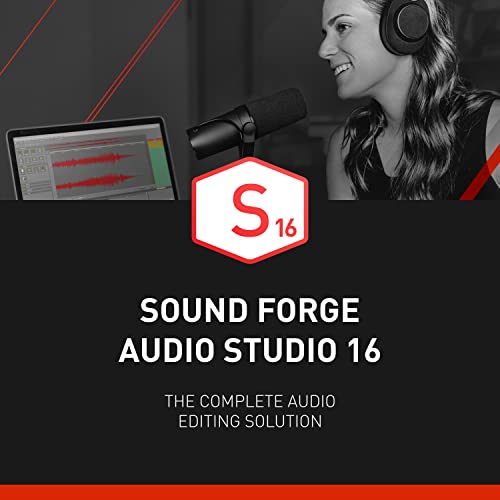
SOUND FORGE Audio Studio 16 provides a comprehensive suite for recording, editing, restoration, and mastering. The software emphasizes high-quality audio processing with features like modernEQ and modernReverb, making it well-suited for post-production and mastering tasks as part of a studio workflow. The all-in-one approach simplifies the path from raw captures to final masters, particularly for users focused on precision editing and professional-sounding results in a Windows environment.
PreSonus AudioBox 96 Studio Bundle (Alternative)
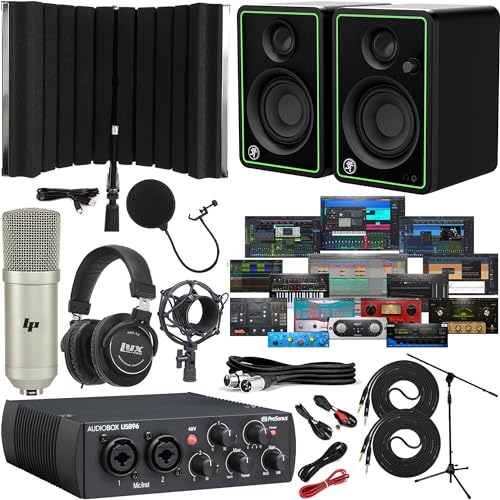
This bundle variant expands on the core AudioBox setup with additional monitors and accessories, offering a broader monitoring and recording footprint. It remains aimed at home studios needing a dependable, all-in-one kit for capturing performances and producing content across formats. The combination of interface, monitoring, and microphone equipment supports a clean signal chain from capture to mix.
PreSonus AudioBox Go Creator Complete Kit

The Go Creator Complete Studio Kit focuses on portability and integrated software, pairing a compact AudioBox GO USB interface with Studio One Pro and a cardioid microphone. It’s designed for on-the-go recording and quick-start projects, offering a streamlined path from capture to arrangement and final mix. This kit is ideal for podcasters, vloggers, and musicians who need a flexible, transportable studio program setup without compromising on software capability.
Buying Guide: Key Purchase Considerations
Choosing the right recording studio program depends on your workflow, hardware needs, and intended outputs. Consider these angles to compare options effectively:
- Software vs. hardware bundles: Software-only programs are budget-friendly and upgradeable, while bundles include interfaces, mics, and monitors for a ready-to-record setup. If you’re starting from scratch, a bundle may reduce compatibility headaches.
- Operating system compatibility: Some programs run best on Windows, others on macOS, and some offer cross-platform support. Confirm your computer’s specs and driver support for audio interfaces.
- Multi-track capabilities: If you record multiple sources simultaneously, ensure the program supports the number of inputs you need and offers robust latency management.
- Editing and mastering tools: Look for a complete chain—from recording through editing, effects, and mastering. All-in-one suites can simplify workflows, but third-party plugins may extend functionality.
- MIDI and virtual instruments: If you use MIDI keyboards or software synths, verify MIDI I/O support and included instruments, editors, or beat-making tools.
- File formats and export options: Verify supported sample rates, bit depths, and export formats (WAV, AIFF, MP3). Consider your distribution needs and archival quality requirements.
- User interface and learning curve: A clear layout and helpful tutorials reduce setup time and training, especially for beginners or transitioning producers.
- Future-proofing: Check upgrade paths and community support. A popular, well-supported program minimizes compatibility issues as you scale up.
The options above provide a spectrum from entry-level to more advanced setups. When evaluating, map each program or bundle to your current gear, room acoustics, and long-term goals—whether you’re building a home studio for podcasts, bands, or solo projects, or aiming to deliver professional-grade masters for clients.