Yes, there are dedicated projectors that make tracing art faster and more accurate. This guide compares five popular models suited for artists, students, and hobbyists who want clean lines for canvases, walls, or paper. Each pick highlights who it’s best for, why it stands out, and a practical limitation to watch for. If you’re teaching a class, working on a detailed drawing, or simply want to trace designs onto a surface, these projectors can streamline your workflow and improve precision.
| Product | Best For | Why It Stands Out |
|---|---|---|
| RTSTEC Art Projector | Beginners and mobile-tracing enthusiasts | Wireless screen projection from iPhone/iPad; adjustable focus for 11–80 inches |
| Artograph EZ Tracer | Students in dark rooms | Lightweight, silent, bright focus with large projection surface |
| Caydo P1 Art Projector | Artists who want integrated drawing app | Exclusive app with grids, 360° rotation, and easy image transfer |
| Caydo P3 Art Projector | Those needing full HD and versatile viewing | 1080P, extended projection (40–120 inches), robust app features |
| HI-REEKE Art Projector | Mixed device ecosystems | 1280×720 resolution with multiple import options |
RTSTEC Wireless Art Projector for Tracing

The RTSTEC model is designed for tracing directly from an iPhone or iPad via wireless projection or AirPlay. It’s best for buyers who want a compact setup that mirrors their phone screen, making it ideal for sketching ideas on a desk, wall, or Canva canvas. It supports USB and HDMI inputs for broader usage. A key benefit is the adjustable focus and a projected area range from a small desk size up to a wide wall display. Note that this unit is not designed to project from Android devices, so Android users should consider alternatives.
- Best for: Beginners and casual creators who work primarily with iOS devices
- Projection range: 11″ to 80″ with clear 480P projection
- Limitations: Not compatible with Android phones; depends on wireless screen mirroring or AirPlay
Artograph EZ Tracer Opaque Projector

The EZ Tracer is a lightweight, silent option designed for tracing on walls or canvases. It emphasizes ease of use in a dark room to maximize image visibility. While it excels for quick tracing tasks and is suitable for classroom or studio settings, it does not project directly from a phone or tablet; instead, it relies on a built-in light box with a 163 mm optical glass lens. Bulbs aren’t included, so pick a daylight LED equivalent to maintain safe, consistent brightness.
- Best for: Students and classrooms needing a simple, quiet tracing setup
- Projection: Opaque image reproduction onto walls/canvases
- Limitations: Requires a separate bulb choice; does not mirror phone screens
Caydo P1 Art Projector With Drawing App

The Caydo P1 places a built-in drawing app at the center of the workflow, offering a suite of tools like flexible zoom, 360° rotation, and 3×3 grids. It supports 4K content transfer to help users start tracing in high fidelity. The device is designed to work with iOS/Android, and it supports multiple screen mirroring options for entertainment as well. Choose this if you want an integrated app environment to streamline tracing and drawing tasks in a portable package.
- Best for: Artists who want an all-in-one tracing and drawing experience
- Distinguishing features: 4K support, built-in grids and modes like Gridify/Sketchify
- Limitations: App upgrades required for optimal features; some features depend on the latest app version
Caydo P3 Art Projector With App

The Caydo P3 model emphasizes full HD projection and robust drawing-app integration. It supports 1080P with 400 ANSI lumens for vibrant and precise output suitable for walls, easels, or boards. Its exclusive drawing assistant offers advanced features like 360° rotation, full-screen mode, and grid overlays, plus multiple background colors. It’s a strong pick for artists who want high fidelity and a comprehensive set of drawing tools in one device. Note that copyrighted streaming content cannot be mirrored.
- Best for: Professionals and serious hobbyists needing sharp HD projection
- Key strengths: 1080P resolution, adaptable projection sizes, extensive drawing modes
- Limitations: Mirroring may be restricted for certain streaming content
Caydo P1 Art Projector With App (Upgraded)
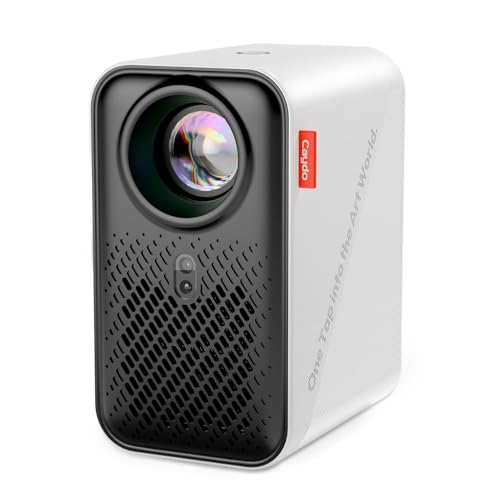
This Caydo variant mirrors the P1’s emphasis on an integrated app with tools like 360° rotation, 3×3 grids, and background color options. It offers 4K-style capabilities through its described app features and provides easy transfer via QR code or USB drive. A practical pick for artists who want reliable drawing utilities alongside projector functionality, with emphasis on precise tracing on diverse surfaces.
- Best for: Artists seeking a portable, app-centric tracing workflow
- Highlights: Pre-loaded drawing tools and easy content transfer
- Limitations: Requires app updates for best experience; some features may rely on device compatibility
HI-REEKE Art Projector For Tracing
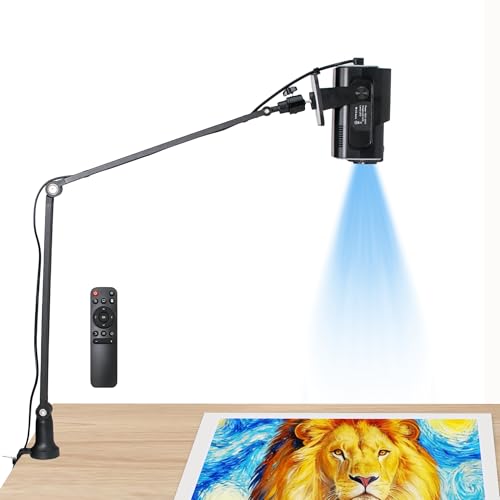
The HI-REEKE model emphasizes compatibility with both iOS and Android while offering flexible input options. It uses a 1280×720 resolution to deliver clear, vivid images suitable for tracing on walls or canvases. Its 2.4G WiFi, USB drive, and computer connection support makes it adaptable to various workflow setups. This is a good fit for mixed device environments where easy file transfer is needed alongside decent image clarity.
- Best for: Users seeking versatile connectivity and cross-platform compatibility
- Strengths: Balanced resolution and multiple import options
- Limitations: 720p resolution may be less sharp for very fine detail on large canvases
Art Projector For Tracing And Drawing With App
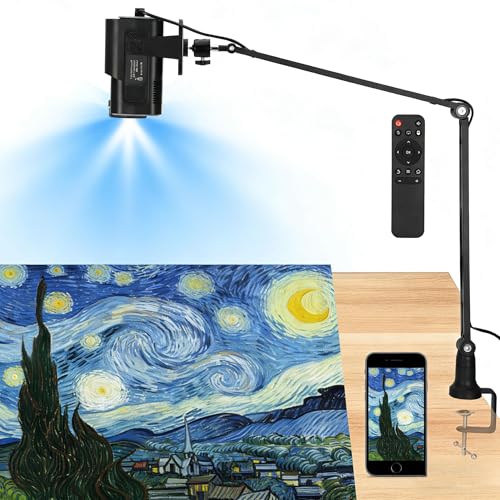
The Siftary model touts a native 1280×720P resolution with a 50% sharpness and detail improvement over standard 480P projectors. It includes a robust drawing app called Drawing Copy Pro with features like Distort Correction, Sketch Mode, and Overlay Grids. It supports 150″ projection with keystone and manual focus, making it suitable for larger murals or patterns. This projector aims to provide professional-grade tracing capabilities in a home studio or classroom setting.
- Best for: Detailed tracing on large surfaces and mural-scale projects
- Notable features: 1280×720P native resolution, advanced drawing tools
- Limitations: Some features require using the provided app and updates; larger projection requires more space
GiftmiyHime Art Projector With 5G WiFi And Web Control
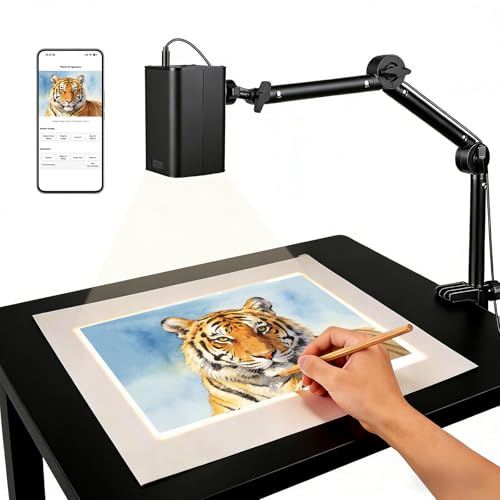
This projector emphasizes stable 5G dual-band WiFi for low-latency projection from mobile devices. It offers browser-based web control to adjust projection settings, rotation, and scaling, making it convenient for hands-free adjustments during tracing sessions. It supports online and offline work, so you can continue drawing even without an active internet connection. Ideal for designers who value real-time control via a phone browser and a flexible offline workflow.
- Best for: Buyers who want fast wireless performance and browser-based controls
- Strengths: 5G/2.4G dual-band connectivity, web control
- Limitations: Web controls rely on device compatibility and network stability
Buying Guide: How To Choose A Projector For Tracing Art
- Resolution and image clarity: For fine line work, prioritize native 720p or higher, with better models offering 1080p. Higher resolution translates to crisper tracing and more accurate proportions.
- Brightness and contrast: Brightness matters in lit studios or classrooms. Look for higher ANSI lumen ratings and good color accuracy to maintain clear lines without washing out details.
- Input options: Consider whether you need wireless screen mirroring, App-based controls, USB/HDMI inputs, or a combination. Android vs iOS compatibility can influence ease of use.
- Focus and keystone control: Manual or motorized focus, plus keystone correction, helps ensure a square projection on angled surfaces or canvases.
- App integration: Some models include dedicated drawing apps with grids, layers, and grid overlays. These can speed up tracing and layout planning.
- Portability and setup: For table-top use or classroom demonstrations, a compact, light projector with quick-connect features is ideal.
- Limitations to watch: Some models require a separate bulb, or restrict mirroring content from streaming services. Check compatibility with your primary devices and workflows.
- Best use-case scenarios: Choose a model based on whether you work mainly with iOS devices, require HD fidelity, or need offline operation in remote spaces.
FAQ
- What is the main difference between 720p and 1080p projectors for tracing?
- Can these projectors mirror content from my phone?
- Is a dark room required for tracing projectors?
- Should I choose a model with an integrated app or a standalone projector?
- What surface works best for tracing with these projectors?
- Do these projectors support offline work?
1080p projectors provide sharper images and finer detail, which helps with precise tracing on large canvases or intricate designs. If your work involves small lines, higher resolution improves accuracy.
Many models support screen mirroring via AirPlay, EShare, Miracast, or built-in apps. Check the device’s compatibility with your phone’s operating system before purchasing.
Opaque or projection-based tracers perform best in darker environments to maximize contrast. Some models tolerate ambient light better than others, so assess your workspace lighting needs.
Integrated apps streamline tracing workflows by providing drawing tools directly on the device. Standalone projectors may offer broader compatibility with external devices but rely on separate software.
Flat, clean surfaces such as walls, easels, boards, or canvases are ideal. For curved or textured surfaces, ensure the projector supports mobile focus and a stable keystone correction for an even projection.
Some models offer offline modes or local transfer options via USB or SD, while others rely on online connectivity for app features. If you frequently work offline, prioritize a model with local transfer or offline app support.