Finding a printer for clear labels means choosing a device that delivers sharp, legible text on transparent or translucent media. The right label printer or label paper can streamline organizing, crafting, and mailing. The following selections cover handheld and desktop options, plus clear or nearly invisible sticker media designed to look seamless on various surfaces. Each entry includes core features to help you compare print quality, ease of use, and compatibility.
| Product | Brand | Type | Key Benefit |
|---|---|---|---|
| Nelko P21 Label Printer | Nelko | Bluetooth, Portable Label Maker | Pocket-sized, high-definition black print on BPA-free direct thermal tape |
| Avery Sure Feed Address Labels (Matte Clear) | Avery | Laser/Inkjet Printable Labels | Seamless frosted-clear appearance with reliable feed |
| SMALL SMILE 95% Clear Sticker Paper | SMALL SMILE | Printable Vinyl Sticker Paper | High transparency for nearly invisible labels |
| Phomemo D30 Label Printer Kit | Phomemo | Bluetooth, Portable | Multi-tape kit with templates; monochrome prints on color tapes |
| Avery Glossy Clear Address Labels (Laser/Inkjet) | Avery | Printable Labels | Disappears onto glass and plastic with glossy finish |
Below are five carefully picked products that align with the idea of clear-label printing, ranging from handheld Bluetooth printers to printable sticker papers. Each section highlights printing capabilities, media compatibility, and practical use cases for office, home, and classroom tasks.
Nelko P21 Bluetooth Label Printer

The Nelko P21 is a compact, wireless label printer designed for quick labeling at home or on the go. It uses BPA-free direct thermal printing, which eliminates ink or toner. The device features a 203 DPI resolution for crisp, legible text, and a built-in rechargeable battery for long use between charges. It supports iOS and Android via Bluetooth and comes with a broad font and template library through the Nelko app, offering more than 90 fonts, 10 languages, and 450 materials. Note that color labeling requires color-pattern tapes, while the print output remains monochrome. The compact form makes it easy to carry in a bag or backpack for on-demand labeling in classrooms, offices, or workshops.
Key considerations:
- Portability and battery life for mobile labeling tasks
- Direct thermal printing; no ink required
- App-based workflow with templates
- Compatibility caveats with some Android 14 devices and iOS app updates
Avery Sure Feed Matte Clear Address Labels
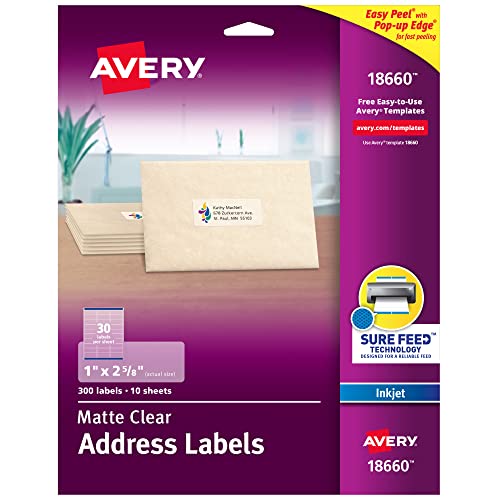
Avery’s matte clear labels blend beautifully on envelopes and translucent surfaces, offering a sophisticated, printed-on look. Sure Feed technology provides reliable paper handling, reducing misfeeds and jams, which helps when printing large batches. The Easy Peel with Pop-up Edge design speeds up application, saving time in mailing tasks, inventory labeling, and student project setups. These labels are ideal for achieving a seamless, professional appearance on clear or light backgrounds.
Key considerations:
- Clear, frosted look suitable for formal mailings
- Good printer compatibility with Sure Feed
- Easy to peel and apply with edge pop-up feature
SMALL SMILE 95% Clear Sticker Paper

This 95% clear sticker paper is designed to deliver transparent prints that nearly disappear on most surfaces. It’s compatible with inkjet and laser printers, enabling a wide range of DIY labeling projects and transparent decals. The backdrop remains neutral, so the text and graphics stand out clearly. The backing adheres well to many surfaces, making it a versatile choice for crafts, jars, and labeling in small businesses or classrooms.
Key considerations:
- High transparency for nearly invisible labels
- Inkjet and laser printer compatibility
- Strong backing for durable adhesion
Phomemo D30 Label Printer Kit

The Phomemo D30 is a portable Bluetooth label printer that ships with three tape options—white, gold, and clear—for versatile labeling. It supports continuous and fixed-length labels via thermal printing, removing the need for ink or toner. The D30 offers a large library of templates, fonts, and icons, plus features like OCR, time stamps, and Excel import, enabling a wide range of creative labeling tasks. It prints monochrome text, but users can achieve varied looks using color-pattern tapes.
Key considerations:
- Three-tape kit provides color and style options
- Direct thermal printing; low ongoing cost
- App-based templates with extensive design tools
Avery Glossy Clear Address Labels (6521)
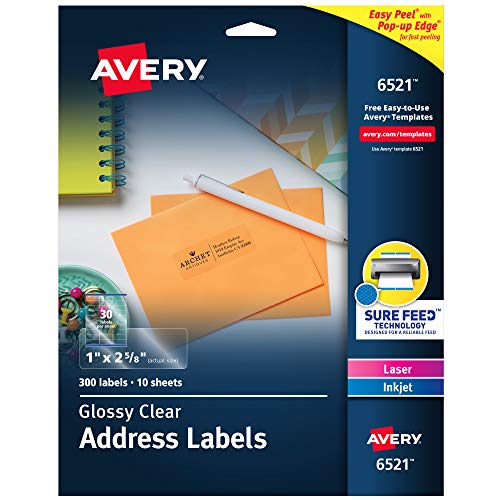
Avery’s glossy clear address labels provide a vivid, printed-on look with a transparent finish that blends into glass, plastic, and cellophane. They’re designed for laser and inkjet printers, delivering reliable feed with Sure Feed technology to reduce jams and misfeeds. The glossy surface enhances color richness and detail, making them suitable for premium invitations, product labeling, and high-end mailings.
Key considerations:
- Glossy, crystal-clear finish
- Laser/Inkjet compatible with Sure Feed
- Print-to-the-edge potential for full-bleed labels on certain designs
Buying Guide: Clear-Label Printing Essentials
- Printer type and usage: Handheld label printers are ideal for quick, on-the-spot labeling, while desktop printers handle large batches more efficiently. Choose based on volume and mobility needs.
- Media options: If you want near-invisible labels, look for high-transparency sticker papers or frosted-clear label sheets. Colorful tapes and color-pattern labels add style but may require specific tapes or templates.
- Print technology: Direct thermal printing offers ink-free operation, but keep in mind variable durability and compatibility with certain surfaces. Inkjet/laser labels provide vibrant colors and edge-to-edge printing on compatible media.
- Template and software support: A robust app or software suite with templates, fonts, and symbols saves time and enhances consistency across labels.
- Surface compatibility: Consider the surface where labels will go (glass, plastic, jars, envelopes) and choose adhesives accordingly (permanent, removable, or repositionable).
- Durability and environment: If labels face moisture or exposure, select waterproof or laminated label media designed for durability.
- Ease of use and maintenance: Battery life, connectivity (Bluetooth, Wi-Fi), and availability of updates affect long-term usability and performance.
- Cost of ongoing media: Direct thermal media reduces ongoing ink costs, but you’ll want to factor in label tape and sticker paper prices for bulk labeling tasks.
The selections above balance portability, print quality, and media variety to help users achieve crisp, clear labels across a range of applications. Whether labeling school supplies, mailing envelopes, or crafting custom decals, these options provide dependable results with transparent or nearly invisible finishes.