Looking for a PC tower that can handle digital audio workstations, virtual instruments, and large sample libraries without breaking the bank? This guide targets buyers seeking reliable processing power, ample memory, and fast storage in a music production setup. The selections below are geared toward musicians, producers, and home-studio engineers who want solid performance, upgrade paths, and value. Each option prioritizes CPU power, RAM, and storage to support DAWs, plugins, and multi‑track projects.
Summary of selected products (quick reference):
- Dell Optiplex 9020 Mini Tower Desktop PC – Ideal for compact, performance-minded studios
- ThinkStation P520 Gaming/Studio/Music Production Workstation PC – Great balance of power and expandability
- ThinkStation P520 Gaming/Studio/Music Production Workstation PC (second config) – High memory and solid performance for heavy sessions
- Dell Precision 3620 / T3620 – Entry-level music production workstation with reliable Dell build
- HP ProDesk 600 G2 Tower – Solid base for small studios and desk setups
Dell Optiplex 9020 Mini Tower for Music Production
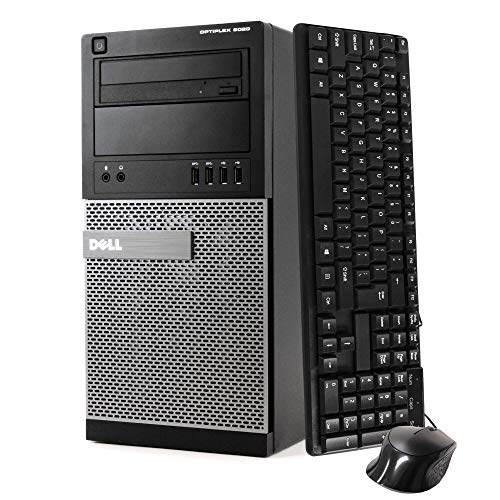
Best for compact studios that still need strong CPU power. This refurbished Dell uses an Intel Core i7 processor with 32 GB DDR3 RAM and a 1 TB SSD, which helps with DAW projects, sample libraries, and multiple plugins. The compact form factor frees desk space while delivering workstation-level performance. Best for home studios with limited room and a need for reliable Windows 11 Pro feel.
Who this is for: solo producers or small studios needing a space-saving, upgrade-friendly machine. Why selected: excellent balance of processor speed, memory, and fast storage for project load times.
Caution: DDR3 RAM is older than current standards and may limit future upgrades compared to newer DDR4/DDR5 options.
ThinkStation P520 Studio/Music Production PC (2nd config)

Best for demanding music production tasks with robust multitasking. This ThinkStation supports up to 6-core Xeon-class performance, 64 GB–128 GB DDR4 options, and a 1 TB NVMe M.2 SSD. It is designed for heavy workloads like large sample libraries, complex mixing, and real-time processing. Best for producers who need headroom for plugins and large projects.
Who this is for: producers and engineers running multiple sample libraries and virtual instruments. Why selected: high expandability and fast NVMe storage suit intensive DAW sessions.
Caution: Renewed unit configurations may vary; confirm RAM and storage specs before purchase.
ThinkStation P520 Studio/Music PC (Second Config)
Best for studios that need strong multi-thread performance with solid graphics for audio visualization tasks. This configuration emphasizes a Xeon W-2135 processor, up to 128 GB DDR4 RAM, and NVMe storage. It handles demanding plugins and large sample libraries well, while still fitting into a professional studio workflow. Choose this if you prioritize memory headroom and fast disk access.
Who this is for: professionals who run heavy-duty DAWs and require excellent multitasking. Why selected: generous memory and fast storage support complex workflows.
Caution: Higher RAM and GPU configurations can increase power consumption and heat output; ensure proper cooling in your studio.
Dell Precision 3620 Music Production Workstation

Best entry-level Dell option with solid reliability for DAWs. This Precision model offers an Intel i7-6700, 32 GB DDR4 RAM, and a 512 GB SSD plus 2 TB HDD. It provides a dependable base for music production, allowing room for orchestration and project stems. Best for budget-conscious studios needing a proven workstation.
Who this is for: small studios needing a dependable, easy-to-maintain PC. Why selected: balanced memory, storage, and Dell reliability for music workloads.
Caution: Earlier CPU generation may limit some processor-intensive tasks compared to newer generations.
HP ProDesk 600 G2 Tower for Studio Tasks
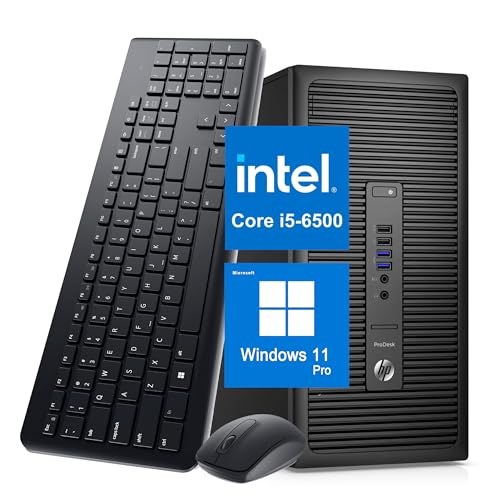
Best for compact, upgradable setups in small studios. This HP ProDesk 600 G2 combines an Intel Core i5-6500 with 8 GB RAM and a 256 GB SSD. It supports dual 4K displays and includes wireless peripherals, which helps create a tidy, efficient control room. Choose this when space is tight and you need reliable Windows 11 Pro behavior.
Who this is for: beginner to intermediate producers with limited desk space. Why selected: compact design and upgrade-friendly platform for evolving projects.
Caution: 8 GB RAM is modest for large projects; plan to upgrade RAM for heavier DAW sessions.
Buying Guide
What to consider when choosing a PC tower for music production:
- Processor performance: Look for CPUs with multiple cores and strong single-thread performance to handle DAWs, plugins, and real-time monitoring.
- Memory capacity: 16 GB is a baseline for light projects; 32 GB or more is preferable for large sample libraries and multiple tracks.
- Storage solution: SSDs deliver fast project load times and quick buffer switching. NVMe SSDs offer the fastest speeds for large projects.
- Upgrade potential: Choose models with easy RAM and storage upgrades, plus PCIe expansion if you plan to add audio interfaces or GPUs.
- Graphics and drivers: For audio work, integrated graphics are usually sufficient, but a capable GPU helps with video tasks or GUI smoothness in heavy DAWs.
- Form factor and noise: If space is a constraint, a compact tower is ideal. Consider cooling and fan noise for a quiet studio environment.
- Operating system: Windows 11 Pro or Home can work; ensure compatibility with your DAW and plugins.
Frequently Asked Questions
- What is the best CPU type for music production on a desktop? High-core CPUs with strong single-thread performance, such as modern Intel i7/i9 or Xeon-class CPUs, typically deliver better DAW performance.
- How much RAM do I need for large music projects? 32 GB is a solid baseline for multi-instrument projects; 64 GB or more is beneficial for huge sample libraries and many plugins.
- Is SSD storage worth it for music production? Yes. SSDs reduce project load times, faster sample loading, and smoother playback, especially with large projects.
- Should I choose a refurbished or renewed PC for studio use? Refurbished units can offer reliable performance at lower cost, but verify warranty and confirm the exact specs before purchase.
- Do I need a workstation-class GPU for music production? Typically not required for DAWs; a basic GPU suffices. A stronger GPU is helpful if you also do video work or use GPU-accelerated plugins.
- How important is upgradeability for future-proofing? High. Cabinets with extra RAM slots and PCIe lanes help you grow as your projects demand more resources.