Discover reliable hard drives for desktop PCs, from high-capacity storage to fast performance drives. This guide highlights five solid options across internal and external formats, helping you choose the right drive for gaming, media editing, backups, and everyday computing. Each pick includes key specs, uses, and why it stands out for PC setups.
Summary of selected products:
| Brand | Model | Capacity | Type |
|---|---|---|---|
| Seagate | BarraCuda 8 TB | 8 TB | Internal HDD |
| Seagate | BarraCuda 4 TB | 4 TB | Internal HDD |
| Seagate | BarraCuda 2 TB | 2 TB | Internal HDD |
| WD | WD_Black 6 TB | 6 TB | Internal HDD |
| WD | WD Blue 4 TB | 4 TB | Internal HDD |
Seagate BarraCuda 8 TB Internal HDD

With a proven track record for desktop reliability, the Seagate BarraCuda 8 TB delivers ample space for media libraries, games, and applications. Its 3.5-inch form factor and SATA 6 Gb/s interface provide straightforward compatibility for most PC builds. A sustained transfer rate around 190 MB/s supports steady performance in multitasking, media editing, and large file transfers, making it a strong all-purpose option for upgrading older systems or expanding current desktops.
Seagate BarraCuda 4 TB Internal HDD
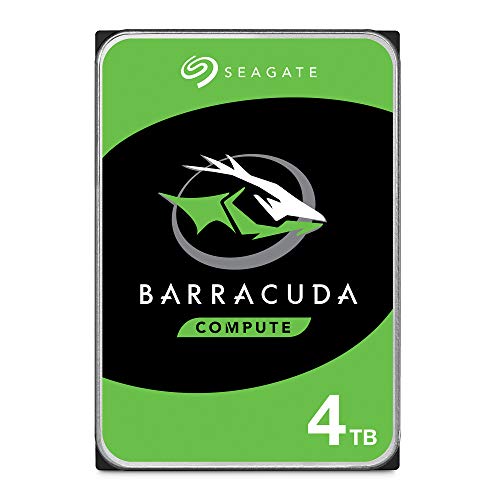
The BarraCuda 4 TB drive offers a balanced mix of capacity and speed for mainstream desktops. Suitable for gamers, content creators, and everyday users, it supports a wide range of PC applications—from music and video editing to photo workflows and game installations. Its SATA connection and 3.5-inch form factor ensure compatibility with most desktops, while the drive’s reliability helps maintain long-term performance.
Seagate BarraCuda 2 TB Internal HDD

This 2 TB BarraCuda model is a compact upgrade option for smaller builds or secondary storage in a larger PC. It supports easy data migration with Seagate DiscWizard software, enabling users to move files and cloning operations efficiently. It blends solid performance with reliable capacity for everyday computing, backups, and light gaming setups.
WD_Black 6 TB Internal HDD

The WD_Black line targets performance-oriented desktops, delivering higher rotational speed and robust design tailored for gamers and creators. The 6 TB option provides ample space for large game libraries, multimedia projects, and demanding workloads, making it a solid choice for power users who need both capacity and steady performance in a single drive.
WD Blue 4 TB Internal HDD

The WD Blue 4 TB drive is designed for reliability and steady performance in everyday computing. It’s a versatile option for general-purpose desktops, offering solid capacity and compatibility with Windows environments. For users who want dependable storage for documents, media, and applications, WD Blue provides predictable, quiet operation and straightforward cloning options with included software.
Buying Guide
When choosing a PC hard drive, consider these factors to match your needs:
- Capacity needs: Higher capacities reduce shrinkage of free space over time, but balance with budget and drive type.
- Drive type: Internal 3.5-inch HDDs are common for desktops, offering good cost-per-GB; external options add portability but may require USB interfaces.
- Performance vs. endurance: 7200 RPM drives typically offer better performance for gaming and editing, while 5400 RPM drives can be quieter and cooler for long-term storage.
- Cache size: Larger caches help with burst transfers and multitasking; look for drives with 256 MB or more for better responsiveness.
- Compatibility: Ensure the drive uses SATA 6 Gb/s and fits your PC’s drive bays and power supply.
- Cloning and backup software: Some drives include cloning utilities or backup tools that simplify migration from older systems.
- Reliability and warranty: Established brands with long warranties reduce risk for important data storage.
- Use case: Gaming, media editing, backups, or general storage may dictate the best balance of speed and capacity.
In practice, a mix of high-capacity internal HDDs for bulk storage paired with a faster drive for frequently used programs can optimize a desktop’s performance. For portable needs, consider external drives with USB-C or USB 3.0 interfaces and bundled recovery features. Always back up critical data to multiple locations when possible to minimize the impact of drive failures.