Finding a reliable multifunction color printer helps streamline daily tasks across small offices and busy home setups. This article highlights five top options, each offering color printing, scanning, copying, and more. Read on to compare speeds, connectivity, and features that matter most for professional results and smooth workflows.
Summary of chosen products:
| Product | Brand | Format | Key Features |
|---|---|---|---|
| HP Color LaserJet Pro MFP 3301sdw | HP | Color Laser | 26 ppm, TerraJet toner, Original HP 218A/218X cartridges |
| Brother MFC-L3720CDW | Brother | Color Laser | 19 ppm, auto duplex, 50-page ADF, 250-sheet tray |
| HP OfficeJet Pro 8125e | HP | Color Inkjet | All-in-one, duplex, AI-enabled features |
| Canon Color imageCLASS MF662Cdw | Canon | Color Laser | 26 ppm, wireless, duplex, 3-year warranty |
| HP OfficeJet Pro 9135e | HP | Color Inkjet | 20 ppm color, 25 ppm black, AI-assisted printing, duplex |
HP Color LaserJet Pro MFP 3301sdw Wireless All-in-One

Printer type and purpose: A color laser multifunction device designed for small teams needing reliable color output alongside scanning and copying capabilities. It supports wireless connectivity for multiple users and includes a built-in auto document feeder for streamlined workflows.
Highlights and printer technology: Print speeds up to 26 pages per minute in color or black. TerraJet toner technology aims to deliver vivid colors with professional quality documents and reports. It uses Original HP Toner Cartridges 218A standard and 218X high yield to support higher volume runs with fewer cartridge changes.
Brother MFC-L3720CDW Wireless Color Laser Printer

Office-focused performance: Delivers color laser output with fast print speeds and high-quality color documents, suited for reports, proposals, and client presentations. Features dual-band wireless networking, Wi-Fi Direct, and USB 2.0 for flexible connectivity. A 50-page auto document feeder and a 250-page paper tray support multi-page scanning and efficient printing workflows.
Productivity and workflow: The device is designed to handle busy office environments with automatic duplex printing, ensuring reduced paper use and faster two-sided printing. Connectivity options allow multiple users to print from various devices with minimal friction.
HP OfficeJet Pro 8125e Wireless All-in-One

Inkjet versatility for home offices: An all-in-one color inkjet printer designed for home use and small offices, blending reliable performance with user-friendly features. Supports wireless printing and scanning, making it convenient for remote work, presentations, and shared documents. The system includes AI-enabled tools to enhance print quality and layout consistency.
Key capabilities: Offers reliable color printing and a suite of scanning and copying functions. Ideal for users who want high-quality color output from an at-home or small-office environment with straightforward app integration and control.
HP Color LaserJet Pro MFP 4301fdw
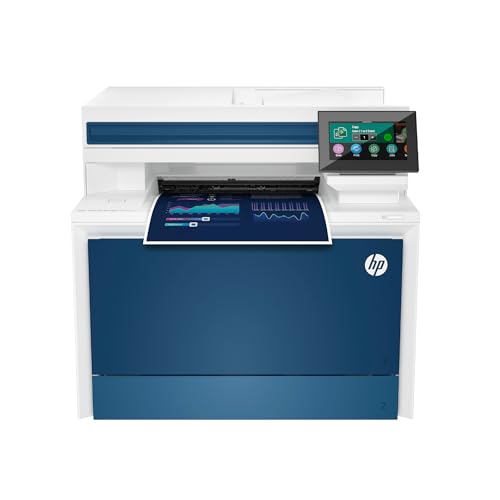
High-volume office productivity: This color laser all-in-one handles printing, scanning, copying, and faxing with auto two-sided printing and an auto document feeder. It is designed for small teams up to around ten people who need rapid color output with dependable networking capabilities. Color speed up to 35 pages per minute supports busy workloads.
Connectivity and management: Intelligent Wi-Fi helps maintain a stable connection for continuous printing. Organizations can leverage cloud and network workflows to keep documents moving efficiently while maintaining security and access controls.
Canon Color imageCLASS MF662Cdw

Color laser multifunction with robust wireless features: The MF662Cdw offers print, scan, and copy with built-in wireless connectivity, enabling flexible placement and device sharing in an office or home environment. It supports duplex printing and a straightforward setup to minimize downtime when starting new workflows.
Performance and warranty: Delivers solid color page yields at reasonable speeds and includes a 3-year limited warranty in many markets, providing protection for ongoing office use and long-term reliability.
Brother DCP-L2640DW Wireless Monochrome MFP

Note: This option is monochrome. It’s included for comparison to highlight color-capable models’ advantages in office settings that require color output for branding and marketing materials. It offers strong speed and scanning features with duplex and multi-device connectivity to support modern workflows.
HP OfficeJet Pro 9135e
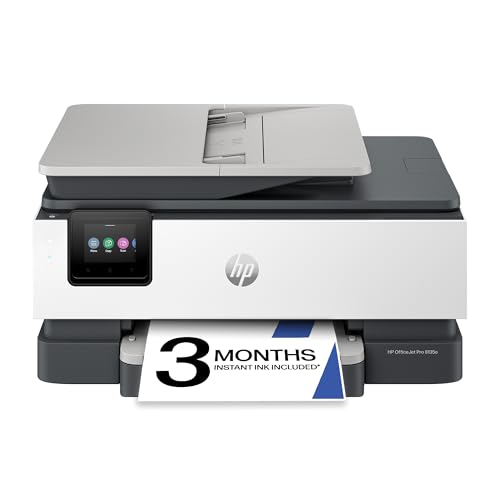
AI-enabled printing and home-office efficiency: This all-in-one color inkjet printer aims to optimize color output for professional-looking documents and marketing materials. It supports авто two-sided printing, scanning, faxing, and multiple input trays, providing flexibility for mixed workloads in a home-office or small office context.
Buying Guide: Key Purchase Considerations
- Print technology: Color laser printers tend to be faster and more durable for high-volume office use, while color inkjet printers may excel in vibrant color reproduction for marketing materials and photos.
- Speed and duty cycle: For busy teams, consider ppm (pages per minute) in color and black, and the monthly duty cycle to match anticipated workloads.
- Document feeder and paper handling: A reliable auto document feeder (ADF) and adjustable paper trays improve efficiency for scanning, copying, and multi-page jobs.
- Connectivity: Look for Wi-Fi, Ethernet, USB, and Wi-Fi Direct support. Cloud printing compatibility with Google Cloud Print-alternatives may matter for modern workflows.
- Color quality and toner/ink: Laser printers benefit from high-yield toner cartridges for cost-per-page efficiency; inkjets may require more frequent cartridge changes but deliver rich color for graphics.
- Security and management: Office printers should offer user authentication, secure print, and easy network management features for IT teams.
- Warranty and service: Longer warranties and reputable brand support reduce downtime and provide peace of mind for business environments.
- Operating costs: Compare toner/ink costs, page yields, and cartridge availability to estimate total cost of ownership over time.
- Footprint and setup: Ensure the device fits your workspace and that initial setup is straightforward, with mobile app compatibility if needed.