Speakers designed for near-field listening help producers hear accurate detail, balance, and bass in music and voice work. This guide highlights five reliable studio monitor options that pair well with desktop rigs, laptops, and compact workspaces. Each model focuses on honest sound, controllable boost options, and dependable build quality to support mixing, mastering, and multimedia production. Read on to compare features, connectivity, and value so you can choose a set that fits your room and workflow.
Summary Of The Chosen Products
| Product | Brand | Key Strength | Connectivity | Approximate Wattage |
|---|---|---|---|---|
| PreSonus Eris 3.5 | PreSonus | Compact, accurate mid/low-end performance | XLR/¼” TRS, RCA | 50W total |
| Mackie CR3.5 | Mackie | Built-in tone control for flexible shaping | TRS, RCA, 3.5mm, headphone out | — |
| Ortizan C7 (Black) | Ortizan | Carbon fiber woofer with DAC for clear sound | USB, RCA, 3.5mm, Bluetooth 5.3 | — |
| M-AUDIO BX3 | M-AUDIO | Open, spacious imaging with rear bass ports | RCA, 1/4″ TRS, 1/8″ minijack | — |
| Ortizan C7 (White) | Ortizan | Same versatile 2.0 design with Bluetooth | USB, RCA, 3.5mm, Bluetooth 5.3 | — |
PreSonus Eris 3.5 Studio Monitors (Pair)

These near-field monitors prioritize honesty in sound with a clear, accurate response suitable for music production and multimedia reference. The Eris 3.5 uses woven composite woofers to deliver a tight bass presence you can feel without muddying the midrange. With 50 watts of Class AB dual amplification, the system remains compact while maintaining tonal balance and clarity for critical listening at close distances. Ideal for desktop studios, podcasts, and small project rooms, they pair well with hobbyist and semi-professional workflows that require reliable translation from mix to listening environments.
Mackie CR3.5 Creative Reference Monitors

Mackie CR3.5 combines studio-grade sound with a practical tone control and flexible inputs. This model is designed to adapt to a wide range of setups—from music production to gaming and multimedia. Its TRS and RCA inputs allow simple integration with interfaces and playback devices, while the built-in 3.5 mm input supports direct PC connections. The included tone knob lets you tailor the bass and treble response, helping you optimize for immersion in gaming or clarity in mixing tasks. A dedicated headphone output adds convenience for late-night sessions.
Ortizan C7 Dual-Mode Studio Monitors (Black)

The Ortizan C7 combines multiple inputs with a built-in DAC and 3.5″ carbon fiber woofer paired with a silk dome tweeter. The device supports wired connections via RCA and 3.5 mm, plus Bluetooth 5.3 for wireless playback, making it versatile for near-field monitoring and casual listening. Its two-way crossover arrangement aims to deliver precise lows and smooth highs, helping producers monitor articulation and detail in real-time. This model suits users who want a space-saving footprint without sacrificing monitoring quality in content creation or editing tasks.
M-AUDIO BX3 Studio Monitors (Pair)

The BX3 pair brings a compact yet capable listening platform with a 3.5″ Kevlar woofer and 1″ silk dome tweeters. Aimed at desktop production, these monitors provide a clear, extended image with rear ports to enhance bass extension. The system includes a studio-friendly waveguide to improve imaging and a simple high/low EQ to dial in your room characteristics. The stash of connectivity options lets you connect to PCs, laptops, or audio interfaces with ease, supporting a broad range of home studio setups.
Ortizan C7 Dual-Mode Studio Monitors (White)
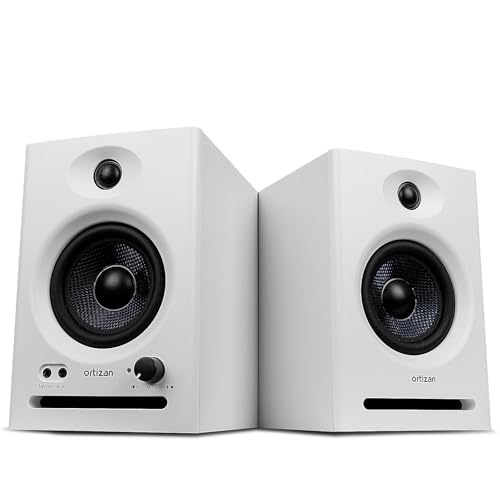
The White variation shares the same dual-mode design as its black counterpart, offering RCA, 3.5 mm, USB, and Bluetooth 5.3 connectivity. This makes it convenient for users who want wireless playback from mobile devices while maintaining wired options for computer workstations. The 24-bit DAC and carbon fiber woofer deliver precise mid-range clarity and controlled bass, supporting accurate translation of mixes and reference material for audio production, video editing, and coursework.
Buying Guide: Key Purchase Considerations
- Room size and listening distance: Near-field monitors excel at short distances; choose models with a tight vertical listening footprint if your desk is compact.
- Frequency response and bass extension: Look for monitors with a balanced midrange and a controllable bass range. If your room is bass-challenged, consider monitors with rear ports or a DSP-based tone control.
- Connectivity: Ensure the monitors offer your preferred inputs (RCA, TRS, 3.5 mm, USB, Bluetooth). Built-in DACs are helpful if you want wired/wireless flexibility from one device.
- Power and headroom: Higher wattage can improve headroom for dynamic tracks, but accuracy at low levels is equally important for detailed mixing and spotting issues.
- Imaging and dispersion: Look for monitors with well-controlled off-axis response for consistent sound at your seating position and a clear stereo image for panning decisions.
- Build quality and isolation: A sturdy enclosure minimizes unwanted resonance. Consider isolation pads or stands to reduce desk vibrations and improve stability.
- Software and room calibration: Some models or bundles offer room-compensation features. If you work in varied spaces, this can help maintain consistent translation.
- Budget and future-proofing: Prioritize monitors known for reliability and future expandability, especially if you plan to upgrade interfaces or add subwoofers later.
These options emphasize honest sound with practical features for desktop production, living-room music projects, or learning studios. When evaluating, focus on how the sound translates on multiple playback devices, not just how it sounds on the desk. Pairing with a suitable interface and accurate room treatment will amplify the benefits of any of these monitors.