Answering your search for reliable 4K streaming performance, these picks cover MoCA-backed adapters, a high-speed cable modem/router, a rugged Cat 8 cable, and a Wi‑Fi 6 router. The best options are chosen for homes needing steady 4K/8K streaming, low-latency gaming, and robust multi-device performance. Use cases include households with coax-in living rooms, multi-room streaming, and setups where you want to minimize new wiring. The table below highlights each product’s core strength and ideal buyer.
| Product | Best For | |
|---|---|---|
| goCoax MA2500D (Single) | Coax-driven 4K streaming in a single-room setup | MoCA 2.5 with a dedicated 2.5GbE port for fast wired backbone |
| goCoax MA2500D (2-Pack) | Multi-room 4K streaming and gaming | Includes extra adapters and cables for quick expansion |
| ARRIS Surfboard G36 | DOCSIS 3.1 modem with integrated Wi‑Fi router | Trusted brand with multi-gig capabilities and broad compatibility |
| Cat 8 Ethernet Cable 150 ft | High-speed wired connections across long distances | 40Gbps, 2000MHz, shielded for interference resistance |
| Tenda AX3000 WiFi 6 Router | Whole-home Wi‑Fi coverage for 4K streaming | Wi‑Fi 6 with OFDMA/MU‑MIMO for many devices |
goCoax MA2500D — MoCA 2.5 Adapter
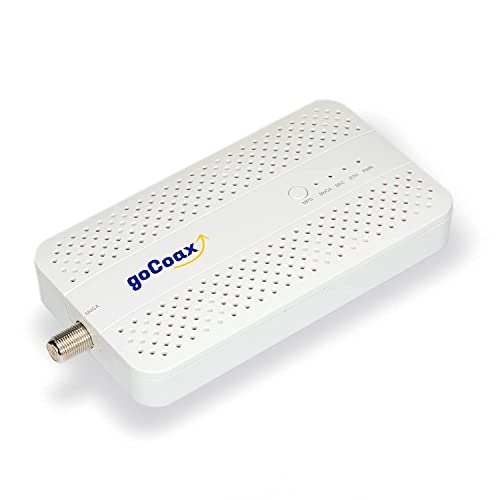
Reference: 2.5Gbps MoCA 2.5 with a dedicated 2.5GbE Ethernet port converts coax cabling into a high-speed wired backbone. Best For: households seeking a reliable wired link for gaming and simultaneous 4K streaming without adding Ethernet runs. Why selected: leverages existing coax infrastructure with low latency under 3ms, supporting multi-room 4K/8K streaming. Caution: It is not a modem or router; you’ll still need a separate modem/router for Internet access.
goCoax MA2500D 2‑Pack — MoCA 2.5 Adapters

Reference: Two adapters provide a self-contained MoCA network with two endpoints. Best For: homes with multiple streaming rooms and gaming stations that need consistent bandwidth. Why selected: includes cables and power adapters in the kit, enabling quick setup. Caution: Requires existing coax outlets and compatible modem/router to deliver Internet.
ARRIS Surfboard G36 DOCSIS 3.1 Modem & AX3000 Router

Reference: Combines DOCSIS 3.1 modem with AX3000 Wi‑Fi router for high-speed streaming and device support. Best For: households wanting an all-in-one solution with strong Wi‑Fi coverage. Why selected: recognized brand, delivers high throughput and broad compatibility. Caution: ensure your service plan is compatible with the hardware to maximize performance.
Cat 8 Ethernet Cable 150 ft
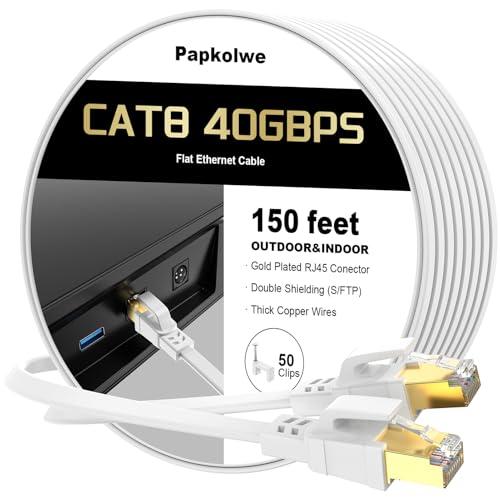
Reference: Cat 8 cable with 40Gbps speeds and shielded construction. Best For: long runs inside homes or offices requiring ultra-fast wired connectivity. Why selected: high bandwidth, low interference, and compatibility with high-speed networking. Caution: bulkier and stiffer than lower category cables, which may affect routing in tight spaces.
Tenda AX3000 WiFi 6 Router RX12 Pro

Reference: AX3000 Wi‑Fi 6 router with MU‑MIMO and OFDMA. Best For: homes with multiple devices streaming 4K content simultaneously. Why selected: strong performance for large households and modern devices. Caution: real-world speeds depend on layout and interference; the unit is best placed centrally for coverage.
Buying Guide
- MoCA vs. Ethernet: If your home has coax outlets, MoCA adapters can add fast wired backbones without new wiring. Consider a two-adapter setup for multi-room streaming.
- Modem vs. Router: A modem handles the connection to your ISP, while a router (or gateway) manages local devices. An all-in-one can save space but ensure it supports your service tier.
- Wired vs. Wireless: For stable 4K streaming, prioritize wired connections where possible (Ethernet or MoCA). Use Wi‑Fi 6 as a supplement for mobile devices or rooms without outlets.
- Cable Quality: Cat 8 cables provide maximal throughput and shielding for interference-prone environments. They’re ideal for long runs or high-performance setups.
- Future-proofing: Devices supporting multi-gig speeds (2.5GbE MoCA, DOCSIS 3.1, Wi‑Fi 6/6E) offer headroom for 4K/8K content and multi-device households.
Frequently Asked Questions
- What is the advantage of MoCA for 4K streaming?
– MoCA uses your existing coax wiring to create a dedicated, stable wired network with low latency, which helps reduce buffering during 4K streams and gaming. - Do I need a separate modem for 4K streaming devices?
– If your ISP provides a modem/router combo, you can use it; otherwise, you’ll need a compatible modem and a separate router or gateway to manage your network. - Is a Cat 8 cable necessary for 4K streaming?
– Not strictly necessary, but it offers higher bandwidth and shielding, which can improve performance in busy networks or long cable runs. - Can a single device cover a large home with multiple 4K streams?
– A high-performance router with strong coverage (Wi‑Fi 6) plus wired backbones (Cat 8, MoCA) is recommended for multiple 4K streams in different rooms. - What should I consider when choosing between 2.4GHz and 5GHz bands?
– 5GHz offers higher speeds and is ideal for 4K streaming and gaming; 2.4GHz provides better range for farther rooms but at slower speeds. - Are these MoCA adapters compatible with all ISPs?
– MoCA adapters are typically compatible with most cable ISPs, but confirm compatibility with your specific service plan and equipment.