Looking for a mobile instant printer that turns your smartphone photos into physical prints in seconds? This guide highlights five top picks and explains who each device is best for. If you want ultra-portable, inkless sticks for travel, or a dock-enabled home option, you’ll find clear recommendations below. The buyer’s guide compares formats, connection options, and print quality to help you choose confidently.
Summary table of selected products:
| Product | Best For | Notes |
|---|---|---|
| KODAK Step Instant Smartphone Photo Printer (White) | On-the-go, easy selfies | Zero-ink technology, app editing |
| KODAK Step Instant Smartphone Photo Printer (Black) | Travelers who prefer a sleek look | Same features as white version |
| Nelko PP01 Color Mini Portable Printer | Color, sticky-backed prints | Compact and lightweight, high DPI |
| KODAK Dock Plus 4×6 | Home or office, larger prints | Docking station plus dye-sub prints |
| HP Sprocket 2×3 | Casual photo sharing, social vibes | Fun app features, sticky-back paper |
Product 1: KODAK Step Instant Smartphone Photo Printer, White
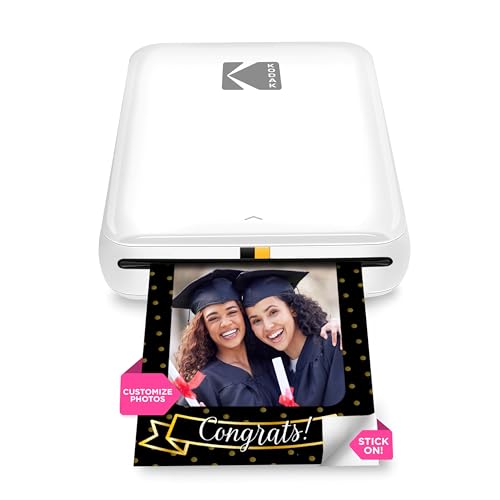
- Zero-ink technology with ZINK 2×3″ sticky-back paper for durable, moisture- and tear-resistant prints.
- Fully integrated app for editing, collages, filters, borders, stickers, and text.
- Bluetooth or NFC connection to iOS and Android devices for quick printing.
The white model is best for buyers who want the classic look and easy pairing for everyday selfies and social posts. Choose this if you value a compact form factor with strong editing options in the companion app. A potential limitation is the reliance on ZINK paper availability and ongoing paper costs.
Product 2: KODAK Step Instant Smartphone Photo Printer, Black

- Same core features as the white version with a sleek black finish.
- In-app editing to enhance selfies and social posts before printing.
- Best for travelers who prefer a discreet color to blend with gear.
Best for users who want a uniform device appearance for travel gear and social sharing. Avoid if you want a larger display or faster print speeds beyond standard 60 seconds per print.
Product 3: Nelko Photo Printer PP01 Color Mini Portable Printer

- 2×3″ prints on sticky-backed paper with a 600 DPI print quality claim for vibrant results.
- Bluetooth pairing with iOS and Android; includes USB charging cable.
- Lightweight and pocket-sized, suitable for school, travel, or fieldwork.
Best for scrapbookers and crafters who want bold color and adhesive-backed prints. Choose this if you need a truly pocketable option; beware of cartridge replacements and paper stock availability as with many mini inkjet systems.
Product 4: KODAK Dock Plus 4×6” Photo Printer

- Integrated docking station for direct printing from smartphones while charging.
- Genuine 4PASS dye sublimation offers three color layers with a protective lamination.
- Simple operation suitable for first-time users and everyday photo printing.
Best for home or office users who want larger, durable 4×6 prints from a docking setup. Choose this if you prioritize a fixed, easy workflow; avoid if you need ultra-portable options or inkless formats.
Product 5: HP Sprocket 2×3 Instant Smartphone Printer
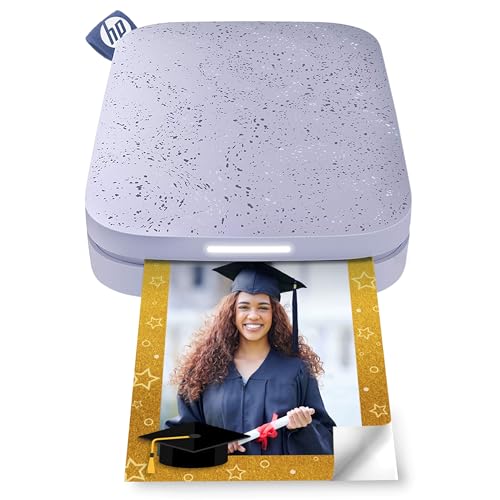
- ZINK technology with sticky-back paper for water and tear resistance.
- App includes editing tools, filters, borders, and flair options to customize photos.
- Bluetooth connectivity with iOS and Android devices for quick sharing of albums.
Best for casual sharing and social-friendly prints. Choose this if you want fun editing features in-app; avoid if you need high-resolution color matching or inkless claims beyond ZINK printing.
Buying Guide
What print size do you need?
Most mobile printers offer 2×3″ prints; some provide 4×6″ outputs. If you want wall-worthy photos, consider a printer with 4×6″ capability and durable dye-sub printing. For quick scrapbooking or phone-back photos, 2×3″ sticky-back options are ideal.
How important is ink or paper cost?
Zero-ink models use embedded dye crystals in sticky-back paper, reducing ongoing consumable costs. Inkjet mini printers require ink cartridges, which can increase long-term costs. Weigh ongoing paper and ink expenses against upfront device cost.
Which connectivity suits your routine?
Bluetooth is standard across these devices for direct printing from phones. Some models support NFC or docking while charging. If you frequently print on the go, ensure your device supports quick pairing and reliable connection ranges.
What about durability and materials?
DIY photo prints from dye-sub or ZINK papers are typically moisture- and smudge-resistant. Sticky-back paper adds convenience for scrapbooks but may not be ideal for all surfaces. Consider where you plan to display or share the prints when choosing.
Is a docking station or built-in charging important?
Dock-enabled printers simplify workflows for home or office use by charging while printing. If you want a compact travel setup, this feature may be less relevant.
What about app features and editing capabilities?
Editors in the companion apps vary. Look for features like filters, borders, stickers, text, and collage options. A strong editing suite can substantially enhance quick prints for social sharing or gift projects.
FAQ
- What is a mobile instant printer? A compact device that prints photos directly from a smartphone or tablet, usually using sticky-back or adhesive-backed paper.
- Do these printers require ink? Some use zero-ink technology with embedded dyes; others rely on inkjet cartridges, so check the model’s paper type and consumables.
- Are 2×3 prints high quality? Yes, many models use dye-sub or high-resolution inkjet technology to produce detailed color prints in a small size.
- Can I print from both iOS and Android? Most listed models support Bluetooth connections to both platforms via a dedicated app.
- Is a docking station necessary? Not necessary for mobile use, but it can streamline printing and charging at home or in an office.
- Which printer is best for kids? Models with easy app interfaces, adhesive-backed prints, and simple operation are typically best for kids and school projects.