Discover compact, high-quality portable monitors designed to extend your laptop, smartphone, or gaming setup anywhere. This guide highlights five top options that combine slim profiles, vivid displays, and versatile connectivity—ideal for travelers, students, or remote workers who need a second screen without the bulk.
| Product | Brand | Display | Key Feature | Connector |
|---|---|---|---|---|
| MNN Portable Monitor | MNN | 15.6″ FHD 1080P | Dual Type-C, Plug & Play | USB-C |
| KYY Portable Monitor | KYY | 15.6″ FHD 1080P | HDR, Ultra-slim | USB-C, Mini HDMI |
| cocopar Portable Monitor | cocopar | 15.6″ FHD 1080P | VESA Mountable, Slim | USB-C, HDMI |
| ForHelp Portable Monitor | ForHelp | 15.6″ FHD 1080P | Magnetic Smart Cover | USB-C, Mini HDMI |
| VisionOwl Portable Monitor | VisionOwl | 15.6″ FHD 1080P | VESA Mountable, Two USB-C Ports | USB-C, HDMI |
MNN Portable Monitor: 15.6 Inch FHD USB-C HDMI

The MNN 15.6″ portable monitor delivers Full HD 1920×1080 with an IPS panel and 178-degree viewing angles for consistent colors from multiple positions. It emphasizes eye comfort with reduced blue light and flicker-free operation, making it suitable for long sessions. Dual USB-C ports enable plug-and-play power and signal transmission with a single USB-C cable when supported by the device. A lightweight, travel-friendly design makes it a practical second screen for laptops, phones, or consoles.
KYY Portable Monitor: 15.6 Inch FHD with HDR

The KYY monitor uses a 15.6″ IPS panel with 1920×1080 resolution and HDR capability for vibrant visuals. It supports two USB-C ports plus a Mini-HDMI input, enabling a single-cable setup when Thunderbolt 3/USB-C DP Alt Mode is available. With an ultra-slim profile and built-in speakers, it’s designed for on-the-go gaming and multimedia across laptops, phones, and consoles, while maintaining portability and ease of use.
cocopar Portable Monitor: 15.6 Inch 1080P

The cocopar 15.6″ display offers 1080p resolution, 60 Hz, and an 85% color gamut with HDR for clear, accurate visuals. It’s VESA mountable, which adds versatility for landscape or portrait setups. The device employs USB-C and HDMI connections and supports power pass-through, letting you power the monitor while using a single cable on compatible devices. It’s a robust option for presentations, meetings, and travel.
ForHelp 15.6 Inch Portable Monitor

ForHelp’s 15.6″ portable monitor emphasizes extensive compatibility with two USB-C ports and a Mini HDMI input. It supports plug-and-play with Thunderbolt 3/4 or USB-C DP Alt Mode devices and delivers Full HD 1080p visuals on an eye-friendly IPS panel. The aluminum alloy body keeps the monitor slim and light, complemented by a magnetic smart holster for convenient storage and use during travel or meetings.
KQC Portable Monitor: 15.6″ IPS HDR

The KQC monitor features a 15.6″ 1080p IPS panel with HDR and a 178-degree viewing angle. It includes two USB-C ports and a Mini HDMI port for flexible single-cable setups or independent connections. Its built-in stand and optional VESA mounting offer multiple placements, while its lightweight design makes it a practical companion for laptops, gaming consoles, or mobile workstations.
VisionOwl Portable Monitor: 15.6 Inch HD
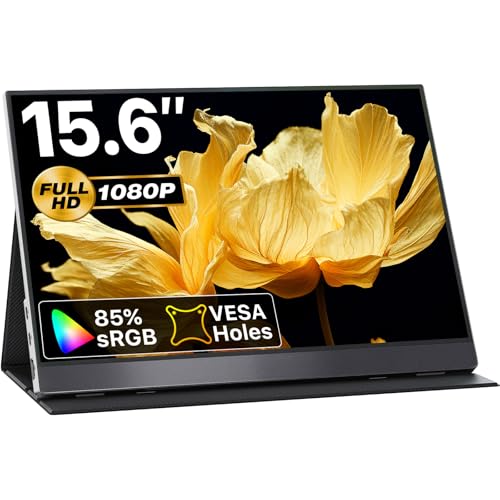
The VisionOwl setup provides a 15.6″ IPS panel with 1080P resolution and a broad 178-degree viewing angle. It emphasizes plug-and-play simplicity with USB-C and HDMI connections and includes VESA compatibility for versatile mounting. Two USB-C ports enable power and video over a single cable on compatible devices, while its slim profile supports mobile productivity and entertainment on the go.
InnoView Portable Monitor: 15.6 Inch FHD

The InnoView portable monitor offers a 15.6″ 1080p IPS panel with HDR and a low blue light interface to reduce eye strain. It supports plug-and-play with two USB-C ports and an HDMI input, enabling a one-cable connection for power and display on Thunderbolt 3/4/DP Alt Mode devices. Its lightweight build and protective case make it suitable for travelers and students seeking a reliable secondary display.
Buying Guide: Key Considerations For Choosing A Lightweight Portable Monitor
- Display quality and panel type: IPS panels with 1080p resolution are common; look for HDR support, wide viewing angles, and low blue light for comfortable long-term use.
- Connectivity: Prioritize USB-C with Power Delivery and DP Alt Mode for a single-cable setup. Check for Mini HDMI as a secondary option and verify compatibility with your devices (laptops, phones, game consoles).
- Portability and weight: Ultra-slim profiles and light weights (roughly 1.3–2.7 lb) maximize travel convenience. Consider included protective cover or stand for easy positioning.
- Power and charging: Some monitors draw power through USB-C, which reduces the need for an extra power brick. If not, ensure you have a reliable power source on the go.
- Versatility: VESA mount compatibility adds mounting options for desks, stands, or creative setups. Built-in speakers can enhance portable media experiences without extra accessories.
- Usage scenarios: For travel, consider a monitor with a robust stand and magnetic cover. For work-from-anywhere, prioritize compatibility with laptops, tablets, and phones and a reliable one-cable solution.
- Brand and warranty: Reputable brands often provide longer warranties and better customer support, important for on-the-road usage and device longevity.
These considerations help compare monitors across price, portability, and performance to match your workflow. When selecting, balance display quality with connectivity options and overall ease of use to ensure a reliable second screen anywhere you work or play.