Staying connected while on the road is easier than ever with purpose-built in-car WiFi devices. From portable travel routers to wireless CarPlay adapters, these products convert your car into a reliable mobile internet hub, support multiple devices, and help you stream, work, or navigate without relying on hotspot tethering from a phone. This guide highlights five top options, detailing how each one keeps you connected, along with a practical buying guide to help you pick the right fit for your vehicle and driving habits.
| Product | Brand | Best For | Key Benefit |
|---|---|---|---|
| TL-WR902AC | TP-Link | Traveling with hotel or portable network | Multi-mode versatility in a compact form |
| RoamWiFi | RoamFi | Global roaming without SIM changes | 10-device sharing with auto network selection |
| TL-WR3602BE | TP-Link | Public WiFi sharing in hotels/cruises | WiFi 7 capable, multi-mode, high capacity |
| Visoud | Visoud | Wireless CarPlay/Android Auto | One‑click device switching, dual-band WiFi |
| WhyBox Ai Magic Box | WhyBox | Streaming in-car with CarPlay/Android Auto | Integrated Netflix/YouTube/TikTok |
TP-Link AC750 Wireless Portable Nano Travel Router

TP-Link’s TL-WR902AC is a compact, travel-ready wireless router engineered to create a Wi‑Fi network from an Ethernet connection. It supports dual-band AC750 Wi-Fi, delivering solid performance for HD streaming across several devices. Its travel-sized design makes packing simple for road trips, hotels, or car use. A single switch enables multiple modes, including router, hotspot, bridge, range extender, access point, and client modes, allowing flexible networking in varied environments. Performance varies based on distance, obstacles, and device load, but the unit remains a versatile choice for portable connectivity on the go.
Key considerations for in-car use include battery and USB power compatibility, ease of setup without excessive apps, and the ability to tether to an existing hotel or car Ethernet connection. This model excels when you need a tiny, reliable hotspot to share with passengers or to backhaul a vehicle’s infotainment system. As with all portable routers, placement matters; keep it within line-of-sight of devices for the best results.
GZPYC Wireless CarPlay Adapter AI Box
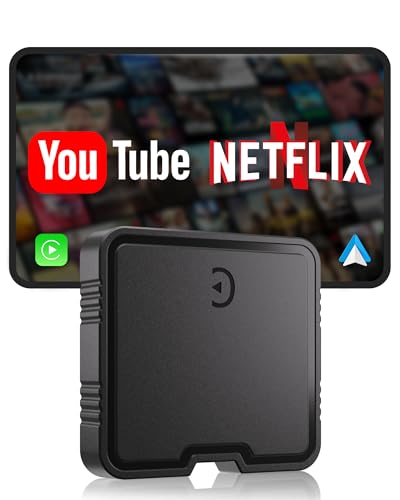
The GZPYC AI Box turns wired CarPlay into a wireless experience, with stable 5.8GHz Wi‑Fi and Bluetooth 5.3. It brings built-in YouTube and Netflix playback support and supports TF card offline playback, expanding entertainment options beyond streaming from a phone. The setup is designed to be plug-and-play: plug into the car’s USB port, pair with your phone via Bluetooth, and the system auto-syncs for automatic reconnection on startup. This device helps reduce cable clutter while delivering a smooth, cable-free driving experience for navigation and media streaming.
Notable benefits include a streamlined installation, quick pairing, and the convenience of offline media playback via TF cards. It is best suited for drivers who want entertainment options in-car without configuring additional apps, while still maintaining CarPlay-style convenience. Consider vehicle compatibility and whether your system supports the box’s CarPlay/Android Auto integration before purchase.
RoamWiFi 4G LTE Mobile Hotspot Router

The RoamWiFi hotspot is designed for global travel, offering seamless roaming in 170+ countries with a variety of data plans. It supports up to 10 devices, making it ideal for families or road trips where multiple passengers need internet access. The device uses intelligent network selection to automatically connect to the strongest available signal, helping maintain stable connections as you move between areas. Its compact design prioritizes portability and long battery life for extended trips, reducing the need for frequent recharging during travel.
When evaluating this device, consider data plan flexibility, coverage in destinations you frequent, and battery endurance. The RoamWiFi excels in multi-user, long-distance travel scenarios but may require upfront plan commitments. Users should also review whether airport or hotel restrictions apply in certain regions and how the device handles peak usage or congested networks.
TOGUARDGO 3-in-1 CarPlay Wireless AI Box
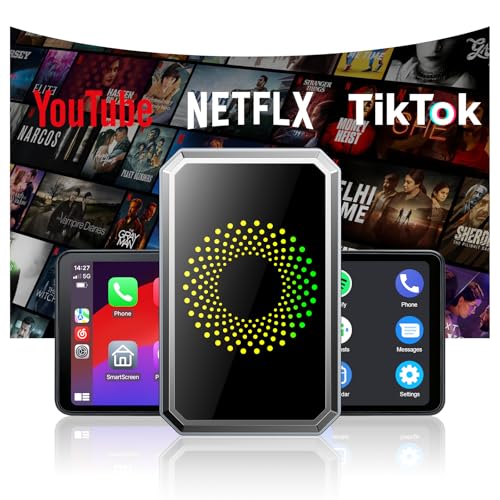
The TOGUARDGO 3-in-1 AI Box is a compact solution that upgrades wired CarPlay to wireless CarPlay and adds support for USB drives for media playback. It emphasizes a straightforward setup: verify vehicle compatibility with wired CarPlay, then enjoy wireless CarPlay or Android Auto with minimal configuration. The device focuses on reducing cable clutter while providing reliable streaming and navigation, along with a small footprint ideal for dash installation. It’s a practical option for drivers seeking a simple wireless CarPlay upgrade without heavy installation work.
Considerations include vehicle compatibility, whether a manufacturer’s Wi‑Fi architecture is compatible with the adapter, and the availability of voice assistant controls. This model is particularly attractive for users who want a cost-effective wireless CarPlay upgrade and straightforward operation in daily driving or long trips.
TP-Link BE3600 Wi‑Fi 7 Portable Travel Router

TP-Link’s BE3600 TL-WR3602BE advances portable travel router design with Wi‑Fi 7 capabilities, offering high throughput and robust multi-device support. It includes a 2.5 Gbps WAN port and a 1 Gbps LAN port, enabling fast wired and wireless data transmission. The device supports multiple modes—Router, Hotspot, AP/RE/Client—useful for sharing hotel Wi‑Fi, providing Ethernet backhaul, or extending existing networks. Note that 6 GHz support is not included in this model, so it remains a practical option for those who don’t require the newest 6 GHz band.
When choosing this router, assess your need for speed versus compatibility with existing in-car networks, as well as the number of devices you plan to connect. The multi‑gigabit ports are attractive for higher‑bandwidth needs, while the Public WiFi Sharing mode can simplify access in temporary setups like hotels or cruise ships.
Ai Magic Box for Streaming Netflix/YouTube/TikTok

The Ai Magic Box is designed to enable streaming and CarPlay/Android Auto integration with wireless capability. It supports Netflix, YouTube, and TikTok streaming, along with TF card playback for offline entertainment. It emphasizes plug‑and‑play setup with a built‑in Wi‑Fi/Bluetooth chipset for automatic pairing and quick reconnection after startup. This makes it a convenient choice for passengers who want to enjoy multimedia content on long trips without repeatedly reconnecting devices.
Key considerations include hotspot availability, the need for a separate data plan or hotspot source, and whether you require offline media playback from TF cards. The Ai Magic Box is a strong option for entertainment-focused in-car experiences, especially in vehicles that support wired CarPlay/Android Auto integration while seeking wireless convenience.
Buying Guide: In-Car WiFi Purchase Considerations
- Compatibility with your vehicle and existing infotainment system. Confirm CarPlay/Android Auto support and whether the device requires wired connections or a USB port for power.
- Connectivity type Based on trips and regions, decide between a portable router, a dedicated hotspot, or a wireless CarPlay/Android Auto adapter. Consider whether you need global roaming, local SIM support, or hotel/public network sharing.
- Device capacity Number of simultaneous connections versus bandwidth needs. Families or groups benefit from multi-device sharing, while solo travelers may be fine with fewer connections.
- Power and placement Ensure the device can be powered by the vehicle’s USB port or 12V outlet. Placement impacts signal strength for best performance.
- Security features Look for WPA3 support, VPN compatibility, and guest networks to keep your data safe on public networks.
- Ease of setup Favor models with plug‑and‑play setup, auto reconnect, and minimal app dependence to reduce driver distraction.
- Entertainment support If streaming media is important, consider devices with built-in media apps or TF card playback to reduce data usage while on the road.
- Future-proofing Prioritize devices with newer Wi‑Fi standards where possible, but verify real-world compatibility within your vehicle and typical travel destinations.
- Cost and data plans Weigh the upfront device cost against ongoing data plan requirements, and examine whether local SIM options or roaming plans suit your travel style.
In summary, the best in-car WiFi choice depends on your travel pattern, the number of devices, and whether you prioritize streaming, navigation, or simple internet access for work on the road. The listed options provide a spectrum—from compact travel routers to multimedia CarPlay adapters—allowing riders to tailor connectivity to their vehicle and lifestyle. Evaluate compatibility with your car, network needs, and the level of ease you want in daily driving to find the right fit.