Exploring the best home colour printers helps you balance price, speed, and photo-quality prints. This guide highlights five reliable models ideal for households and home offices, with features like wireless printing, duplexing, and cloud connectivity. Each pick offers strong color output, easy setup, and practical paper handling for everyday documents and photos alike.
| Product | Brand | Key Benefit |
|---|---|---|
| Brother Work Smart MFC-J1360DW | Brother | Duplex, 1.8″ color display, cloud printing |
| HP DeskJet 2855e | HP | All-in-One, Instant Ink trial |
| Canon PIXMA TR4720 | Canon | Fax, ADF, wireless 4-in-1 |
| Canon PIXMA TS4320 | Canon | Compact, versatile, affordable |
| HP OfficeJet Pro 8135e | HP | Professional color, ADF, duplex |
Below are five home-friendly printers chosen for blend of color accuracy, ease of use, and everyday efficiency. Each product section includes a direct link to Amazon for convenience and a visual reference to help you compare at a glance.
Brother Work Smart MFC-J1360DW Color Printer

The Brother MFC-J1360DW is designed for home offices needing an all-in-one solution. It combines color printing with scanning, copying, and automatic duplexing in a compact footprint. The 1.8-inch color display provides straightforward control and cloud app connectivity, enabling printing from services like Google Drive and OneDrive. It supports up to 16 pages per minute in black and 9 ppm in color, making it suitable for daily documents, photos, and school projects. The 20-sheet ADF helps with multi-page tasks, while the 150-page paper tray supports longer print runs.
HP DeskJet 2855e Wireless All-in-One

The DeskJet 2855e is a reliable choice for light home use, handling printing, scanning, and copying. It features wireless single-band connectivity and comes with a three-month Instant Ink trial, helping manage running costs. Ideal for to-do lists, household documents, and light photo printing, its color speed reaches up to 5.5 pages per minute with black at 7.5 ppm. Advanced AI enhancements help format pages more accurately, reducing wasted paper and awkward layouts. The compact design makes it a good fit for small desks or kitchen corners.
Canon PIXMA TR4720 All-in-One

The Canon PIXMA TR4720 offers wireless printing with a built-in Auto Document Feeder and fax functionality, making it a versatile option for home offices. It supports print, copy, scan, and fax with a page-ready 7W power consumption in active use. While geared toward general home tasks, its 8.8 and 4.4 ipm speed ratings provide adequate performance for routine documents, school work, and light photo printing. Easy cartridge installation simplifies maintenance, while the all-in-one feature set keeps office tasks consolidated in one device.
Canon PIXMA TS4320 Wireless Color Printer

The PIXMA TS4320 offers affordable versatility with a compact footprint, ideal for homes with limited space. It provides reliable color printing, copying, and scanning, with a straightforward setup process for smartphones and computers. The two-cartridge hybrid ink system supports sharp text and vibrant colors, making it suitable for documents and photos. The TS4320 is designed to be easy to maintain, helping households keep printing tasks simple and accessible for students and casual users alike.
HP OfficeJet Pro 8135e Wireless All-in-One
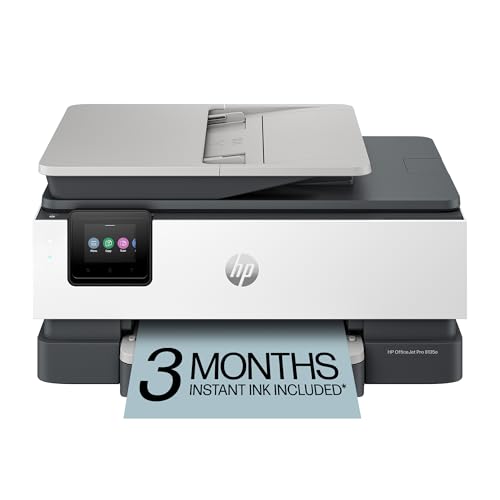
The OfficeJet Pro 8135e is targeted at home offices requiring professional-grade color printing. It supports print, scan, copy, and fax, along with a robust ADF and duplex printing for efficient document workflows. With up to 10 ppm color and 20 ppm black, it balances speed with color accuracy for reports, presentations, and marketing materials. HP AI features help optimize formatting and clarity, ensuring prints are crisp and professional. The 225-sheet input tray reduces reloading frequency during larger print jobs.
Buying Guide: Key Purchase Considerations
When selecting a home colour printer, consider these factors to ensure you pick a model that fits your needs and workspace.
- Printing Type and Use Case: For homework and casual documents, a reliable all-in-one with solid color output is enough. For frequent photo prints or graphic work, prioritize higher color accuracy and better photo modes.
- Connectivity: Look for Wi-Fi, cloud printing, and mobile app support for convenient printing from phones, tablets, and laptops. USB-only options are less flexible for home use.
- Speed and Throughput: If you print often, speed in both color and black matters. Duplex printing helps save paper on large documents.
- Paper Handling: Check the input tray capacity and the availability of an ADF for scanning multi-page documents. A larger tray reduces reloads.
- Ink System and Running Costs: Consider cartridge yield, replacement costs, and optional ink subscription services. Some models offer trial periods that can lower initial costs.
- Ease of Setup and Use: A clear display, simple setup flow, and good mobile app experience save time. Compatibility with your devices is essential.
- Size and Aesthetics: For home offices, choose a printer that fits your space and blends with your decor without sacrificing performance.
All five models listed provide a balance of color quality, ease of use, and practical features for at-home printing tasks. Your final choice should align with your most frequent tasks, available space, and whether you value speed, photo quality, or advanced features like fax and ADF.