Choosing the right internal hard drive can boost overall system performance, data organization, and storage capacity. This guide highlights five reliable options across Seagate and Western Digital, focusing on capacities, speeds, and ideal use cases—from everyday computing to gaming setups and NAS work. Whether you need fast access to media libraries or steady, large-capacity storage for backups, these drives are built to work with Windows PCs and desktop configurations.
| Product | Brand | Capacity | Drive Type | RPM |
|---|---|---|---|---|
| Seagate BarraCuda 4TB Internal | Seagate | 4 TB | HDD | 5400 |
| Seagate BarraCuda 2TB Internal | Seagate | 2 TB | HDD | 7200 |
| Western Digital 4TB Blue WD40EZZX | WD | 4 TB | HDD | 5400 |
| Seagate BarraCuda 8TB Internal | Seagate | 8 TB | HDD | 5400 |
| Western Digital 4TB WD Blue WD40EZAX | WD | 4 TB | HDD | 5400 |
The following sections provide detailed insights into each drive, including typical use cases, performance considerations, and what to expect in real-world setups.
Seagate BarraCuda 4TB Internal HDD
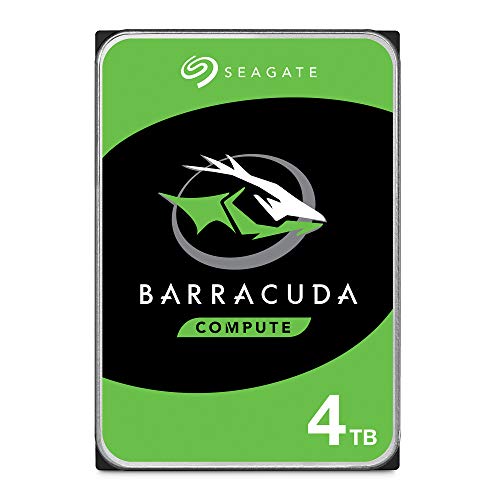
The Seagate BarraCuda 4TB internal drive is designed to store large multimedia libraries and support everyday PC tasks. With a 3.5-inch form factor and SATA 6 Gb/s interface, it delivers a balanced blend of capacity and reliability for desktop PCs. Its 5400 RPM speed and 256 MB cache help with steady streaming and general computing needs, while the BarraCuda family is known for broad compatibility across many PC configurations. Ideal for users building mid-range gaming rigs or expanding a desktop’s storage without compromising stability.
Seagate BarraCuda 2TB Internal HDD

The 2TB BarraCuda offers a balance of speed and capacity for mainstream desktops. With 7200 RPM and a 256 MB cache, it supports quicker boot times, application launches, and data access compared to lower RPM drives. Seagate also highlights data migration compatibility with DiscWizard software, making it convenient to clone existing drives. This option suits users upgrading older systems, creating a dedicated game drive, or expanding storage for media collections while maintaining performance for common tasks.
Western Digital 4TB WD Blue WD40EZZX

WD Blue drives are designed for reliable everyday computing. The WD40EZZX entry emphasizes a steady balance of performance and capacity for general desktops, office tasks, and media storage. Includes Western Digital reliability and, in some bundles, cloning software to simplify system upgrades. This drive is well-suited for users who want a dependable primary storage option or a secondary drive for media libraries and backups within a standard PC build.
Seagate BarraCuda 8TB Internal HDD

The 8TB BarraCuda provides ample space for large media libraries or for data-rich environments like home labs or content creation rigs. It maintains BarraCuda’s reputation for broad system compatibility, enabling users to assemble a high-capacity desktop setup suitable for media editing, backups, and extensive game libraries. While it runs at 5400 RPM, its larger cache helps sustain transfers and responsive performance during sustained workloads. This drive fits users seeking maximum storage within a single drive while keeping power and cost considerations reasonable.
Western Digital 4TB WD Blue WD40EZAX

The WD40EZAX variant emphasizes dependable performance for everyday computing. Built for reliability, it’s positioned as a solid choice for users who want straightforward storage for documents, photos, and software applications. It also benefits from Western Digital’s cloning support through True Image WD Edition, making it easier to migrate data during system upgrades. This drive is a practical selection for standard home or office desktops needing steady, long-term storage without specialized requirements.
Buying Guide: Key Purchase Considerations
When selecting an internal hard drive for a desktop PC, consider the following perspectives to tailor your choice to your setup and budget:
- Storage needs and expansion: If you maintain large media libraries or backups, higher-capacity drives (4 TB and above) reduce the need for frequent upgrades. For gaming or software development, a combination of an OS drive and a larger secondary drive can improve performance and organization.
- Speed versus capacity: 7200 RPM drives offer faster data access and shorter load times, but newer 5400 RPM drives with larger caches can provide competitive real-world performance for mass storage. For high-demand tasks, pairing a solid-state drive for the OS with a fast HDD for data can yield the best balance.
- Reliability and warranty: Reputable brands, long warranties, and known reliability records help minimize data loss risk. Consider drives marketed for everyday use vs. NAS-optimized models if you have multi-user or continuous operation scenarios.
- Use case alignment: NAS-ready drives are designed for 24/7 operation, multi-drive arrays, and vibration resistance. For a single-PC setup, standard desktop HDDs typically suffice, but NAS or backup servers may benefit from dedicated NAS drives.
- Software support: Some drives come with cloning and migration software, which can simplify upgrades. Verify compatibility with your operating system and backup workflows.
- Power and acoustics: 5400 RPM drives generally produce less noise and power consumption, which matters for quiet home offices or living rooms. Gaming rigs might prefer 7200 RPM or larger caches for responsiveness.
In practice, the best choice depends on your balance of capacity, speed, and noise tolerance within your PC build. For users upgrading older systems, a 2 TB or 4 TB BarraCuda or WD Blue drive provides a straightforward path to expanded storage. For owners expanding a gaming desktop or media workstation, the 8 TB BarraCuda offers substantial space with dependable performance, while NAS-focused users may lean toward drives designed for sustained, multi-user workloads.