Choosing a reliable hard disk drive (HDD) is key to sustaining smooth performance in a desktop PC. This guide highlights top internal 3.5-inch HDDs that deliver solid storage capacity, dependable speed, and long-term reliability for everyday use, gaming, media editing, and professional workflows. The selections emphasize reputable brands, broad compatibility, and quiet operation to fit a wide range of PC builds.
Summary of chosen products:
- Seagate BarraCuda 4TB Internal Hard Drive HDD – 3.5″ SATA 6 Gb/s, 5400 RPM, 256MB Cache
- Seagate BarraCuda 8TB Internal Hard Drive HDD – 3.5″ SATA 6 Gb/s, 5400 RPM, 256MB Cache
- WD Blue 2TB Internal Hard Drive – 3.5″ SATA 6 Gb/s, 7200 RPM, 256MB Cache
- WD Blue 4TB Internal Hard Drive – 3.5″ SATA 6 Gb/s, 5400 RPM, 256MB Cache
Seagate BarraCuda 4TB Internal HDD
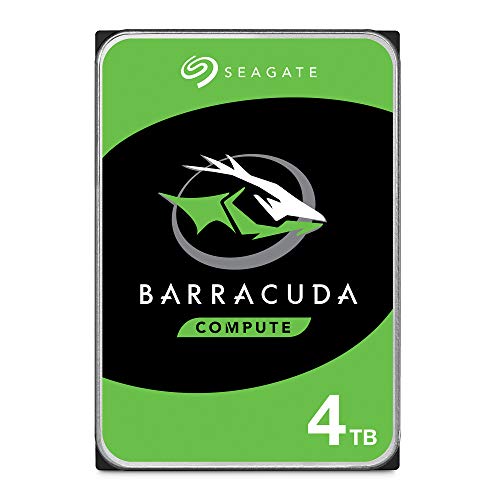
The Seagate BarraCuda 4TB drive provides ample space for data-heavy desktop setups. Built for versatility, it supports a wide range of PC applications from music libraries to photo editing and gaming. With a 3.5-inch form factor and SATA 6 Gb/s interface, it fits most standard desktop bays and motherboards. The 5400 RPM spindle optimizes energy efficiency and thermal performance for quieter operation in everyday tasks. This model benefits from Seagate’s reliability and a healthy cache to improve burst transfers during large file handling.
Key features include: store more data with a known BarraCuda reliability, scalable capacities for future upgrades, and broad compatibility across typical PC configurations. The drive is suitable for builds prioritizing balanced performance and capacity. It’s a strong candidate for gamers upgrading older systems or content creators needing extra room for raw footage and project files.
Seagate BarraCuda 8TB Internal HDD

The 8TB BarraCuda expands desktop storage with a high-capacity option ideal for large media libraries and professional projects. It offers SATA 6 Gb/s connectivity, 5400 RPM operation, and a 256 MB cache to help sustain steady transfer rates across big datasets. This model supports a wide range of desktop configurations, letting users consolidate multimedia, games, and software into a single drive. It’s designed for reliability in continuous-use environments and provides predictable streaming of large files in editing workflows or game libraries.
Highlights include a broad capacity ladder for future growth, dependable performance suitable for daily computing and media tasks, and an energy-conscious 5400 RPM design that reduces heat and noise in typical setups. It pairs well with mid-to-high-end desktops that demand substantial storage without sacrificing reliability.
WD Blue 2TB Internal HDD

WD Blue 2TB delivers dependable daily performance for general PC use. This 3.5-inch drive uses SATA 6 Gb/s with 7200 RPM for snappier load times and quicker file access. Its 256 MB cache helps smooth out bursts during media playback, software updates, and light multitasking. Western Digital’s reputation for reliability is a solid fit for home offices, students, or any user seeking a balanced mix of speed and capacity in a budget-friendly package.
Considerations include compatibility with most desktop boards and an emphasis on consistent, everyday performance. The WD Blue line is widely recommended for new builds that prioritize dependable storage for operating systems, applications, and a sizeable media library without the cost premium of higher-end performance drives.
WD Blue 4TB Internal HDD

The 4TB WD Blue HDD offers a higher capacity option within the WD Blue family, maintaining the same SATA 6 Gb/s interface and 256 MB cache. With 5400 RPM operation, it emphasizes energy efficiency and quiet operation, making it suitable for home theaters, backups, and extended media libraries. It is designed for reliable, everyday computing tasks, with Western Digital’s engineering focus on data integrity and longevity. This drive is a practical choice for users expanding storage while preserving system responsiveness.
Key considerations include ensuring your PC case has adequate drive bays and that your motherboard supports SATA 6 Gb/s. For users who need a straightforward, reliable upgrade path for bulk storage, the 4TB WD Blue stands as a practical balance of capacity, performance, and cost.
Buying Guide: Hard Disk Drives For PC – Key Purchase Considerations
- Capacity vs. performance: For general use and large media libraries, higher capacity drives (4TB–8TB) are appealing, but consider 7200 RPM for faster read/write speeds if your budget and motherboard support it. 5400 RPM drives are typically quieter and more power-efficient, suitable for backup and media storage.
- Interface and compatibility: Ensure SATA 6 Gb/s compatibility with your motherboard and available drive bays. Most modern desktops support these interfaces, but older builds may require adapters or upgrades.
- Cache size and reliability: A larger cache (e.g., 256 MB) can improve burst performance and file access times. Reliability ratings from the manufacturer, warranty terms, and user reviews are important factors to consider for long-term use.
- Workload and usage profile: If the drive will handle frequent large transfers (video editing, game libraries), prioritize higher sequential transfer rates and sustained performance. For backups and archival storage, capacity and longevity may trump peak speeds.
- Noise and thermals: 5400 RPM drives often run cooler and quieter than 7200 RPM models, which matters in living rooms, bedrooms, or quiet office spaces. Consider chassis cooling and airflow in your build.
- Software and cloning tools: Some drives come with cloning software or bundled utilities that facilitate system migrations. Free tools from the manufacturer can simplify OS and data transfers.
- Future-proofing: Plan for future storage needs. A single 4TB or 8TB drive can reduce the number of drives needed, but mixing performance tiers within a system may still be beneficial for demanding tasks.
- Internal vs. external: Internal HDDs typically offer better performance-to-price ratios for permanent storage, while external drives provide portable backups. Choose based on your workspace and backup strategy.
Overall, top internal HDDs like BarraCuda and WD Blue provide dependable performance and ample capacity for mainstream PC builds. When selecting, weigh capacity, speed, noise, and reliability to match your computing needs and upgrade goals. For best results, pair an HDD with an SSD for the operating system and frequently used applications to maximize responsiveness in daily tasks.