External wireless adapters offer a simple way to upgrade a PC or laptop’s Wi‑Fi performance. This guide highlights five solid options, suitable for gamers, streamers, remote workers, and general use. Each product is chosen for reliability, ease of setup, and clear performance benefits. Use this article to compare capabilities, range, and compatibility across USB 3.0 or USB-C equipped desktops and laptops.
Summary table of selected products
| Product | Best For | Key Benefit | Interface |
|---|---|---|---|
| TP-Link Archer T3U | Budget-friendly dual-band users | MU-MIMO and solid 2.4/5 GHz performance | USB 3.0 |
| TP-Link Archer TX20U Plus | Gamers and streamers | AX1800 speeds with USB 3.0, Wi‑Fi 6 | USB 3.0 |
| NETGEAR Nighthawk A8000 | Desktop-first users seeking Wi‑Fi 6/6E | AX/E 3Gbps performance, strong antenna | USB 3.0 |
| BrosTrend AX1800 USB Adapter | High-speed dual‑band on a budget | High gain antennas, Wi‑Fi 6 support | USB 3.0 |
| UGREEN AX900 USB Adapter | Windows 10/11 users needing easy install | AX900 with built‑in drivers | USB 3.0 |
TP-Link Archer T3U – AC1300 Dual Band USB Wi-Fi Adapter

The Archer T3U offers dual-band wireless connectivity (2.4 GHz and 5 GHz) with MU-MIMO and Beamforming. USB 3.0 delivers faster transfer speeds than USB 2.0, and the compact design makes it easy to carry. Best for budget-conscious users needing reliable everyday Wi‑Fi on desktops or laptops.
Best for: Home office or dorm setups where budget and portability matter. Why selected: Solid dual-band coverage with MU-MIMO at an approachable price.
Caution: Performance will vary by router capabilities and physical obstacles; not the newest Wi‑Fi 6 standard.
TP-Link Archer TX20U Plus – Wi‑Fi 6 AX1800 USB Adapter

TX20U Plus brings Wi‑Fi 6 (AX1800) performance with USB 3.0 for faster throughput and reduced contention. It supports dual band 2.4 GHz and 5 GHz, delivering up to 574 Mbps on 2.4 GHz and 1201 Mbps on 5 GHz. This is a strong pick for gaming, streaming, and multi-device households seeking lower latency.
Best for: Gamers and heavy streamers needing higher speeds and better handling of multiple devices. Why selected: Modern Wi‑Fi 6 technology with robust USB 3.0 reliability.
Caution: Requires a Wi‑Fi 6 compatible router to realize full AX1800 speeds; older routers may not unlock the full benefit.
NETGEAR Nighthawk WiFi 6E USB 3.0 Adapter (A8000)

The Nighthawk A8000 provides access to WiFi 6E with a tri-band (including 6 GHz) experience. It’s designed for desktops and supports high-speed AXE3000 performance, beneficial for HD gaming, 4K streaming, and large downloads on compatible networks. The flip antenna helps optimize coverage for best signal reception.
Best for: Users with Wi‑Fi 6E capable routers seeking maximum throughput. Why selected: Access to the newest 6 GHz band can reduce interference and increase speeds.
Caution: 6E performance depends on router availability and indoor environment; may be overkill for non‑6E routers.
BrosTrend AX1800 USB WiFi Adapter

Dieses adapter delivers AX1800 performance with dual-band support, featuring two 5dBi high-gain antennas for improved reception. It’s designed for Windows 11/10 only, making it a practical choice for newer systems needing a straightforward upgrade to Wi‑Fi 6. It’s particularly effective in larger rooms or spaces with walls where signal strength can wane.
Best for: Windows 11/10 users seeking higher throughput without extra hardware. Why selected: Strong range with dual antennas at a budget-friendly price.
Caution: Not supported on Linux or older Windows versions; ensure OS compatibility before purchase.
TP-Link Nano AC600 USB WiFi Adapter – Tiny Travel Companion
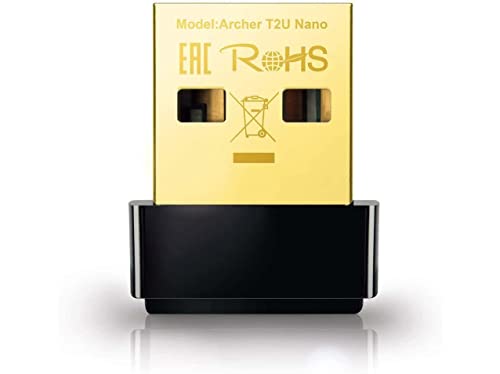
The Nano AC600 is a compact dual-band adapter suitable for travel and slender devices. It provides 2.4 GHz and 5 GHz connectivity in a pocket-friendly form. While smaller, it still delivers reliable performance for everyday browsing and light streaming.
Best for: Travelers and thin laptops or desktops needing discreet Wi‑Fi upgrades. Why selected: Ultra-compact design keeps devices portable and unobtrusive.
Caution: Not ideal for heavy gaming or high‑bandwidth tasks on distant networks; higher-end adapters may be preferred for demanding uses.
UGREEN AX900 USB WiFi 6 Adapter

The AX900 delivers WiFi 6 with dual-band support and built-in drivers for Windows 10/11. It emphasizes a simple setup with no driver installation hassles, ideal for users who want a straightforward upgrade without fiddling with software. Performance is best with a WiFi 6 router to maximize AX speeds.
Best for: Windows users who want quick setup and reliable AX performance. Why selected: Built-in drivers reduce installation steps and potential compatibility issues.
Caution: Driver support is Windows-only; MacOS or Linux users should seek alternative adapters.
Buying Guide
What should I consider when choosing an external wireless adapter?
Key factors include Wi‑Fi standard (AX vs AC), speed ratings, and USB interface. Wi‑Fi 6/6E (AX) offers faster data rates and better efficiency in busy networks, while Wi‑Fi 5 (AC) remains solid for most tasks. USB 3.0 is preferred for higher throughput and lower latency but ensure your computer USB port supports 3.0 or higher.
How much range do I need?
Consider antenna design and placement. Adapters with dual antennas or high-gain antennas generally provide better range and signal stability through walls. If your router is far away, a higher-end AX or 6E adapter is often worthwhile.
Is compatibility important?
Double-check OS support. Some adapters have built-in drivers for Windows 10/11 but may lack Mac or Linux compatibility. If you use a gaming PC with Windows, driver availability is usually less of an issue than on uncommon operating systems.
Do I need Wi‑Fi 6 or 6E?
Wi‑Fi 6 is a strong upgrade for most homes with multiple devices. 6E adds access to the 6 GHz band, reducing interference but requires a 6E router and a suitable environment for best results. If your router is older, a Wi‑Fi 6 adapter still yields noticeable improvements.
How important is form factor?
If portability matters, consider compact nano dongles or travel-oriented designs. For desktops, larger antennas may provide better range, but external USB sticks can be convenient for laptops as well.
What about security?
Look for adapters that support current security standards (WPA3 where available) and strong encryption. Some older adapters may rely on WPA/WPA2 only; upgrading to newer hardware helps maintain security compatibility.
Which product should I choose?
Choose this if you prioritize modern Wi‑Fi 6/6E performance and router compatibility. Pick best for budget-conscious setups seeking dual-band reliability. Consider travel-friendly options if you need portability. For Windows-only quick setup, adapters with built-in drivers reduce potential setup friction.
Quick comparison at a glance
- Best overall performance: NETGEAR Nighthawk A8000 (Wi‑Fi 6/6E capable on compatible routers).
- Best value: TP-Link Archer T3U for solid dual-band with MU-MIMO.
- Best for gaming/low latency: TP-Link Archer TX20U Plus (Wi‑Fi 6, USB 3.0).
- Best portability: TP-Link Nano AC600 (tiny footprint for travel).
- Windows-friendly plug-and-play: UGREEN AX900 (built-in drivers for Windows 10/11).
Frequently Asked Questions
- What is the difference between Wi‑Fi 6 and 6E adapters? Answer: 6E adds the 6 GHz band for more channels and less interference, requiring a 6E router and compatible devices.
- Do I need USB 3.0 for best results? Answer: USB 3.0 or higher reduces bottlenecks; USB 2.0 can limit throughput on fast adapters.
- Will an external adapter replace a built-in Wi‑Fi card? Answer: Yes, it can upgrade performance without opening the computer, though desktop PCs may benefit from internal cards for stability.
- Can these adapters work with macOS? Answer: Some do; check OS compatibility in product details before purchasing.
- Is MU-MIMO important? Answer: MU-MIMO helps when multiple devices connect simultaneously, reducing congestion on supported routers.
- Do I need a new router to get the best results? Answer: A modern router (Wi‑Fi 5/6/6E) improves performance; older routers will limit potential gains.