External USB hubs provide extra ports to connect keyboards, mice, drives, printers, and more. This guide highlights five reliable options that balance speed, power, and ease of use for different buyers. Ideal for students, remote workers, gamers, and professionals who need quick access to multiple USB devices without swapping cables.
| Product | Ports & Speed | Best For | |
|---|---|---|---|
| Acer USB Hub 4 Ports | 4× USB 3.0, up to 5Gbps | Casual multi-device setups, travel | Requires USB-C power for high-load devices |
| Anker USB Hub 4 Ports | 4× USB 3.0, up to 5Gbps | Reliable everyday expansion, plug‑and‑play | Charging not supported |
| ONFINIO 7-Port USB 3.0 Hub | 7× USB 3.0, up to 5Gbps | Many peripherals, home/office use | Power supply recommended for high-load devices |
| intpw 9-Port USB 3.2 Hub | 9× USB 3.2/3.0, up to 10Gbps | Powerful workstation expansion | PD charging ports do not support data transfer |
| WENTER 11-Port USB Hub | 11× USB 3.0, up to 5Gbps | High-port-count needs and organized workstations | Powered hub required for multiple devices |
Acer USB Hub 4 Ports

Acer’s 4-port USB 3.0 hub provides four extra USB 3.0 ports suitable for keyboards, mice, flash drives, printers, and similar peripherals. Best for users who want a compact, no-fuss expansion for everyday tasks. The device supports up to 5Gbps data transfer, and advises powering via the USB-C port for stable transfers when connected to power-hungry drives. This hub is ideal for laptop users needing quick peripheral access without compromising portability.
Who it’s best for: students and professionals who need lightweight, plug-and-play expansion. Why chosen: reliable chipset and straightforward performance for typical USB peripherals. Limitation: high‑power devices may require the USB-C power connection to maintain stable transfers.
Anker USB Hub 4 Ports
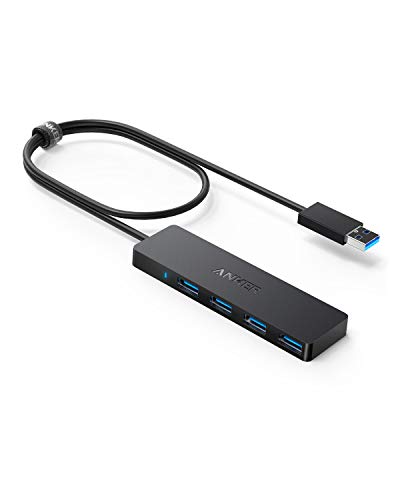
Anker’s 4-port USB 3.0 hub emphasizes reliability and fast data transfers, with a clear emphasis on expanding a single USB-A port into four usable ports. Note that charging is not supported on this model. This hub is well-suited for users who need dependable performance for data-centric tasks like transferring large files or syncing media libraries while keeping a tidy desk.
Who it’s best for: professionals who value dependable performance and simplicity. Why chosen: strong brand trust and guaranteed performance at 5Gbps. Limitation: does not provide charging capabilities for devices that require power delivery.
ONFINIO USB Hub 7-Port

ONFINIO expands a single USB port into seven simultaneous ports, featuring individual on/off switches and LED indicators. It supports USB 3.0 data transfers up to 5Gbps and is backward compatible with USB 2.0/1.0. Best for: users who need many peripherals connected at once and prefer control over individual devices. Limitation: may require an external power supply when powering multiple power-hungry devices.
intpw 9-Port USB 3.2 Hub

intpw offers a hybrid USB-C/USB-A hub with 9 ports, including 10Gbps USB-C 3.2 and multiple USB-A 3.2/3.0 ports, plus two PD 45W charging ports. Best for: power users who need high-speed data transfer and charging in one dock. Note: the PD charging ports do not support data transfer, and the hub should be powered when using power-hungry devices.
WENTER 11-Port USB Hub

WENTER’s 11-port powered USB hub is designed for high-port-demand setups, delivering ten USB 3.0 data ports and a smart charging port. It includes an external power adapter to support multiple devices simultaneously. Best for: busy workstations, classrooms, or media production setups needing many connections. Limitation: requires a dedicated power source for optimal performance.
Buying Guide
- Port count and speed: Match the number of devices you plan to connect with the hub’s USB version and speed (USB 3.0/3.2 for up to 5–10Gbps).
- Power requirements: Consider powered hubs if you connect power-hungry devices or multiple drives. Unpowered hubs are fine for mice, keyboards, and flash drives.
- Power delivery: If charging devices is important, look for PD-enabled hubs and check the wattage to ensure devices charge adequately without data transfer conflicts.
- Compatibility: Ensure the hub works with your computer’s OS and supports hot swapping and plug-and-play without extra software.
- Build and cooling: Aluminum enclosures and good thermal design help sustain performance under load and prevent throttling.
FAQ
- Q: Do USB hubs require drivers? A: Most USB hubs are plug-and-play and do not require drivers on modern systems.
- Q: Should I choose a powered or unpowered hub? A: Choose a powered hub when connecting multiple hard drives, high-power devices, or when data stability is essential.
- Q: Can a hub increase data transfer speed? A: A hub can enable multiple connections, but it cannot exceed the bandwidth of a single USB port on the host device.
- Q: Are PD charging ports safe to use for laptops? A: PD ports are designed for charging smaller devices; review the hub’s PD wattage and compatibility for larger laptops.
- Q: Is aluminum better for heat dissipation? A: Yes, aluminum enclosures typically dissipate heat better, helping sustained performance.