Finding the right external monitor for a MacBook can boost productivity, gaming, and streaming with a larger, color-accurate display. This guide highlights five highly compatible portable and desktop-friendly options. Each monitor emphasizes USB-C connectivity, eye comfort, and versatile mounting or travel-friendly design to complement a MacBook experience.
| Product | Brand | Key Benefit |
|---|---|---|
| KYY Portable Monitor 15.6″ | KYY | Ultra-slim, HDR, 2 USB-C ports, built-in speakers |
| MNN Portable Monitor 15.6″ | MNN | Dual USB-C, HDR, travel-ready |
| Cocopar Portable Monitor 15.6″ | cocopar | VESA mountable, dual USB-C/HDMI, bright IPS panel |
| InnoView Portable Monitor 15.6″ | InnoView | Plug-and-play, HDR, built-in speaker |
| ForHelp 15.6inch Portable Monitor | ForHelp | Zero-frame design, two USB-C ports, magnetic holster |
Below are five product sections with concise specifications and how they align with a MacBook setup. Each section includes a direct link to the Amazon listing and an image for quick reference.
KYY 15.6 Inch Portable Monitor

The KYY monitor uses a 15.6-inch IPS panel with 178-degree viewing angles and a 1920×1080 resolution. HDR technology supports enhanced color depth, while eye-care features help reduce blue light and flicker for longer sessions. It includes two full-function USB-C ports and a mini-HDMI port, enabling a one-cable connection for compatible devices such as a MacBook with Thunderbolt 3/3.1 USB-C. A lightweight 1.7 lb design and a 0.3-inch profile support portable dual-monitor setups, with built-in speakers and a 3.5mm audio input for added audio options.
MNN 15.6 Inch Portable Monitor

The MNN monitor offers 1920×1080 resolution on a 15.6-inch IPS panel with a wide 178-degree viewing angle. It emphasizes eye comfort with reduced blue light and flicker, supporting extended use. The two full-feature Type-C ports enable a plug-and-play experience, requiring a single USB-C cable for power and signal when the host supports Thunderbolt 3/3.1. It’s designed as a travel-friendly second screen, compatible with laptops, PCs, Macs, and game consoles, and notes the importance of using the original USB-C cable for best results.
Cocopar 15.6 Inch Portable Monitor

The Cocopar portable monitor features 1080p resolution with HDR, HDR-like color presentation, and a wide 178-degree viewing angle on an IPS panel. It offers two USB-C ports and a mini HDMI input, enabling power and display via a single USB-C connection on supported devices. The monitor is VESA-mountable for desk setups and includes a 60 Hz refresh rate with an 85% color gamut, making it suitable for travel, presentations, and extended MacBook workflows.
InnoView 15.6 Inch Portable Monitor
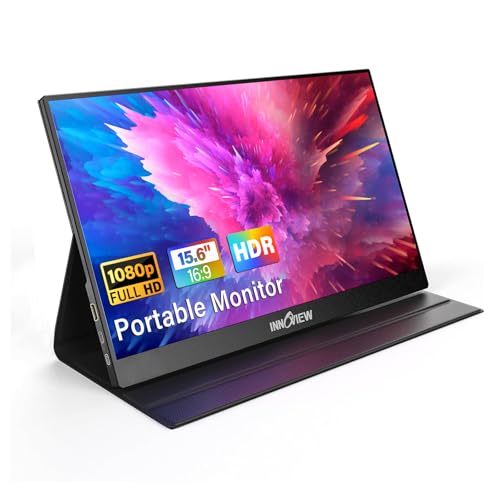
The InnoView external monitor emphasizes Plug-and-Play use with two USB-C ports and an HDMI input. It supports 1920×1080 resolution on a 15.6-inch IPS panel with HDR and 178-degree viewing angles. The monitor is designed for MacBooks and other devices, with a lightweight build and built-in speaker options. It requires a USB-C connection for power and display on compatible devices, and it enables easy expansion of screen real estate for remote work or gaming on a MacBook.
ForHelp 15.6 Inch Portable Monitor

ForHelp offers a 15.6-inch 1080p portable monitor with an ultra-slim body and a zero-frame design. It includes two USB-C ports and a Mini HDMI input for flexible connectivity. The device emphasizes eye comfort with reduced blue light and flicker, and ships with a magnetic smart holster for convenient transport and protection. The aluminum alloy chassis adds a premium feel while keeping weight around a travel-friendly level, making it a practical companion for a MacBook on the go.
Buying Guide: Key Purchase Considerations
- Connectivity: Prioritize USB-C with power delivery and video signals for a single-cable setup with MacBooks. If you need broader compatibility, ensure HDMI input is available and that the device supports Thunderbolt 3/4 or USB-C DP Alt Mode.
- Display quality: Look for 1080p or higher resolution, IPS panels for accurate color, and HDR support if you work with media. A wide viewing angle helps when sharing content with others.
- Size and portability: 15.6 inches is a popular compromise between readability and portability. If you travel often, a slim profile and light weight are major advantages.
- Eye comfort: Monitors with reduced blue light, flicker-free operation, and good contrast help minimize eye strain during long sessions.
- Sound and stand options: Built-in speakers are convenient, but check if you’ll rely on them. VESA mounting flexibility and adjustable stands improve ergonomic comfort for desk setups.
- Power considerations: Some monitors require external power or can pass power through to your MacBook. Confirm that the monitor can deliver the needed USB-C power when used as a second screen.
- Compatibility notes: While all five options support many laptops and consoles, verify Thunderbolt 3/4 or USB-C DP Alt Mode support on your MacBook model to ensure a single-cable experience.
These monitors are designed to complement a MacBook experience by expanding screen real estate without sacrificing portability. When selecting, balance display quality with connectivity and portability to match your typical workflow, whether that’s productivity, photo editing, coding, or media consumption.