Exploring the best e ink notepads helps you find paper-like devices ideal for note-taking, reading, and document organization. This guide highlights five leading e ink notebooks, spanning AI-powered features, handwriting conversion, and color-capable displays. Each option provides a different balance of portability, battery life, and writing feel, making it easier to choose the right tool for meetings, study, and everyday planning. Read on to compare core capabilities and select the model that best fits your workflow.
| Product | Display | Key Strengths | Ideal For |
|---|---|---|---|
| iFLYTEK AINOTE Air 2 Bundle | 8.2″ E Ink | Real-time voice-to-text, multi-language transcription, meeting summaries | Meetings, multilingual use |
| Penstar eNote 2 | 10.3″ E Ink, PureView | Text conversion, voice-to-text, AI summaries | Professional note-taking, brainstorming |
| Amazon Kindle Scribe (64GB) | 10.2″ E Ink | AI notebook tools, handwriting-to-text, distraction-free | Reading and writing in one device |
| reMarkable Paper Pro Bundle | 11.8″ Canvas Color (color display) | Color writing, comprehensive accessory bundle | In-depth note-taking and reading |
| reMarkable Starter Bundle | 10.3″ Black & White | Paper-like feel, focused environment | Focused study and writing |
iFLYTEK AINOTE Air 2 Bundle
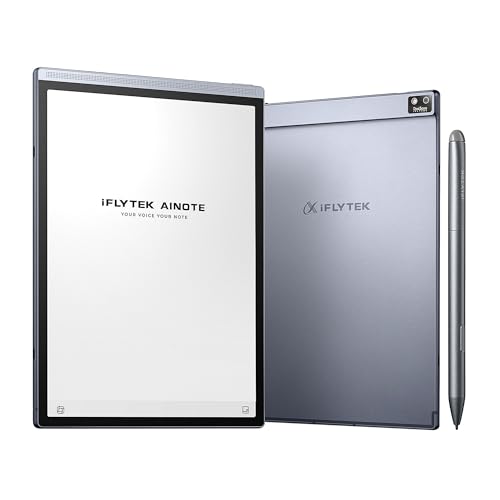
The iFLYTEK AINOTE Air 2 is an 8.2-inch E Ink note-taking tablet designed for professional and study use. It emphasizes real-time voice-to-text transcription and multi-language translation to capture ideas during meetings or lectures. The device supports 16 languages for transcription and 85 languages for handwriting-to-text conversion, offering flexibility for a global audience. While voice and handwriting conversion cannot run simultaneously, users can rely on fast, accurate textual output to organize notes after sessions. The display provides a natural, paper-like writing feel with 4,096 pressure levels for precise input.
Penstar eNote 2
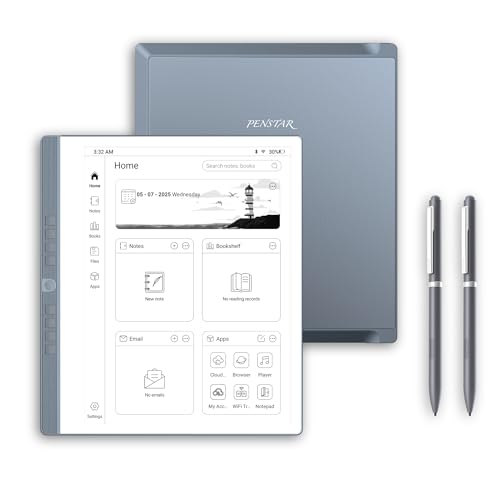
Penstar eNote 2 offers a 10.3-inch E Ink display with PureView technology for a close-to-paper writing experience. It includes MyScript-powered handwriting conversion for instant editable-text output and AI-driven real-time voice-to-text, enabling quick meeting summaries and rapid note structuring. The device’s screen aims to minimize backlighting and glare, helping focus during long writing sessions. Its stylus interaction supports smooth, legible handwriting in a dedicated digital notebook environment, making it a strong option for professionals who value accuracy and efficiency in note capture.
Amazon Kindle Scribe (64GB) — Premium Pen Included

The Kindle Scribe combines a dedicated digital notebook with built-in AI-assisted tools designed to transform how notes are captured and presented. It supports converting handwriting to text, summarizing content, and adjusting the length and tone of notes with AI features. The Premium Pen delivers a pen-on-paper feel, reducing setup friction so users can begin writing immediately. This device is suitable for readers who want a single, distraction-free platform for reading, annotating, and drafting notes.
reMarkable Paper Pro Bundle
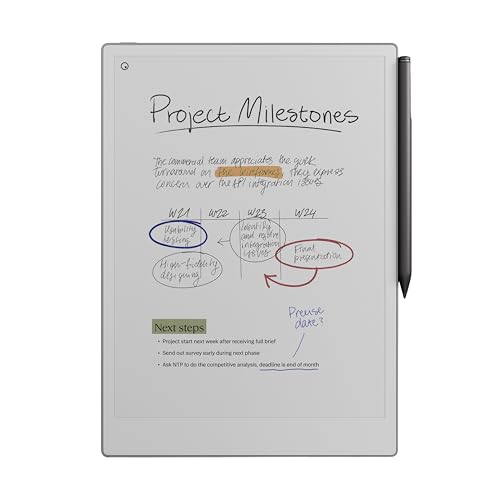
The Paper Pro Bundle brings a color-capable 11.8-inch display to the market, along with a Marker Plus pen and eraser for a comprehensive, color-influenced paper-like experience. The tablet emphasizes a natural writing feel, minimal distractions, and a high-quality, color-accurate canvas for drawing and note-taking. The device is designed for long sessions where focus matters, with an emphasis on comfortable holding and precise input. The bundle includes spare tips and USB-C charging to support extended use during study, design, or planning tasks.
reMarkable Starter Bundle

The Starter Bundle introduces the classic reMarkable experience with a 10.3″ black-and-white display and a Marker Plus pen with eraser. It emphasizes a paper-like feel and focused interaction by minimizing distractions. The kit includes spare tips and a USB-C cable to support mobility and extended sessions. It is especially suitable for users who want a streamlined note-taking device without color, designed for clear handwriting, document reading, and annotation.
Buying a digital notebook requires balancing display technology, note-taking features, and ecosystem compatibility. E Ink devices often provide long battery life and a comfortable writing sensation, but some models emphasize AI-powered automation, multilingual transcription, or color. When choosing, consider your typical use case: pure whiteboard-like writing, heavy document annotation, language needs, or a blend of reading and note-taking. Storage capacity, stylus access, and offline usability are also important factors for consistent performance across meetings, classrooms, and remote work.
Buying Guide
Display and writing experience: Look for E Ink screens with a paper-like feel and sufficient pressure levels for natural handwriting. A high refresh rate helps reduce ghosting in note-taking apps, and glare-free surfaces improve readability in bright environments. Some devices offer color displays, while others stay grayscale; choose based on whether color helps your workflows (diagrams, highlighting) or adds unnecessary complexity.
Note-taking features: AI-powered transcription, handwriting-to-text conversion, and note summarization can dramatically improve efficiency. Consider whether you need real-time voice capture, multi-language support, or structured summaries after meetings. Some devices integrate with AI tools to adjust tone and length of notes, which can be useful for professional documentation.
Device form factor and battery life: For frequent travelers or students, a thinner device with long battery life is essential. Larger displays are advantageous for reading and extensive writing, while compact models enhance portability. Wireless syncing, USB-C charging, and offline accessibility affect how easily you stay productive away from power sources.
Ecosystem and compatibility: If you rely on cloud storage, note-sharing, or cross-device syncing, ensure compatibility with your preferred services. Some notebooks maintain a dedicated app ecosystem, while others favor open file formats or direct export options. Consider whether you need color annotation, Spreadsheets, or document imports to fit your workflow.
Cost and accessories: Bundles that include a pen, eraser, and extra tips add value, but compare long-term costs (refills, software features, and storage). Evaluate whether the device you choose supports your preferred writing style—whether you want pure handwriting or easy conversion to editable text for editing, sharing, or archiving.