Curved monitors can boost productivity by delivering a more immersive field of view, reducing eye strain, and enabling more natural multitasking layouts. This guide focuses on 34-inch and 32-inch curved displays with high-resolution panels, strong color coverage, and practical features for work and light gaming. The selections below highlight models with wide aspect ratios, solid connectivity, and user-friendly ergonomics. All options are suitable for professional desks and home offices seeking immersive viewing without sacrificing clarity or color accuracy.
Summary of chosen products:
| Product | Brand | Resolution | Refresh | Key Feature |
|---|---|---|---|---|
| Sceptre C345B-QUT168 | Sceptre | 3440×1440 | 180Hz/165Hz | 1ms MPRT, backlight lights |
| Dell S3425DW | Dell | 3440×1440 | 120Hz | Blue light reduction, high color coverage |
| LG 32MR50C-B | LG | 1920×1080 | 100Hz | Reader Mode, eye comfort |
| Samsung LS27D366GANXZA | Samsung | 1920×1080 | 100Hz | Curved immersion, game mode |
| SANSUI UWQHD 34-Inch | SANSUI | 3440×1440 | 165Hz | PIP/PBP, HDR |
Sceptre 34-Inch Curved Ultrawide WQHD Monitor

The Sceptre C345B-QUT168 is a curved ultrawide designed for immersive workstations and action-heavy tasks. It delivers a 3440×1440 WQHD panel with a fast response, helping reduce motion blur during quick panning. A notable feature is the luminous backcover lighting, which adds a contemporary aesthetic to a modern desk setup. With a high-resolution display and rapid response, it suits professionals who need precise imagery and broad screen real estate for multitasking.
Key features include 1ms MPRT for reduced motion ghosting and a vibrant 99% sRGB-like color presentation, plus built-in speakers for an all-in-one desk solution. The combination of ultrawide space and quick refresh rates makes it a practical choice for productivity, content creation, and occasional gaming.
Dell 34 Plus USB-C Curved Monitor S3425DW

The Dell S3425DW is a versatile curved 34-inch display built for long work sessions. It includes USB-C connectivity for easy laptop docking, a color-rich VA panel, and integrated speakers. Its color coverage includes 99% sRGB and 95% DCI-P3, delivering vivid and accurate visuals. The screen supports FreeSync Premium and a refresh rate up to 120Hz, offering smooth transitions for tasks that involve video, presentations, or light multimedia editing. Comfort features, like a blue-light-reduction mode, help reduce eye strain during extended workdays.
LG 32MR50C-B Curved Monitor
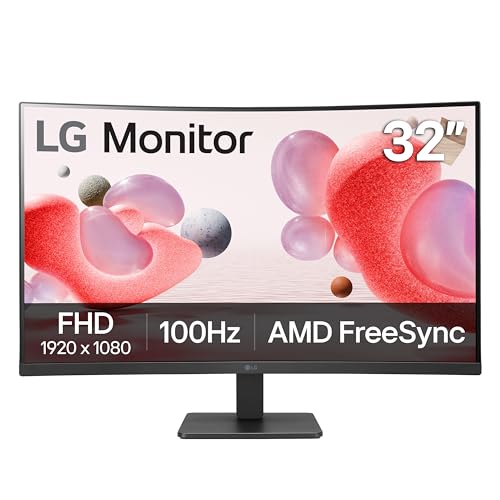
The LG 32MR50C-B offers a curved 32-inch diagonal with Full HD 1080p resolution and a solid 100Hz refresh rate, suitable for daily tasks, video conferencing, and general productivity. It emphasizes comfort with features like Reader Mode to reduce blue light, making long reading and editing sessions easier on the eyes. The VA panel provides respectable color depth and contrast for a more engaging on-screen experience while maintaining energy efficiency and reliable performance for work apps and spreadsheets.
Samsung 27″ Essential S3 (S36GD) Curved Monitor

The Samsung S36GD series provides curved immersion in a 27-inch format with a 100Hz refresh rate and Game Mode options. It emphasizes eye comfort features and a broad connection set including HDMI and D-sub, along with built-in speakers. This monitor is suited for office users who value an engaging, curved display for reading, spreadsheets, and multimedia tasks, while also offering performance modes that can adapt to light gaming sessions or media consumption.
SANSUI 34-Inch Curved UWQHD Gaming Monitor

The SANSUI UWQHD 34-inch monitor delivers an ultrawide 3440×1440 resolution with a 165Hz refresh rate and 1ms MPRT. It supports FreeSync and HDR, offering a responsive experience for fast-paced tasks and gaming while preserving color accuracy and sharpness. The 1500R curvature aims to contour the field of view for immersive viewing and better depth perception, with PIP/PBP features for multitasking. It also emphasizes ergonomic flexibility and wide viewing angles.
New Sceptre Curved 27-Inch Gaming Monitor
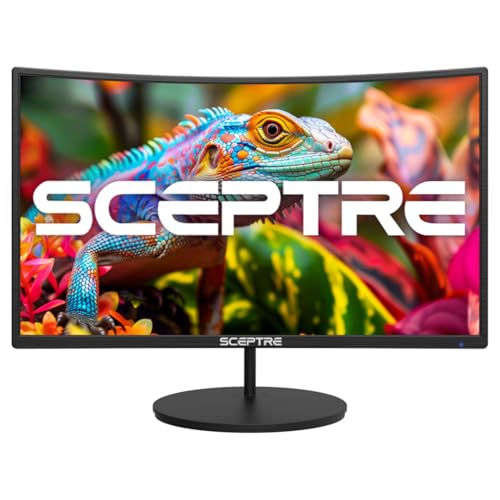
This model from Sceptre features a 27-inch curved display with a 1500R curvature and 1080p resolution, designed to offer a more natural viewing experience and reduced eye strain during prolonged use. It highlights a 100Hz refresh rate for smoother motion in both work and light gaming. Built-in speakers and VESA mount compatibility add convenience for office desktops seeking a compact, curved system with straightforward setup.
Samsung 32-Inch S3 Curved Monitor

The Samsung LS32D39DGANXZA continues the brand’s emphasis on curved immersion with a 32-inch curved panel and 100Hz refresh rate. It emphasizes a broad viewing experience, game mode adjustments, and eye comfort features to support long work sessions. With multiple connectivity options and built-in speakers, this monitor is positioned as a balanced choice for office tasks, content creation, and casual entertainment on a single screen.
LG 34WR55QK-B 34-Inch UltraWide Curved Monitor

The LG 34WR55QK-B is a 34-inch UltraWide curved monitor with a WQHD resolution of 3440×1440 and a 100Hz refresh rate. It emphasizes color accuracy and HDR10 support, along with on-screen control for quick configuration. The wide aspect ratio is ideal for multitasking, allowing multiple windows to be arranged side-by-side. This model is well-suited for professionals who need expansive screen real estate with solid color performance for design, data analysis, and documentation tasks.
Buying Guide: Key Purchase Considerations
- Screen size and curvature: Larger, curved panels (34 inches, 1500R–1800R) enhance immersion and reduce head turning, but require more desk space. A tighter curve is generally better for close viewing distances, while a shallower curve suits expansive desks.
- Resolution and panel type: UWQHD (3440×1440) and similar resolutions provide more workspace than 1080p. VA and IPS panels offer strong color and contrast; VA panels often provide higher contrast ratios, while IPS panels excel in color accuracy and wide viewing angles.
- Refresh rate and response: Higher refresh rates (120Hz–165Hz) benefit tasks with motion, such as scrolling or light gaming, and reduce motion blur. For most office work, a solid 60–120Hz panel with low input lag is sufficient, but a higher rate can improve perceived smoothness.
- Color coverage and HDR: Look for sRGB coverage near 99% and, if possible, broader color spaces (DCI-P3). HDR capability can enhance contrast and color, but real-world benefits depend on brightness and panel type.
- Connectivity: USB-C or USB-C with DisplayPort and HDMI ports support flexible docking and simple laptop connections. Built-in speakers add convenience but may not replace external audio for critical work.
- Ergonomics and adjustability: Height, tilt, and swivel adjustments help maintain comfortable posture. A stable stand and VESA compatibility support flexible desk arrangements.
- Blue light and eye comfort: Features like Reader Mode, low blue light emission, and flicker-free backlighting contribute to reduced eye strain during long sessions.
- Speaker quality and additional features: Built-in speakers are convenient for quick collaboration or media viewing, though external speakers with better audio quality are often preferred for professional work.
- Brand reliability and warranty: Consider models from brands with established support networks and longer warranty coverage for business use.
When selecting a curved monitor for a dedicated workspace, balance the need for screen real estate with desk space, color accuracy requirements, and the type of tasks you perform most. For productivity-heavy work, higher resolution and color coverage can yield tangible benefits, while for mixed use including light gaming, higher refresh rates and adaptive-sync features may be more valuable.