For photographers, designers, and video editors, precise color is essential. This guide highlights top color accuracy monitors and calibration tools that help you achieve consistent, trustworthy results across devices. Each product below supports accurate color perception, whether you’re editing for print, web, or cinema. The selection emphasizes calibration hardware, colorimeters, and high-accuracy displays from trusted brands.
Summary of chosen products:
| Product | Brand | Type | Key Benefit |
|---|---|---|---|
| Spyder X Pro | Datacolor | Monitor Calibrator | Lens-based color engine, quick calibration |
| Calibrite Display 123 | Calibrite | Display Colorimeter | Easy 1-2-3 workflow, two-display support |
| Calibrite Photo Kit with Display Pro HL | Calibrite | Calibration Colorimeter Kit | Camera profiling plus monitor calibration |
| Spyder – Monitor Calibrator (General) | Datacolor | Calibration Tool | DevicePreview simulation, fast setup |
| ASUS ProArt Display 24” | ASUS | Professional Monitor | Calman Verified, ΔE < 2, wide gamut |
Datacolor Spyder X Pro – Monitor Calibrator

The Spyder X Pro is designed for photographers and creators seeking precise color across multiple displays. It uses a lens-based color engine for improved color accuracy, supports room-light monitoring with automatic profile changes, and offers quick calibration that typically takes just a minute or two. The system emphasizes accurate shadow detail and white balance to ensure consistency in varying lighting conditions.
Datacolor Spyder Calibrator (OLED/LED Ready)
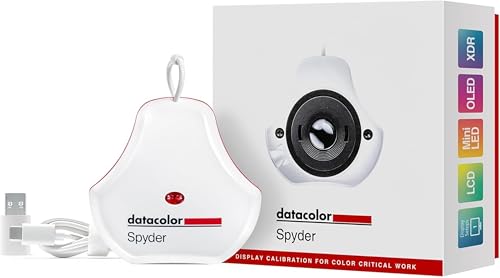
Datacolor Spyder calibrators aim to deliver true-to-life colors on a wide range of screens, including OLED and LED panels. It offers a straightforward calibration workflow designed for today’s digital workflows, helping you establish an accurate starting point for editing with confidence and speed.
Calibrite Display 123 Monitor Calibration Colorimeter

The Display 123 offers an Easy 1-2-3 workflow with USB-C connectivity and support for two displays. The device calibrates brightness targets and provides a before/after check, helping editors trust what they see on screen and protect color accuracy across sessions and devices.
Calibrite Photo Kit with Display Pro HL

This photo workflow kit combines a high-luminance Display Pro HL colorimeter with ColorChecker Passport Photo 2. It supports custom camera profiles for RAW workflows and a complete monitor calibration process, delivering consistency from capture to final edit across modern displays like mini-LED and OLED.
ASUS ProArt Display 24” PA248QFV

The ASUS ProArt PA248QFV is a professional-grade 24-inch monitor featuring IPS with a 1920×1200 resolution, wide viewing angles, and 100% sRGB and 100% Rec. 709 color coverage. Calman Verified calibration and a Delta E under 2 ensure reliable color accuracy for photo and video work, with ergonomic features and robust warranty support.
Calibrite Video Photo Kit with Display Plus HL

Designed for both photo and video workflows, this kit includes Display Plus HL, a colorimeter capable of high-luminance calibration, plus ColorChecker Passport Video 2 for reliable on-set color reference. It supports camera matching, white balance, and exposure control to maintain consistent color in variable lighting conditions.
Buying Guide
- Display vs. calibration hardware: If you predominantly color-grade in software, prioritize a trusted calibration tool (colorimeters) and a calibrated display. For professionals who frequently switch devices, a tool that covers multiple displays is beneficial.
- Display compatibility: Check your monitor panel type (OLED, mini-LED, LCD) and whether the calibration device supports those panels. High-luminance displays require specialized calibration workflows.
- Workflow integration: Look for easy-to-use software with guided workflows, before/after checks, and color-target options (ColorChecker, etc.) to streamline capture-to-edit accuracy.
- Color accuracy targets: Delta E values and coverage (sRGB, Adobe RGB, DCI-P3, Rec. 709) indicate color reliability. Calman Verified status is an additional indicator of calibration quality.
- Future-proofing: Consider devices that support two displays or expansion to more displays, and software that accommodates RAW camera profiles for consistent post-production results.
- Portability and setup time: For on-location work, choose compact colorimeters with fast setup. For studio use, prioritize devices with stable, repeatable results and robust software.
- Budget vs. benefit: Higher-end calibration kits typically offer more precise profiling and broader display support. Weigh the need for ultimate accuracy against project requirements and workflow complexity.