For those seeking budget-friendly printing solutions, a wifi-enabled printer can deliver solid color documents, simple scans, and convenient wireless setup without breaking the bank. The following selections emphasize affordability, ease of use, and dependable wireless connectivity for home offices or student desks. Each model below supports wireless printing, making it easy to print from laptops, smartphones, and tablets.
Summary of chosen products
| Product | Brand | Key Features |
|---|---|---|
| DeskJet 2827e Wireless All-in-One | HP | Color print, scan, copy; 60-page tray; AI-enhanced printing |
| DeskJet 2855e Wireless All-in-One | HP | Color printing; auto duplex; instant ink trial |
| PIXMA TS4320 Wireless Color | Canon | All-in-one; compact; easy setup |
| WorkSmart 1360 | Brother | Automatic duplex; 1.8” color display; cloud app support |
| PIXMA TR4720 All-in-One | Canon | 4-in-1 with built-in fax; wireless printing |
HP DeskJet 2827e All-in-One Review

The DeskJet 2827e is designed for everyday home tasks such as to-do lists, letters, and basic financial documents. It prints color at up to 5.5 pages per minute and black at 7.5 ppm, with HP AI features that help ensure webpages and emails print with clean layouts. The printer includes a 60-sheet input tray and supports color printing, copying, and scanning in a compact form factor suitable for desks with limited space.
HP DeskJet 2855e All-in-One Overview

This DeskJet 2855e targets home offices with dependable color printing, copying, and scanning. It offers up to 5.5 ppm color and 7.5 ppm black print speeds, plus HP AI to refine page layouts and remove unwanted content for neater results. A single-band Wi-Fi connection keeps setup simple while a 60-page tray supports longer print runs without frequent refills.
HP DeskJet 4255e: AI-Enhanced All-in-One
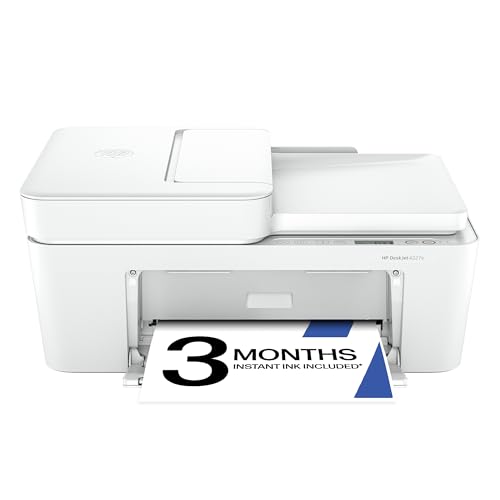
The DeskJet 4255e adds features like an auto document feeder and a 60-sheet input tray for busy, mixed-document workflows. It delivers color printing up to 5.5 ppm and black at 8.5 ppm, with HP AI improving print fidelity. The printer is designed for home use, accommodating to-do lists, financial records, and educational materials in a compact footprint.
HP DeskJet 4227e All-in-One
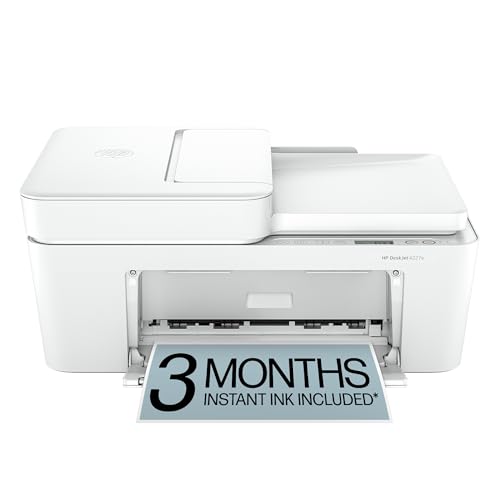
The DeskJet 4227e emphasizes AI-powered formatting for web pages and emails, ensuring clean layouts similar to higher-end models, while offering color print, copy, scan, and a 60-sheet input tray. It fits well in small offices or shared spaces where straightforward, dependable wireless printing is the priority.
Canon PIXMA TS3720: Compact All-in-One

The TS3720 offers basic all-in-one functionality with a focus on compact design and straightforward setup. It prints at about 7.7 pages per minute in black and 4 ppm in color, making it suitable for simple documents and occasional photos. This model suits environments prioritizing a small footprint and simple wireless printing from multiple devices.
Canon PIXMA TR4720 All-in-One

TR4720 provides a versatile four-in-one solution with built-in fax and wireless printing. It supports mobile printing and is designed for flexible home or small office use. Its feature set makes it a strong option for households that require occasional faxing alongside standard print, scan, and copy tasks.
Buying Guide: Key Purchase Considerations
- Printing needs: If you print mostly documents and schoolwork, look for printers with strong text quality and reliable black ink performance. For occasional photos, consider a model with a better color cartridge strategy or photo mode.
- Connectivity: Ensure the printer supports your devices and networks. Most models offer Wi-Fi, with some including cloud integration or mobile app printing for easy setup and remote printing.
- Print speed and volume: Home use typically benefits from faster print speeds (especially black text) and a practical input tray size. For higher-volume households, prioritize models with larger paper feeds or automatic duplex printing to save time and ink.
- Print quality vs. cost: Inkjet printers offer vibrant color but ink costs can add up. Look for models with economical ink configurations, optional high-yield cartridges, or starter trials to gauge ongoing costs.
- All-in-one capabilities: If you need scanning, copying, or faxing, choose printers with reliable ADF (automatic document feeder) performance and easy-to-use scan interfaces.
- Ease of setup: Quick start guides, mobile app compatibility, and simple network setup reduce friction for first-time users.
- Physical footprint: Measure your space to ensure the chosen model fits on desks or shelves without crowding nearby devices.
- Future-proofing: While entry-level options are affordable, consider models that support ongoing ink subscriptions or easy firmware updates for extended utility.
Overall, the best cheap wifi printer choice depends on your balance of cost per page, desire for all-in-one functionality, and the types of documents you print most often. The options above provide a spectrum from compact inkjets to feature-rich all-in-ones, helping you find a model that fits a budget without sacrificing essential capabilities.