Answering the question, these Bluetooth adapters help wireless game controllers pair with PCs, laptops, and other devices with ease. This guide highlights top options for different use cases—whether you need low-latency connections for gaming, broad compatibility for mixed devices, or long-range performance. The selections below are best for PC gaming setups, retro console emulation, Switch and Steam Deck play, and workstations requiring stable peripherals.
Overview Of Top Picks
| Product | Best For | Key Benefit |
|---|---|---|
| TP-Link USB Bluetooth Adapter UB500 | Gamers and general PC users | Bluetooth 5.4 with EDR/BLE, faster speeds, wider range |
| 8BitDo Wireless USB Adapter 2 | Switch and multi-platform players | Broad controller compatibility including Xbox and PlayStation controllers |
| TP-Link USB Bluetooth Adapter UB500 Plus | Long-range PC setups | Bluetooth 5.3 with adjustable antenna for extended coverage |
| AOJAKI Bluetooth Adapter for PS4/PS5 | PlayStation and Switch users | Plug-and-play, memory of last connected controller |
| UGREEN USB Bluetooth Adapter | Multi-device environments | Bluetooth 6.0 with multi-device syncing |
TP-Link USB Bluetooth Adapter UB500 — Bluetooth 5.4 Dongle
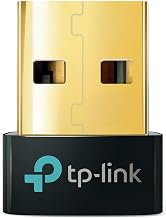
Best for: PC users who want faster speeds and broader coverage. This dongle supports Bluetooth 5.4 with EDR and BLE, and it is backward compatible with earlier Bluetooth versions. It’s suitable for desktop or laptop setups needing reliable audio streaming and stable peripheral connections, including keyboards and mice.
- Fast data transfer and extended range compared to Bluetooth 4.0.
- EDR and BLE technologies improve responsiveness and energy efficiency.
- Plug-and-play on supported Windows systems.
Caution: Some older peripherals may require driver updates or manual configuration for optimal compatibility.
8BitDo Wireless USB Adapter 2

Best for: Switch players and multi-platform gamers who want broad controller compatibility. The adapter supports Xbox Series X/S, Xbox One Bluetooth, PS5/PS4/PS3, Switch Pro, and classic controllers, plus compatibility with Steam Deck and Raspberry Pi setups.
- Wide controller compatibility across major platforms and 8BitDo devices.
- Works with Windows, macOS, Switch, Steam Deck, and more.
- Provides a quick wireless connection, reducing setup friction.
Caution: Some legacy or less common controllers may require manual pairing steps or firmware updates for optimal performance.
TP-Link UB500 Plus — Bluetooth 5.3 Long Range

Best for: Desktop setups where distance and interference are concerns. UB500 Plus uses Bluetooth 5.3 with an adjustable antenna to improve range and stability, making it a solid choice for larger rooms or multi-device workstations.
- Upgraded range and speed compared to older Bluetooth dongles.
- Backward compatibility with older Bluetooth versions.
- Plug-and-play with Windows 11/10/8.1/7.
Caution: Range improvements depend on the USB port type and physical obstacles; real-world results vary by environment.
AOJAKI Bluetooth Adapter for PS4/PS5 and Switch Pro

Best for: Players who want a versatile, plug-and-play adapter across PlayStation and Switch ecosystems. It remembers the last connected controller and includes a USB-C OTG cable for easier connections.
- Wide compatibility with official PS4/PS5 controllers and Switch Pro controllers.
- Memory feature simplifies re-pairing after reconnecting.
- Bluetooth 5.0 with aptX low-latency technology for reduced input lag.
Caution: Performance may vary with non-official controllers or unusual setup configurations; check device compatibility if using older peripherals.
UGREEN USB Bluetooth Adapter — Bluetooth 6.0

Best for: Multi-device environments needing simultaneous connections. This USB dongle uses Bluetooth 6.0 with EDR and BLE for faster transfers and flexible device pairing, while maintaining backward compatibility with newer and older Bluetooth devices.
- Supports up to five devices connected simultaneously in many setups.
- Backward compatibility with Bluetooth 5.4/5.3.
- Plug-and-play on Windows 11/10/8.1 systems.
Caution: When using multiple devices of the same type, only one audio device may play at a time in some configurations.
Buying Guide: Key Considerations
What should I look for in a Bluetooth adapter for controllers?
Compatibility with your operating system and the controllers you own is essential. Look for Bluetooth version (5.x or 6.x for better speed and range), support for EDR/BLE, and whether the dongle supports multiple devices simultaneously. If you game from a PC in a larger room, antennas or long-range capabilities are advantages.
Latency, range, and audio quality
Low latency helps with precise in-game inputs. Bluetooth 5.x and 6.0 options often provide reduced lag and stable connections, especially when paired with aptX low-latency where supported. Consider range needs based on room size and potential interference from wifi networks or other devices.
Power efficiency and compatibility
Many dongles balance power consumption with performance through BLE. If you use peripherals like keyboards and mice, ensure the adapter can efficiently handle multiple devices without creating interference.
Practical setup tips
- Install the latest drivers if the OS requires them, even for plug-and-play devices.
- Avoid USB hubs with many high-power devices on the same port to reduce interference.
- When pairing, place the dongle near the controller for a stable initial connection.
Which one should you buy?
If you need broad compatibility and modern speed for a PC gaming setup, the TP-Link UB500 or UB500 Plus provide strong options with latest Bluetooth tech and extended range. For multi-platform controllers, the 8BitDo Wireless USB Adapter 2 offers wide compatibility across Switch, Windows, Mac, and Raspberry Pi. PS4/PS5 and Switch users may prefer the AOJAKI adapter for plug-and-play simplicity and memory recall. For environments with many devices, the UGREEN Bluetooth 6.0 adapter supports multiple connections with backward compatibility.
FAQ
- What is the difference between Bluetooth 5.4 and 6.0 for controller adapters?
Bluetooth 5.4 emphasizes improvements over older versions, including speed and range, while 6.0 adds further efficiency and multi-device support in many setups.
- Can I connect more than one controller at the same time?
Some adapters support multiple devices, but performance may vary by device type. Check the product’s capability to connect several controllers or input devices concurrently.
- Will these adapters work with a Mac or Raspberry Pi?
Many listed adapters advertise cross-platform compatibility, including Windows, macOS, and Raspberry Pi when supported by the driver or OS.
- Do I need drivers for Windows 11?
Some adapters are plug-and-play, while others may require driver installation for best results on Windows 11/10/8.1/7.
- Is aptX low-latency always available?
AptX low-latency support depends on both the adapter and the controller. If low latency is critical, verify compatibility with your specific controller model.