Upgrade your home’s security with smart locks that work with Alexa for easy voice control and remote access. Below are five top picks that balance convenience, security, and smart-home compatibility. Each model supports hands-free control, fingerprint or biometric entry where available, and remote management via a dedicated app.
| Product | Unlock Methods | Wi‑Fi / Hub | Voice Assistant |
|---|---|---|---|
| Philips Wi-Fi Door Lock | App, Passcode, Fingerprint, Key, Voice | Built-in Wi‑Fi | Alexa, Google Assistant |
| TEEHO TE012W WiFi Smart Lock | App, Fingerprint, Passcode, Keys, Voice | Built-in Wi‑Fi | Alexa, Google Assistant |
| eufy Security Smart Lock C220 | App, Fingerprint, Keypad, Key, Voice | Built-in Wi‑Fi | Alexa, Google Assistant |
| Firstriver WiFi Smart Lock | App, Fingerprint, Passcode, IC Card, Key, Voice | Built-in Wi‑Fi | Alexa, Google Assistant |
| Wyze Palm Lock | Palm Vein, Passcode, App, Mechanical Key | Wi‑Fi | Alexa, Google Assistant |
Note: This article focuses on models that integrate with Alexa for voice control and remote access. All specifications mentioned refer to the product listings as provided.
Philips Wi‑Fi Door Lock With Alexa & Google Assistant

The Philips smart lock offers multiple unlock options, including app control, passcodes, fingerprints, a physical key, and voice commands via Alexa or Google Assistant. Built-in Wi‑Fi enables remote locking and unlocking from anywhere with no additional hub required. The device supports 2.4GHz networks and has a typical range cited for reliable remote control. Battery details indicate that batteries are not included, so installation should include fresh power if needed. Voice control compatibility is contingent on updating the app and network stability.
TEEHO TE012W WiFi Smart Lock (Matte Black)
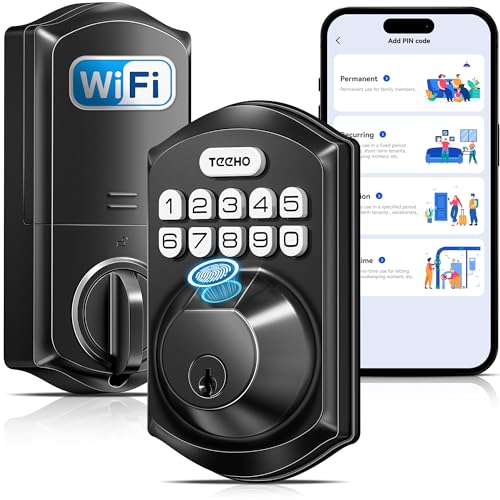
The TE012W model provides built-in Wi‑Fi for direct remote control via the KK Home App, without a hub. It is compatible with Alexa and Google Assistant for hands-free operation. It supports up to 20 fingerprint users and up to 100 passcodes, plus backup keys, with secure AES-128 encryption for data privacy. This lock suits front doors, offices, and rental properties, offering flexible access options and secure sharing settings through the app.
eufy Security Smart Lock C220

The eufy C220 emphasizes long battery life with 8 months on 8 AA batteries under typical use, plus options for app control, keypad, fingerprint, and voice control via Alexa/Google. Built-in Wi‑Fi allows remote access without a bridge, and integration with the eufy ecosystem enables routines with other devices. It also supports real-time notifications and event history, making it suitable for households seeking reliable power and broad smart-home integration.
Firstriver WiFi Smart Lock Front Door
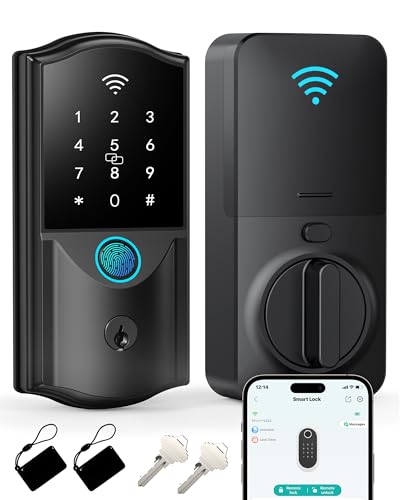
The Firstriver model provides 2.4GHz Wi‑Fi direct connection to a smartphone app for remote control. It offers six unlock methods—app, fingerprint, passcode, IC card, mechanical key, and voice control via Alexa/Google Assistant—giving flexible access for family and guests. Fingerprint recognition aims for quick entry, with a stated goal of fast unlocking, and compatibility with standard voice assistants helps integrate with broader smart-home setups.
Wyze Palm Lock With Palm Vein Recognition
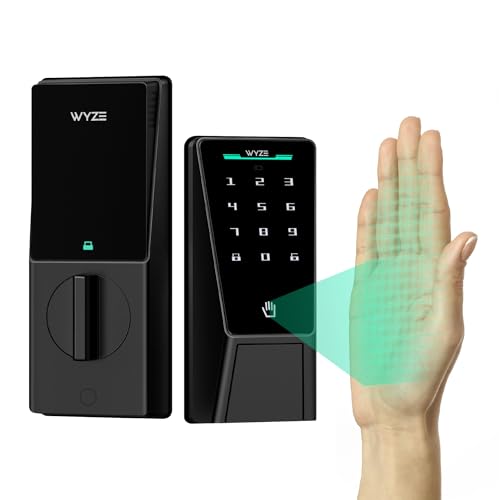
The Wyze Palm Lock uses palm vein recognition as its primary biometric method, offering contactless entry. It supports app control, voice control with Alexa/Google Assistant, keypad entry, and a mechanical key as a backup. A dual-battery system provides extended operation, with an emergency USB-C port for power if needed. Auto-locking helps prevent accidental or forgotten manual locking, and the device carries IP53 weather resistance for exterior use.
Buying Guide
Key considerations when choosing an Alexa-compatible smart lock:
- Voice assistant ecosystem: Ensure the lock supports Alexa as well as Google Assistant if you use multiple voice platforms.
- Connectivity and hub requirements: Built-in Wi‑Fi unlocks without a hub, but some models may still rely on a hub for advanced features or local control.
- Biometric options: Fingerprint, palm vein, or passcodes—select a method that matches your security needs and user comfort.
- Energy efficiency and battery life: Longer battery life reduces maintenance; check backup power options in case of depletion.
- Security features: Look for AES-128 or equivalent encryption, secure sharing, access code limits, and event history logging.
- Installation and compatibility: Verify fit for your door type (deadbolt vs. lever), voltage, and compatibility with 2.4GHz Wi‑Fi networks.
- Remote access and privacy: Consider how data is stored (locally vs. cloud) and how sharing codes or user access is managed.
- Durability and water resistance: IP ratings and hardware robustness matter for outdoor mounts or entryways exposed to weather.
How to Compare Models
- Unlock methods: Prioritize locks offering the most convenient combination for your household (biometrics, codes, app, and voice).
- Control scope: Some locks integrate tightly with broader ecosystems (eufy, Wyze, Schlage) while others emphasize standalone operation with app control.
- Security posture: Consider how each lock handles remote access permissions, user codes, and audit trails.
- Price and maintenance: Beyond upfront cost, factor in battery life, required replacements, and subscription considerations for app services if any.