For gamers, typists, and multitaskers, 60% wireless keyboards offer a clean desk, faster mouse movement, and versatile connectivity. This guide highlights five top options that blend portability, reliable wireless performance, and satisfying typing experiences. Each model supports multiple connection modes—Bluetooth, 2.4 GHz, and wired—so you can switch between devices seamlessly. You’ll find keyboards with hot-swappable switches, magnetic switches, RGB lighting, and long battery life. Below, compare key specs and features to help you choose the best compact wireless keyboard for work, gaming, or travel.
| Product | Brand | Key Features |
|---|---|---|
| DIERYA DK63 | DIERYA | 60% design, Bluetooth/2.4G/Wired, Red switches, RGB, anti-ghosting |
| Pauroty 60% Wireless Keyboards | Pauroty | 60% compact, 2.4G/BT1/BT2/USB-C, RGB backlight, rechargeable |
| Aula WIN60 HE | CORBOBO | 65% design, magnetic (hall effect) switches, 8000 Hz polling, RGB |
| Redragon K530 Pro Draconic | Redragon | 60% with hot-swappable PCB, 3-mode connection, hot-swappable |
| RK ROYAL KLUDGE RK61 (two variants) | RK ROYAL KLUDGE | Triple mode wireless, hot-swappable, 60% design |
DIERYA DK63 60% Wireless Keyboard

The DIERYA DK63 combines a compact 63-key footprint with flexible connectivity: Bluetooth, 2.4G wireless, and wired USB. It retains arrow keys within a 60% layout by using a dedicated FN key for extended functions, delivering full usability without desk clutter. The keyboard uses Red switches designed for a light, linear feel with low noise, suitable for long typing sessions and gaming. Built for durability, it claims up to 600,000 presses, contributing to a consistent experience across work tasks and casual play. Three connection modes enable quick switching among devices.
Pauroty 60% Wireless Keyboard
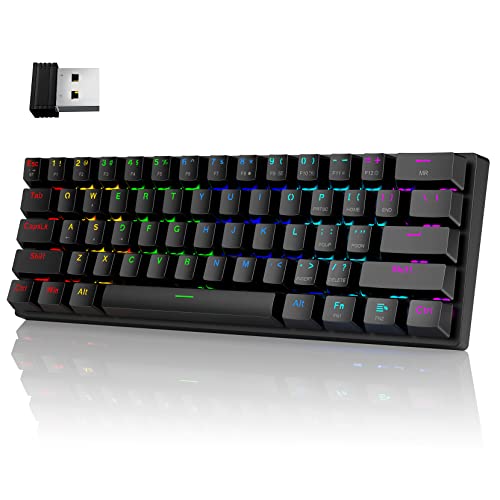
The Pauroty keyboard emphasizes versatility with triple-mode wireless: 2.4G USB receiver and Bluetooth BT1/BT2, plus USB-C wired mode. Its 60% footprint omits the numeric keypad and function row, maximizing desk space and mouse movement. A robust RGB backlight supports 16 modes, eight color options, and per-key customization, with power-saving features to extend battery life. It’s designed for portability and on-the-go use, easily fitting into bags for travel or campus setups.
Aula WIN60 HE 60% Mechanical Keyboard

The AULA Win60 HE pushes performance with magnetic (hall effect) switches and an 8000 Hz polling rate for ultra-fast input. While the design is 65% rather than exact 60%, its compact footprint still favors space efficiency. The magnet-based switches aim to reduce wear and provide precise actuation, potentially benefiting FPS titles and rapid keystrokes. The keyboard focuses on speed and reliability, with RGB lighting and a rapid trigger setup that targets competitive play while staying suitable for general productivity on PC setups.
Redragon K530 Pro Draconic 60%

The Redragon K530 Pro Draconic 60% offers three-mode connectivity (USB-C wired, BT 3.0/5.0, and 2.4Ghz) with hot-swappable compatibility on its PCB. A notable feature is the ability to swap switches without soldering, enabling users to customize feel quickly. The compact layout focuses on essential keys while keeping a robust gaming profile, including RGB lighting effects and a sturdy build that appeals to gamers who want flexibility and future-proofing on a small desk footprint.
RK ROYAL KLUDGE RK61 (Triple Mode)

The RK61 line from RK Royal Kludge emphasizes triple-mode connection (Bluetooth 5.0, 2.4G, and USB-C wired), paired with a compact 60% form factor. The hot-swappable PCB option allows easy switch customization, making it possible to tailor a keyboard to specific workflows or game genres. Its emphasis on portability, combined with a robust software ecosystem for customization, makes RK61 a flexible choice for users who frequently switch between devices and environments.
RK ROYAL KLUDGE RK61 (Triple Mode Red Switch)
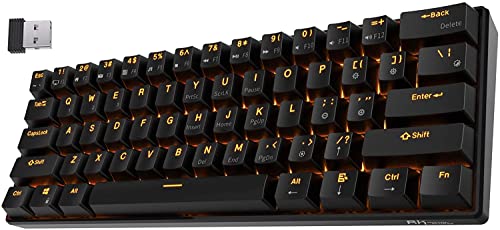
The second RK61 listing emphasizes hot-swappable capability with Red switches and triple-mode wireless connectivity. It targets users who want a compact layout without sacrificing switch customization. The combination of Bluetooth, 2.4G, and USB-C wired ensures compatibility across laptops, desktops, and tablets, with a focus on delivering efficient input for gaming and productive tasks in varied setups.
GEODMAER 65% Wireless Keyboard

The GEODMAER 65% wireless keyboard emphasizes a compact design with a 2.4G wireless connection and a large 2000 mAh battery, offering extensive usage between charges. It features 2.4G wireless stability and auto-sleep to conserve power during idle periods. With a 65% layout, it retains essential arrow keys and function keys, giving a middle ground between full 60% minimalism and larger compact layouts, suitable for both office productivity and gaming on the go.
RedThunder 60% Wireless Keyboard & Mouse

The RedThunder combo pairs a 60% wireless keyboard with a rechargeable mouse, optimized for compact setups. It uses a shared 2.4G receiver and features rechargeable batteries for both devices. The keyboard prioritizes a slim profile and an energy-saving design, while the mouse emphasizes portability and precision. This combo suits users who want a complete mini workspace for travel, remote work, or small desks, with a focus on efficiency and simplicity.
Buying Guide: Key Purchase Considerations
- Connectivity: If you switch between devices, prioritize tri-mode keyboards (Bluetooth, 2.4G, wired) for seamless cross-device typing and gaming.
- Layout and portability: A true 60% layout saves space, but confirm whether arrow keys remain accessible via FN layers or alternative arrangements.
- Switch type and feel: Red (linear) switches are quiet and fast, while blue (clicky) or tactile options may suit different preferences. Consider hot-swappable switches if you crave customization.
- Battery life and charging: For wireless keyboards, battery life and charging methods (USB-C) matter for long sessions away from power outlets.
- Polling rate and latency: Higher polling rates (like 8000 Hz) can improve responsiveness in fast-paced gaming, but real-world gains vary by system and use case.
- Build quality and portability: Look for sturdy frames and protective keycaps, especially if you travel with the device. Weight and size influence portability.
- Software and customization: Some models offer software for per-key macros and lighting, which can enhance productivity and gaming experiences.
- Price-to-value balance: Compare hot-swappable capabilities, battery life, and multi-device support to determine the best value within your budget.
Choosing a 60% wireless keyboard involves balancing desk space, device compatibility, and personal preferences for feel and lighting. The listed options provide a spectrum—from sleek, silent linear switches to magnetic-actuation designs—so you can select a model that aligns with work, gaming, and travel needs without sacrificing performance.