Looking for a reliable 4TB internal hard drive to expand storage for a desktop PC, NAS, or gaming rig? This guide highlights five strong options and explains who each drive is best for. You’ll find clear, comparison-friendly notes to help you choose the right 4TB drive for your setup.
Summary of chosen products (quick reference):
- Seagate BarraCuda 4TB Internal Hard Drive – Best for general desktop use and high-capacity gaming PCs.
- WD Blue 4TB Internal Hard Drive – Best for reliable everyday computing with easy cloning support.
- Seagate IronWolf 4TB NAS Drive – Best for multi-user NAS environments and home servers.
- Seagate SkyHawk 4TB Video Drive – Best for DVR/NVR video storage and surveillance systems.
- White Label 4TB Enterprise-Grade Drive – Best for business-critical applications needing high MTBF and steady I/O.
Buying table: Brand, Model, Interface, RPM, Cache, Best For
Seagate BarraCuda 4TB Internal HDD
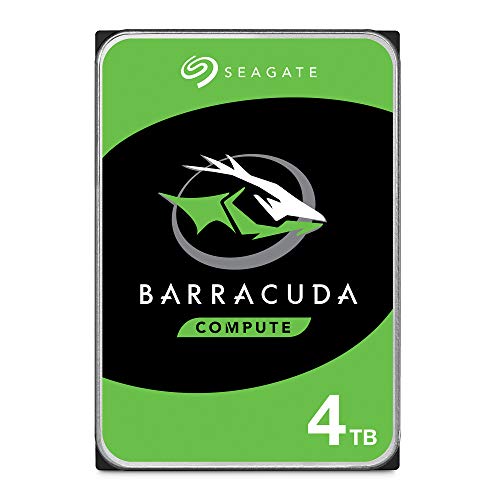
Seagate BarraCuda drives are known for versatility and solid reliability. This 4TB model is designed for desktop PCs and provides ample space for games, media, and everyday software. Best for users building a main PC, a home workstation, or a gaming rig that benefits from high capacity and straightforward maintenance.
Who it’s for: Best for gamers and multi-purpose desktop users who want a single, reliable 4TB solution. Why selected: BarraCuda combines straightforward SATA 6 Gb/s performance with a broad range of capacities and a reputation for dependable operation.
Caution: Performance is tuned for balanced desktop workloads; if you require enterprise-grade endurance or RAID features, consider alternative options described here.
Western Digital 4TB WD Blue PC Internal HDD

WD Blue drives are built for dependable everyday computing. This 4TB option pairs a 5400 RPM speed with a 128 MB cache to deliver solid performance for standard workloads, media libraries, and office tasks. Best for users who want quiet, reliable storage without enterprise features.
Who it’s for: Best for home offices or multimedia desktops needing steady, quiet storage. Why selected: WD Blue emphasizes reliability and ease of use, with practical features like cloning software bundled to simplify data migration.
Caution: 5400 RPM drives trade performance for power efficiency and acoustic comfort; for heavy gaming or content creation, a 7200 RPM alternative may be faster.
Seagate IronWolf 4TB NAS Drive

IronWolf drives are purpose-built for NAS environments. This 4TB model supports multi-user sharing, designed to deliver reliable performance in networked storage setups. Best for home or small office NAS with multiple users and devices accessing data concurrently.
Who it’s for: Best for multi-user NAS systems, small office servers, and home media servers. Why selected: Optimized for NAS workloads with features that reduce wear and tear and improve continuous operation.
Caution: While excellent for NAS, this drive may be overkill for a single-user desktop PC and could be more expensive than non-NAS drives for that use case.
White Label 4TB Enterprise-Grade Drive
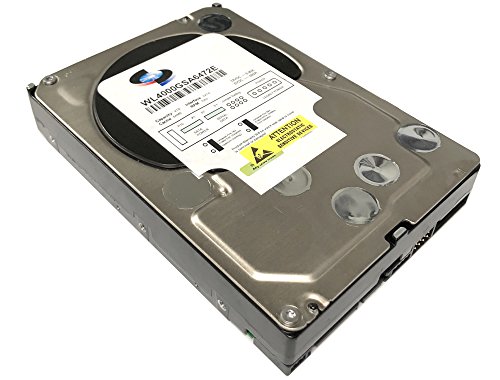
White Label drives offer enterprise-grade performance with a focus on reliability and sustained throughput. This 4TB option targets business-critical applications and environments requiring continuous operation and higher MTBF. Best for servers, RAID arrays, and high-availability storage.
Who it’s for: Best for small to mid-sized businesses and data centers needing dependable, long-term storage. Why selected: Enterprise-grade capability with high sustained transfer and reliability characteristics for demanding workloads.
Caution: Enterprise drives may require more robust RAID configurations and monitoring; ensure compatibility with your server or NAS environment before purchase.
Buying Guide
- Workload type matters: Choose BarraCuda for general desktops, IronWolf for NAS, and SkyHawk for video storage. Each family optimizes for its primary workload.
- RPM vs. power use: 7200 RPM drives offer faster data access but higher power and noise. 5400 RPM models are quieter and more power-efficient, suitable for storage-heavy but light-use PCs.
- Cache size influences bursts: Larger caches help with quick access to frequently used data. Compare 64–256 MB caches depending on model.
- NAS and multi-user environments: If you plan sharing across devices, prefer drives labeled for NAS or with vibration and wear reduction features to sustain performance.
- Reliability and MTBF: Enterprise-grade and NAS-specific drives typically offer higher MTBF and longer warranties; weigh uptime requirements against cost.
- Cloning and migration: Some drives include bundled software to clone or migrate data. If upgrading, this can simplify the transition.
- Interface compatibility: Ensure SATA 6 Gb/s is available in your system. All drives listed use standard 3.5″ SATA interfaces.
Frequently Asked Questions
- What is the difference between 5400 RPM and 7200 RPM drives? 7200 RPM drives offer faster data access but typically consume more power and generate more heat, while 5400 RPM drives are quieter and more energy-efficient, suitable for storage-heavy setups.
- Which 4TB drive is best for a NAS? IronWolf 4TB NAS drives are designed for multi-user NAS environments, offering durability and performance optimized for shared storage.
- Do I need enterprise-grade drives for a home server? If your home server runs 24/7 and requires high endurance, enterprise-grade drives provide greater MTBF and sustained performance; otherwise NAS or consumer drives may suffice.
- Can I clone data easily to these drives? Several drives include cloning software or tools to migrate data, which can simplify upgrades. Check the product features for software inclusion.
- Is 4TB enough for gaming and multimedia? For a single PC with large game libraries and media, 4TB can be sufficient, but consider future expansion or multiple drives for best results.
- Are 4TB drives suitable for video surveillance storage? Yes, certain drives like SkyHawk are optimized for DVR/NVR workloads, offering video-optimized storage and reliability.