For office professionals who juggle multiple documents, spreadsheets, and chat apps, a 34-inch ultrawide monitor can boost productivity and comfort. This guide highlights five highly capable options that balance clarity, color accuracy, and smooth multitasking. Each selection supports wide viewing angles, ample screen real estate, and ergonomic features designed for long workdays. Read on to compare key strengths and find a display that fits your workflow and budget.
Summary of selected products:
| Brand | Model | Key Strengths | Resolution | Refresh (Hz) |
|---|---|---|---|---|
| Sceptre | C345B-QUT168 | Low input lag, 1ms MPRT, backlight aesthetics | 3440×1440 | up to 180/165 |
| Samsung | LS34C50DGANXZA | Ultra-WQHD, HDR10, strong color depth | 3440×1440 | 100 |
| Dell | S3425DW | Comfort features, strong color coverage | 3440×1440 | 120 |
| SANSUI | UWQHD Monitor | High refresh, PIP/PBP, versatile inputs | 3440×1440 | 165 |
| Samsung | LS34A654UBNXGO | HD/Color depth, 1000R curvature | 3440×1440 | 100 |
Sceptre 34-Inch Ultrawide: WQHD, 1ms, Curved

The Sceptre C345B-QUT168 focuses on rapid action handling with 1ms MPRT response times, reducing ghosting during fast office tasks or quick navigation through large spreadsheets. Its curved 34-inch panel enhances immersion and can help users monitor multiple windows side-by-side. The monitor’s 3440×1440 WQHD resolution offers sharper text and more detailed images than standard 1080p, aiding readability and precision for data-heavy work. Aesthetically, the luminous backcover lights provide a distinctive look for modern desks.
Samsung ViewFinity S50GC Ultrawide: HDR10 and Color Depth

The Samsung ViewFinity S50GC series leverages Ultra-WQHD with HDR10 to deliver deep contrast and rich color detail across broad content. Its 21:9 ultrawide aspect ratio helps with multitasking—putting multiple docs or browser windows on screen without frequent window switching. HDR10 support expands color and brightness range for more lifelike images, which can be helpful when reviewing design assets or presentations. The monitor also emphasizes eye comfort for long work sessions.
Dell 34 Plus USB-C Curved: Comfort and Color Precision

The Dell S3425DW emphasizes comfort and color accuracy for office work. With a VA panel delivering solid contrast, it covers 99% of sRGB and 95% of DCI-P3, making text crisp and colors reliable for design previews. USB-C connectivity simplifies docking and single-cable setups for laptops. AMD FreeSync Premium support and a 120Hz refresh rate help with smooth scrolling and more fluid visuals when needed, while low blue light features reduce eye strain during extended sessions.
SANSUI 34-Inch UWQHD: 165Hz, PIP/PBP

The SANSUI UWQHD monitor targets performance with up to 165Hz refresh and a 1500R curved panel for immersive viewing. Its MPRT of 1ms and FreeSync support reduce motion blur, which is appealing for quick document interactions and fast-paced content review. With PIP/PBP and dense color performance signals, this monitor is well-suited for professionals who juggle multiple inputs and need flexible window management on a single screen.
Sceptre 34-Inch Curved Ultrawide: WQHD, 1ms MPRT
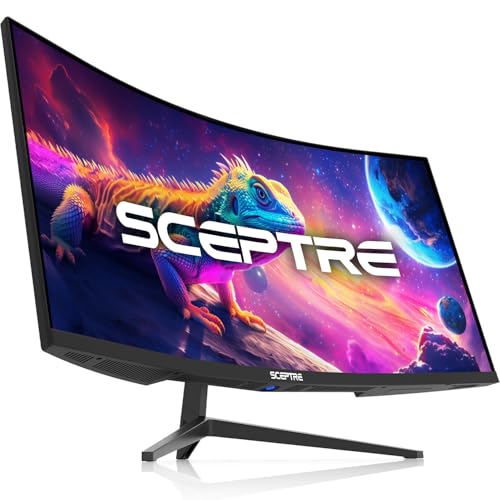
The Sceptre C345B-QUT168 series doubles down on fast response with 1ms MPRT and a 3440×1440 resolution for sharp text and detailed visuals. It supports a robust sRGB coverage and aims to balance color fidelity with quick action rendering, which is beneficial for reviewing dense data, while built-in speakers add convenient audio for video meetings or quick media playback during a workflow. The curved screen helps reduce edge-to-edge distractions for long work sessions.
Samsung Viewfinity S65UA Ultrawide with 1000R Curve

The Samsung S65UA Series emphasizes curvature that closely matches human eyesight with a 1000R design, helping to reduce eye strain during long work sessions. The 34-inch ultrawide panel supports HDR10 with a broad color range, enabling more vivid presentations and data visuals. USB-C connectivity facilitates modern desk setups, while the 21:9 aspect ratio supports efficient multitasking and window management for professional workflows.
Buying Guide: Key Purchase Considerations
- Resolution and screen real estate: A 34-inch ultrawide at 3440×1440 delivers sharper text and more room for multiple windows. Consider whether you prioritize workspace for spreadsheets, docs, or design previews.
- Refresh rate and motion handling: For office tasks, a 60–120Hz range is typically sufficient; higher refresh helps with smooth scrolling and video calls. Look for low response times if you work with fast-moving content.
- Panel type and color accuracy: VA or IPS panels affect contrast and viewing angles. Certifications like sRGB/DCI-P3 coverage indicate color reliability for design work and image-heavy tasks.
- Connectivity: USB-C or USB-C with DisplayPort/HDMI inputs simplifies docking and data transfer. Ensure compatibility with your computer or laptop’s ports and power delivery needs.
- Eye comfort features: Blue light reduction and flicker-free technology reduce fatigue during long sessions. An adjustable stand and VESA compatibility improve ergonomic setup.
- Software and features: PIP/PBP modes, built-in speakers, HDR support, and curved designs influence multitasking efficiency and user experience in real office scenarios.
- Durability and warranty: Check product warranties and panel guarantees to protect against common issues in a busy office environment.
These monitors represent a spectrum of ultrawide options suitable for office work, from color-accurate content creation to flexible multitasking and smooth daily operations. Assess your primary tasks—text readability, window management, media meetings, or design previews—and match features like resolution, curvature, and connectivity to your workflow needs.